Cloud Production
Coming soon, as an add-on.Invite people to edit or view a Stage.IO or Stage.Spec production with you, and a Stage.Rack production when Stage.Rack arrives. The first six months are free, and after that it’s a single price for the year.
The screenshot on this page comes from the real app, filled with a made-up production.
How it works
You share a production from its Share button, and choose what each person can do.
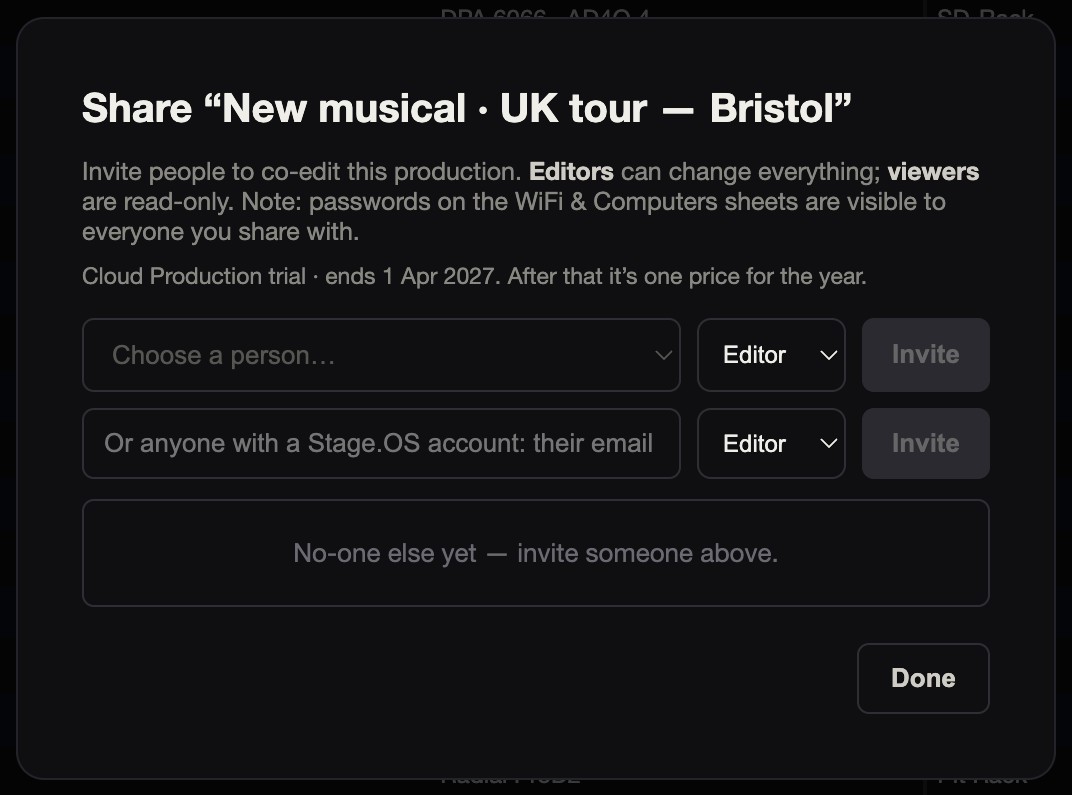
Editors can change the production itself, and viewers can read it. Sharing, the crew list and deleting the production stay with you. You can change anyone’s role, or remove them, at any time.
You can invite people on your roster, or anyone with a Stage.OS account by their email address. They accept the invitation the next time they open Stage.OS.
You can see who else is in the production with you, and their changes appear as they save them. If two people change different things at the same time, such as different rows of an I/O sheet or different parts of a spec, both changes are kept. If you both change the same thing, the later save wins.
Co-editing covers Stage.IO and Stage.Spec, and Stage.Rack when it arrives. Stage.Crew and Stage.Label aren’t co-edited.
Yearly price and trial
Whoever owns the production has the add-on, at a single price for the year. The people they invite don’t pay.
The six-month free trial is started from the Share button, and each account can have it once.
If it lapses
If the add-on lapses, the production stays as it is. Everyone already on it can still read it, and you can carry on editing. Editors you invited become read-only until you renew, and renewing gives them co-editing back straight away. Renewal will be possible once the paid add-on is available.
These rules are enforced in the database as well as in the app.
What stays free
Assigning a planner, spec or I/O sheet to your crew is part of every account. They get a read-only copy.
Linked apps is coming soon. It’s standard with an Organisation account and isn’t an add-on. With it, all your own apps work from the same production: the venues and dates appear in every app, Stage.Spec fills in Stage.IO, Stage.IO fills in Stage.Rack, and Stage.Label pulls from Stage.IO. The only part that works today is linking a Stage.IO production to its Stage.Spec by hand. The rest is coming soon.
Prep Share is a free add-on.