Stage.Spec
Coming soon.Stage.Spec holds the whole system spec for a production, from the PA to the cue lights. Each system has a builder where you pick the kit from built-in catalogues and it adds up the totals, so the equipment list comes straight from what you’ve picked.
The screenshots and the PDF on this page come from the real app, filled with a made-up tour, made-up companies and made-up people.
Overview
How a spec goes from a new production to the PDF for the hire house. Watch it in just over a minute.
The spec and its systems
Each spec is a list of systems, and each system has its own builder and its own list of kit. The spec shows which systems are finished and which aren’t. Open a system below to see its builder.
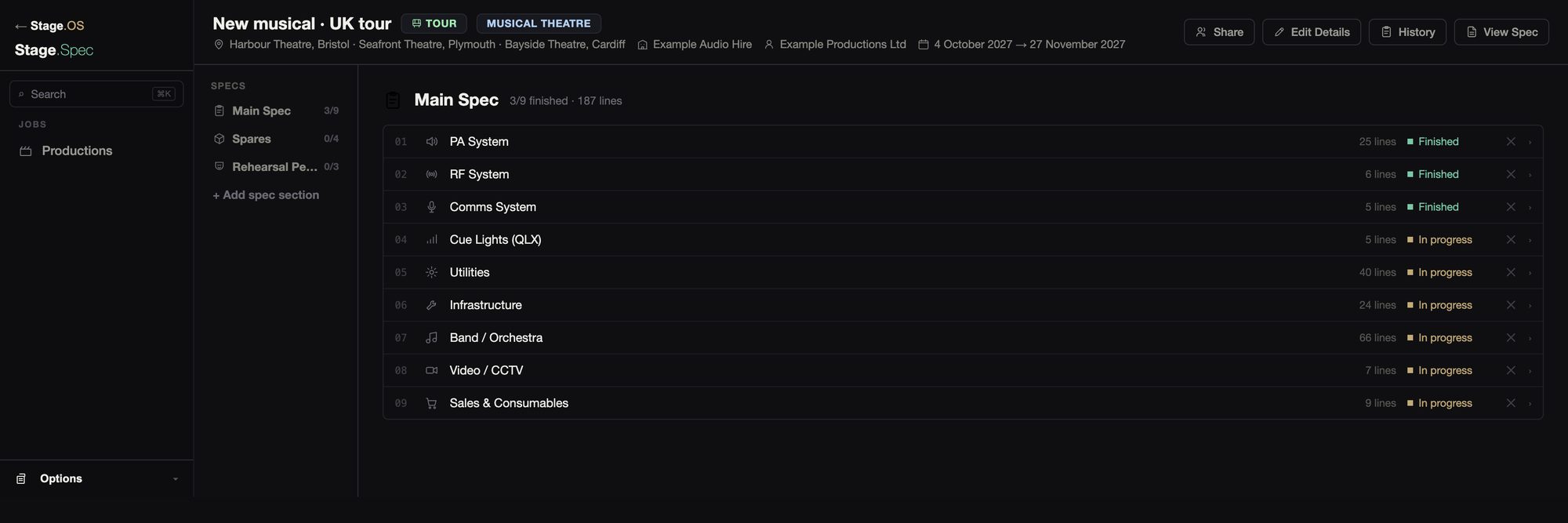
There are nine builders: PA, RF, band and orchestra, utilities (consoles, processing, network and show control), comms, cue lights, video and CCTV, infrastructure, and sales and consumables.
More than one spec
A production period spec holds the comms and RF for the tech and preview period. The rehearsal room’s kit and the spares to carry each get their own list too.

01PA System
The PA builder has three tabs: the speakers, the ways each array hangs on the tour, and the amplifiers, with a drawing of what every amp channel drives.
01PA System
The PA builder has three tabs: the speakers, the ways each array hangs on the tour, and the amplifiers, with a drawing of what every amp channel drives.
Speakers
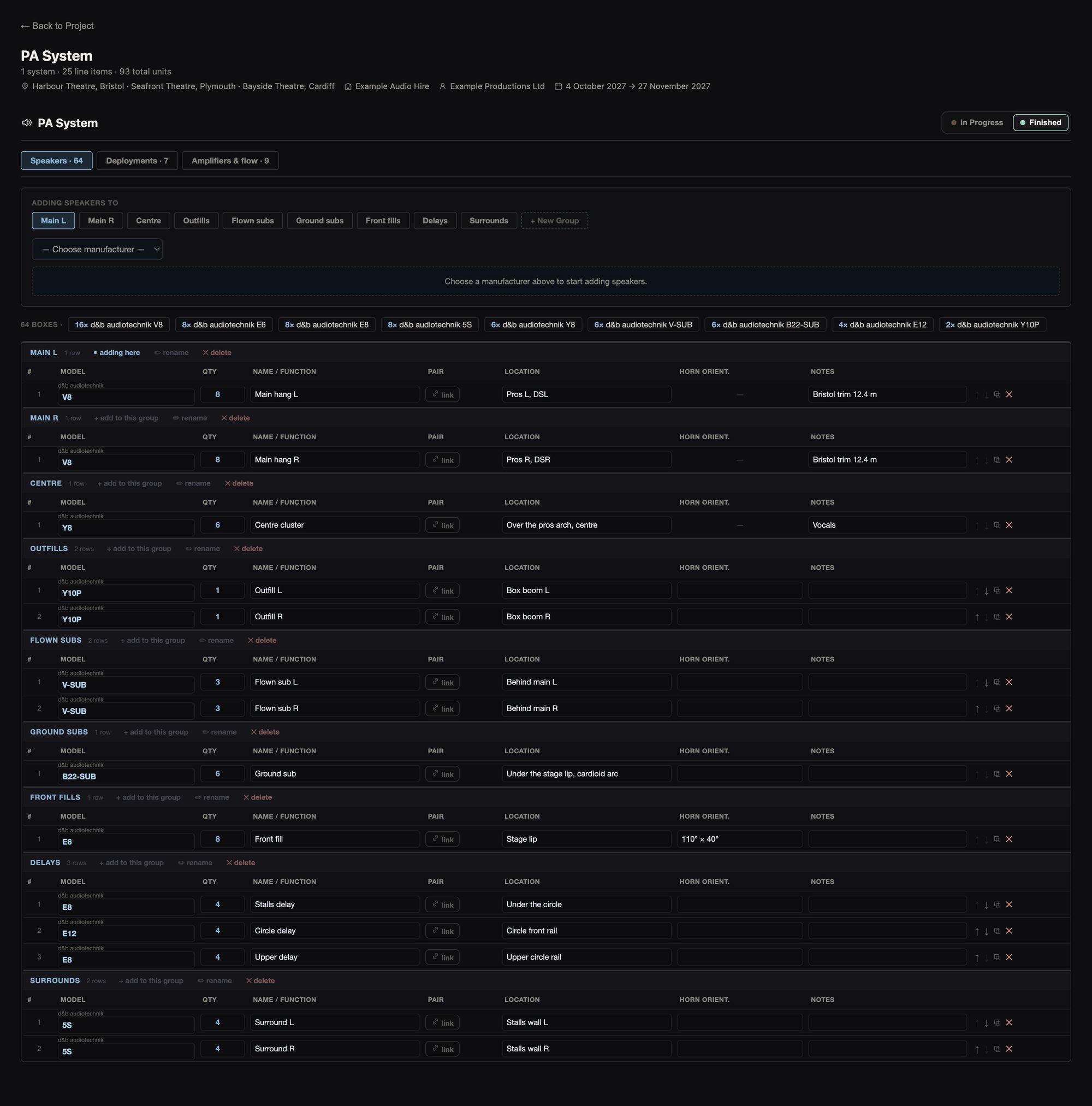
There are 124 speaker models built in, from d&b, L-Acoustics, Meyer, Martin, EM Acoustics and Genelec, covering line array, point source, subs and monitors. Anything else can be added as a model of your own.
Boxes go into named groups such as Main L and R, subs, fills and delays. Each row has its model, how many boxes it holds, what they do, where they go, the horn and notes. If you link two rows as a cabled pair, where they go, the horn and the notes are kept in step between them, and the pair goes onto an amp channel as one.
Deployments
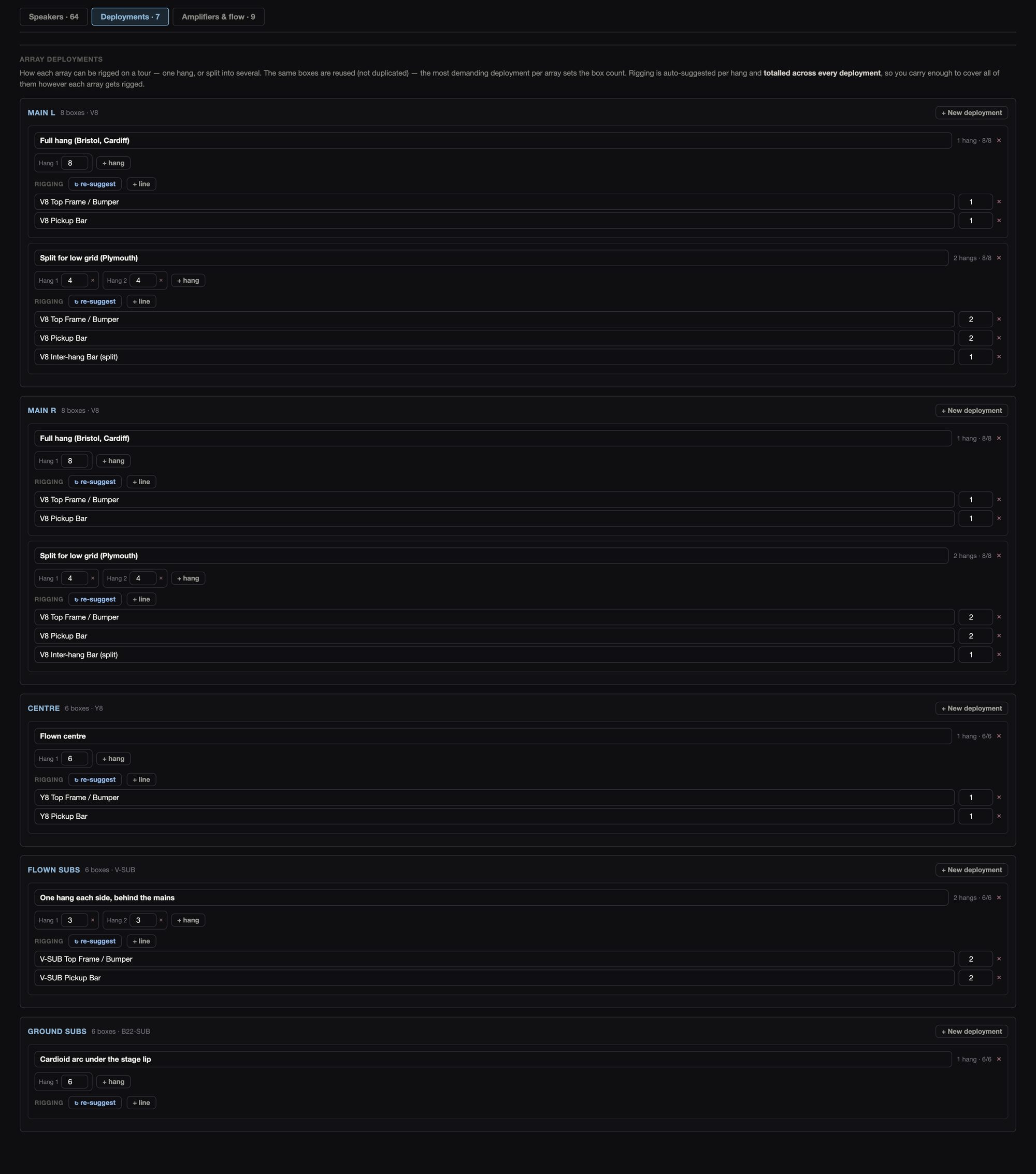
An array can hang one way in one venue and split in the next. A frame and pick-up bar are suggested for each hang, for you to check, and the rigging is totalled across every deployment so you carry enough for all of them. The boxes themselves aren’t counted twice.
Amplifiers
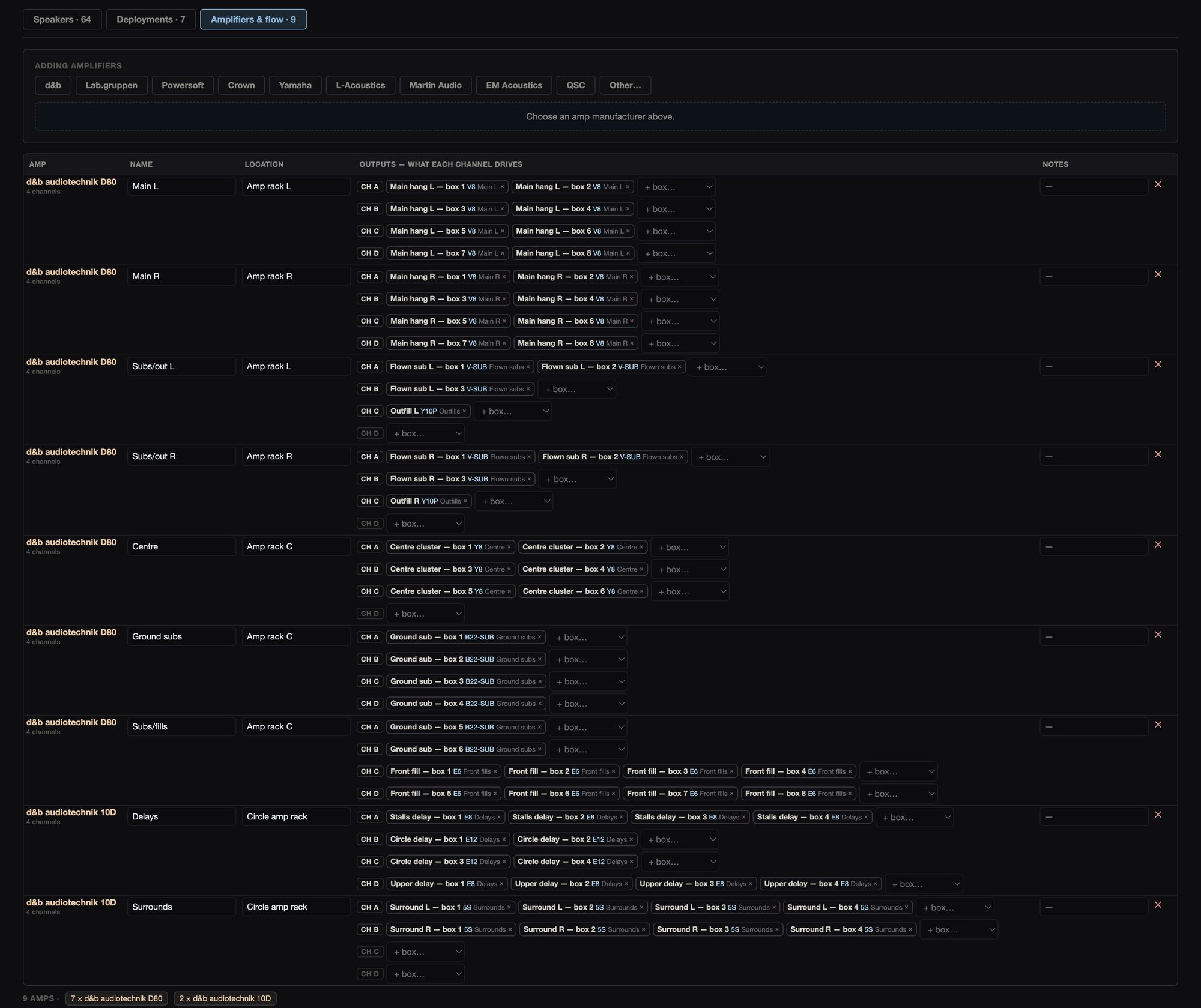
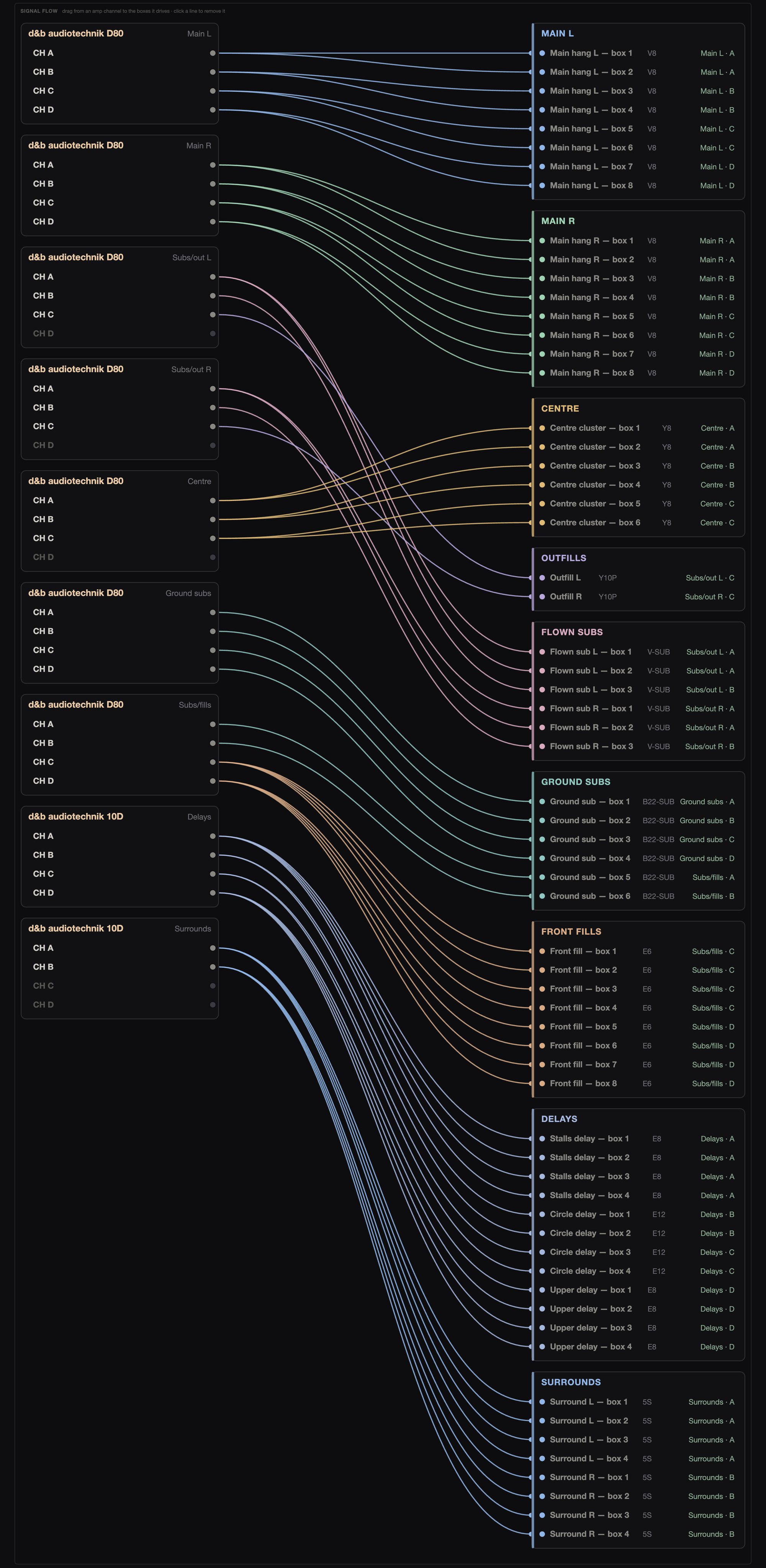
Each amp is its own row, picked from 25 models by nine makers, with its name, where it is, and what each output drives. You put speakers on a channel one at a time, by name, such as “Main hang L — box 3”. A speaker that’s already on a channel can’t be put on a second one, and cabinets the maker says need two channels take two.
Each channel is checked against the maker’s own figure for how many of that speaker one channel can drive, and you’re stopped before you go over it. In the signal flow you can drag from a channel to the speakers it drives, or click a line to take it off. The amps are totalled by model, and Stage.IO’s amp racks show the same flow.
02RF System
Radio mics and IEMs share one builder. You pick the manufactures, then add the kit one unit at a time.
02RF System
Radio mics and IEMs share one builder. You pick the manufactures, then add the kit one unit at a time.
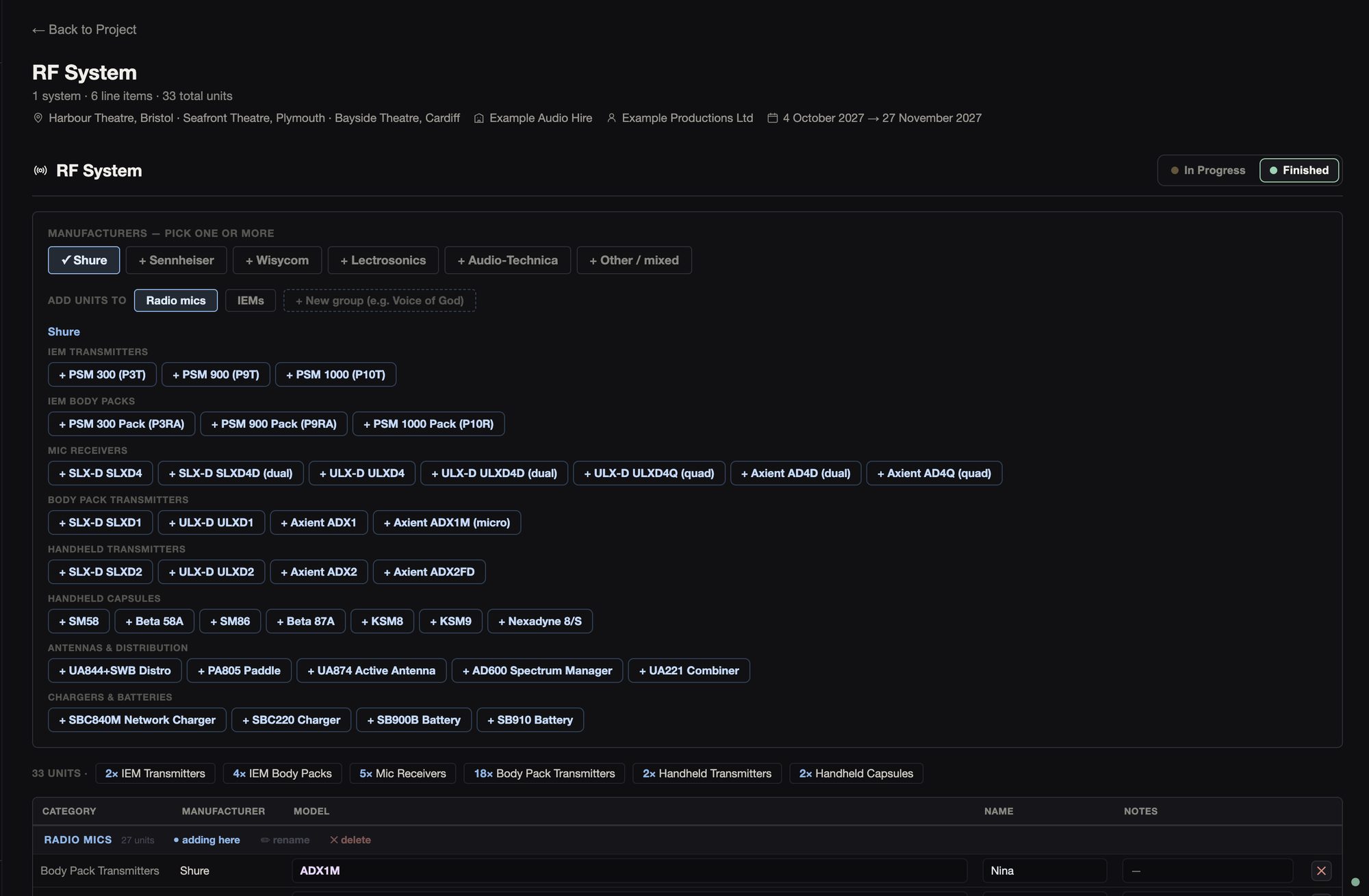
There are 127 models from Shure, Sennheiser, Wisycom, Lectrosonics and Audio-Technica, and you can use more than one manufacture on a show if you need to. They cover IEM transmitters and packs, receivers, body packs, handhelds and capsules, antennas and distribution, chargers and batteries.
Each unit is its own row, with its own name (“Vocal 1”) and notes, in named groups such as the main rig and voice of God. The radio mics and IEMs pages in Stage.IO take these units as their channels.
03Band / Orchestra
The band builder lists each player, how they hear the show and what goes on their position.
03Band / Orchestra
The band builder lists each player, how they hear the show and what goes on their position.
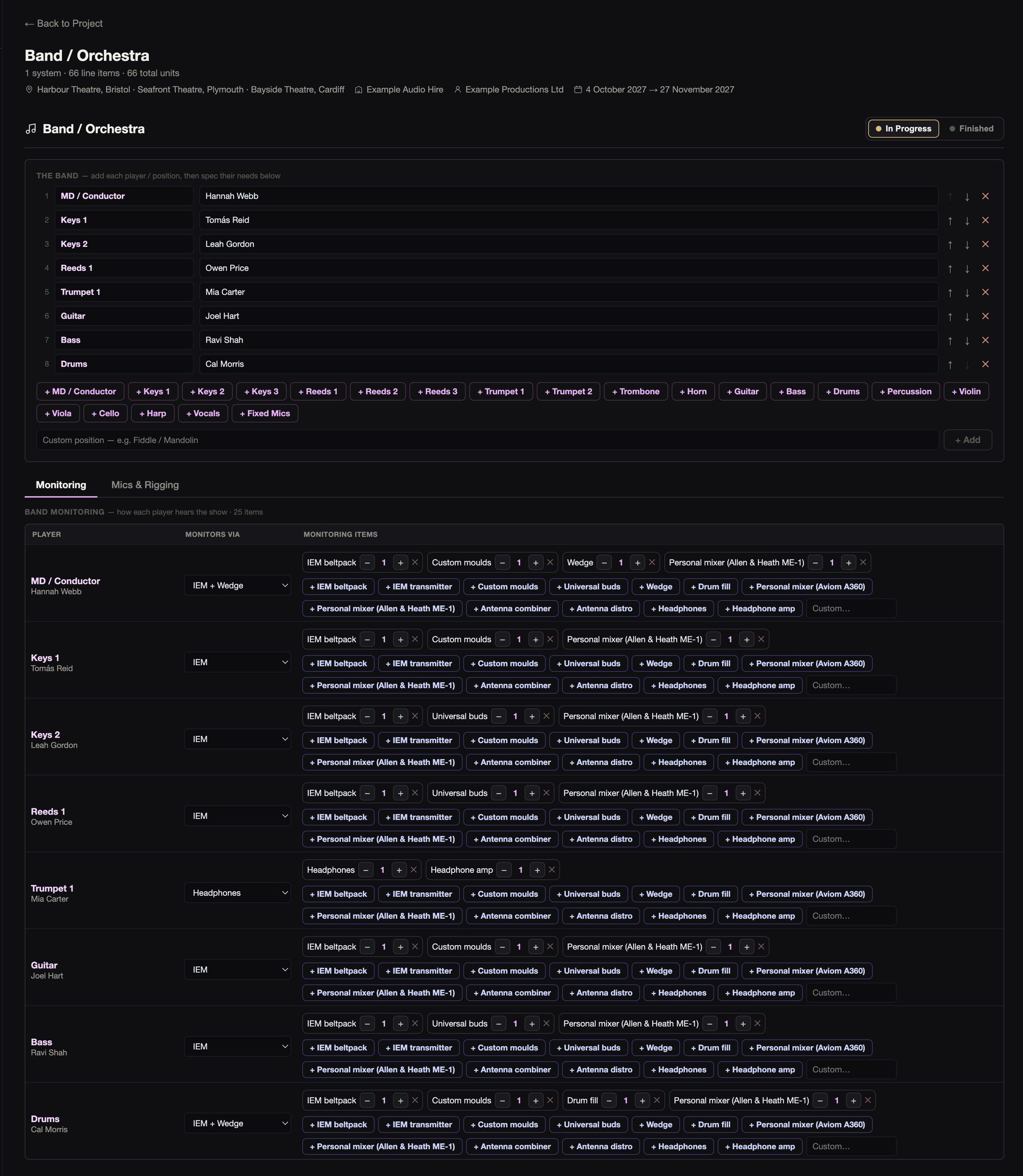
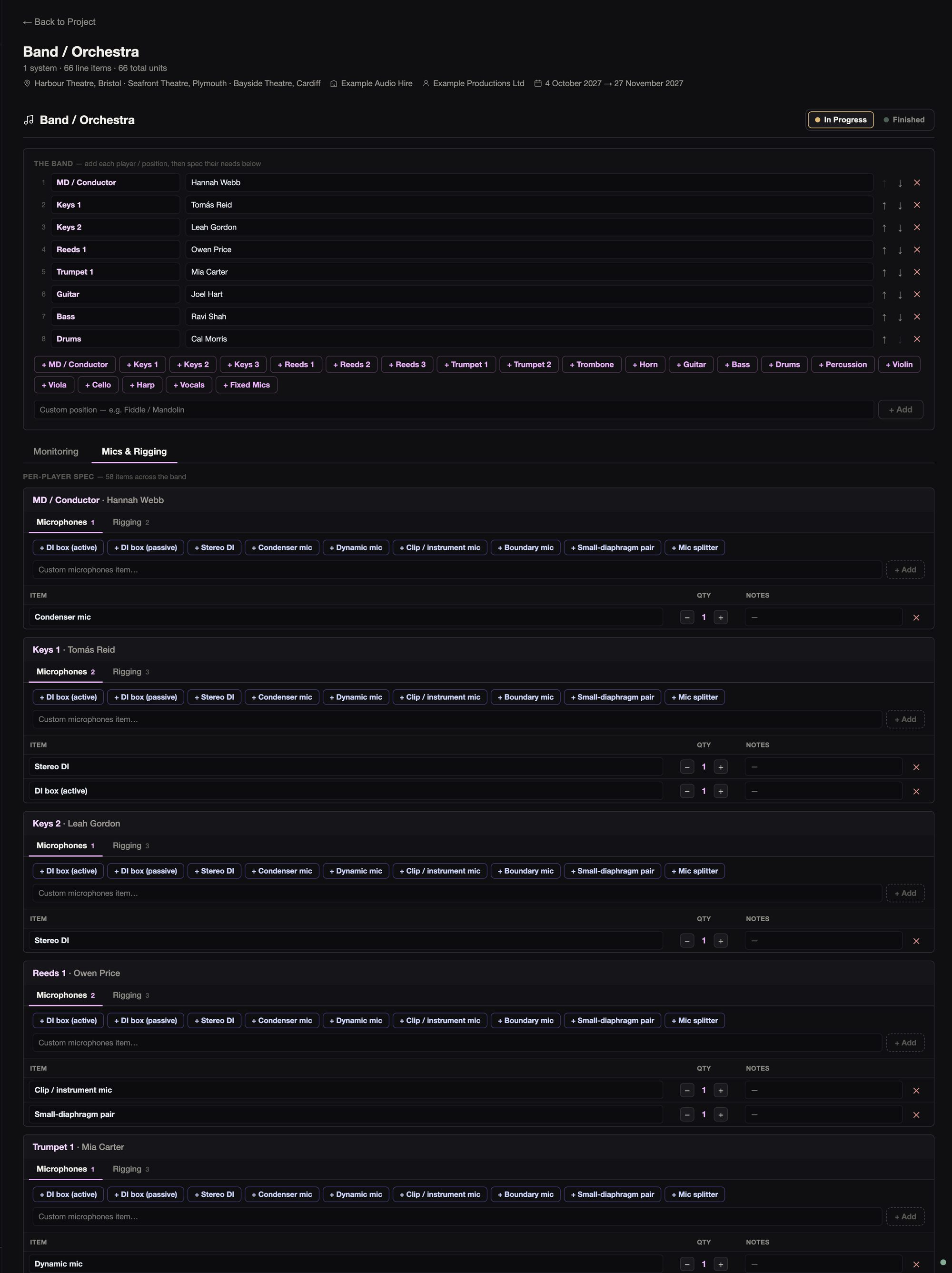
There are 21 positions you can add with a click (MD, keys, reeds and so on), or you can add your own, each with the musician’s name if you have it. For each player you set how they hear the show, whether that’s IEMs, a wedge, both, headphones or nothing, along with their monitoring kit.
Each player’s position gets its mics, DIs and rigging, with quantities and notes. Lines read like “Keys 1 (Sam) · DI box”. The mics and stands page and the band monitoring pages in Stage.IO start from this.
04Utilities
Utilities covers the control end of the system: the console and its racks, processing, spatial audio, the network, the show computers, MIDI and timecode.
04Utilities
Utilities covers the control end of the system: the console and its racks, processing, spatial audio, the network, the show computers, MIDI and timecode.
FOH console
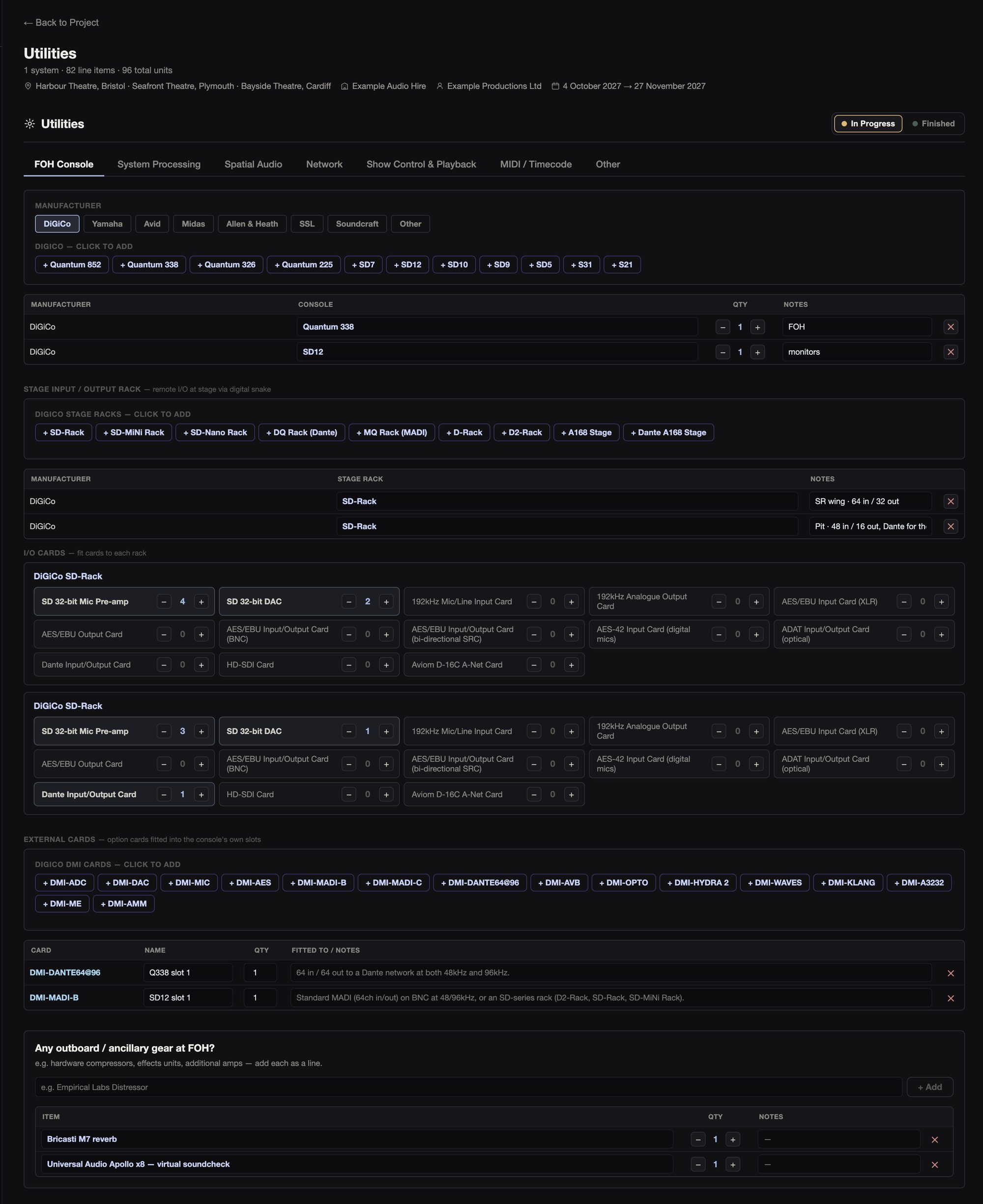
There are 49 consoles from DiGiCo, Yamaha, Avid, Midas, Allen & Heath, SSL and Soundcraft, with the DSP engine for Avid and Yamaha. You’re only offered the stage racks for that console’s maker, and modular racks (DiGiCo SD-Rack and SD-MiNi, Avid Stage 64, Yamaha RPio) get a grid for their I/O cards.
Once there’s a console, you can add the rest of FOH: IO cards, your outboard and mix position table.
System processing and spatial audio
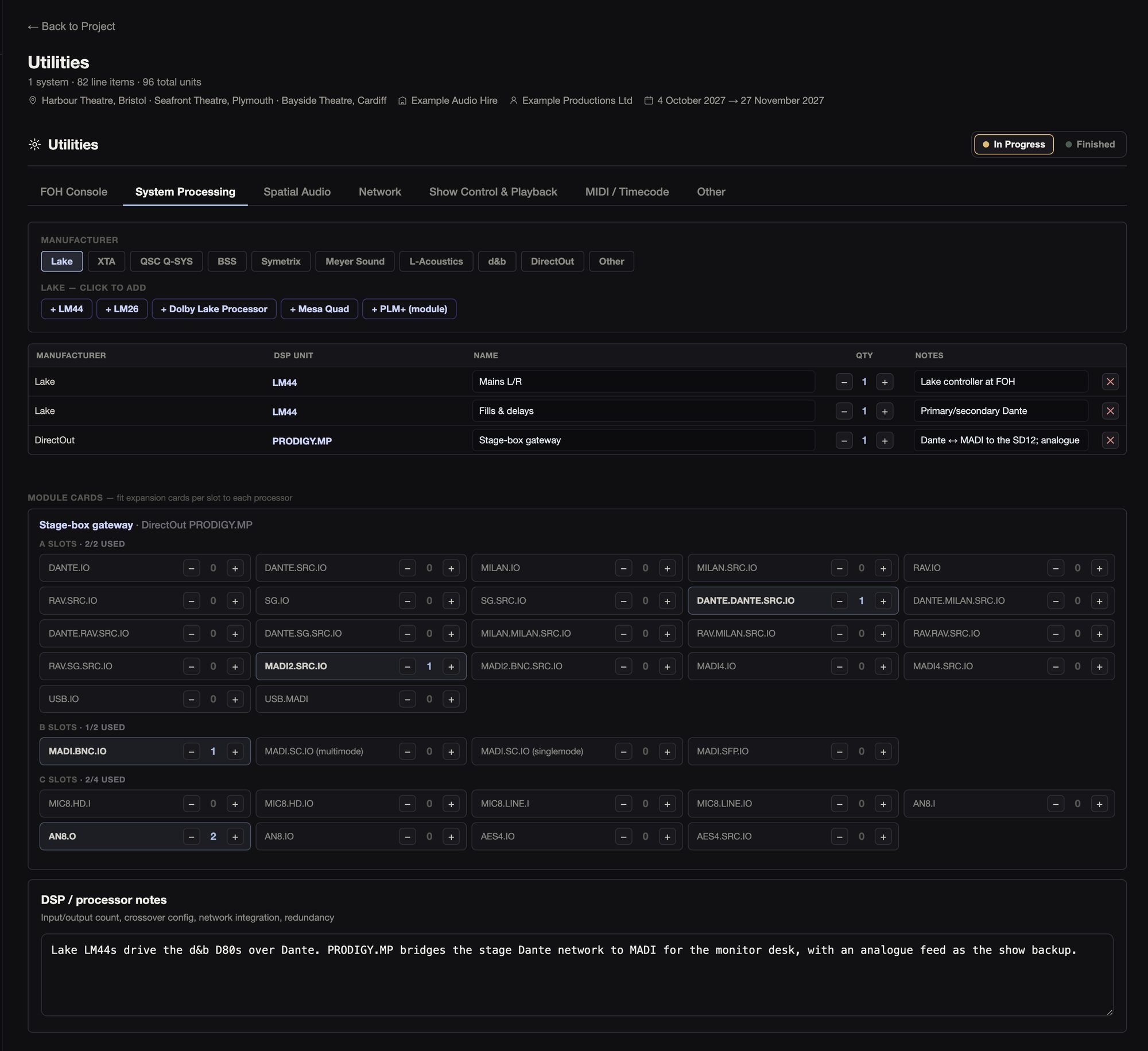
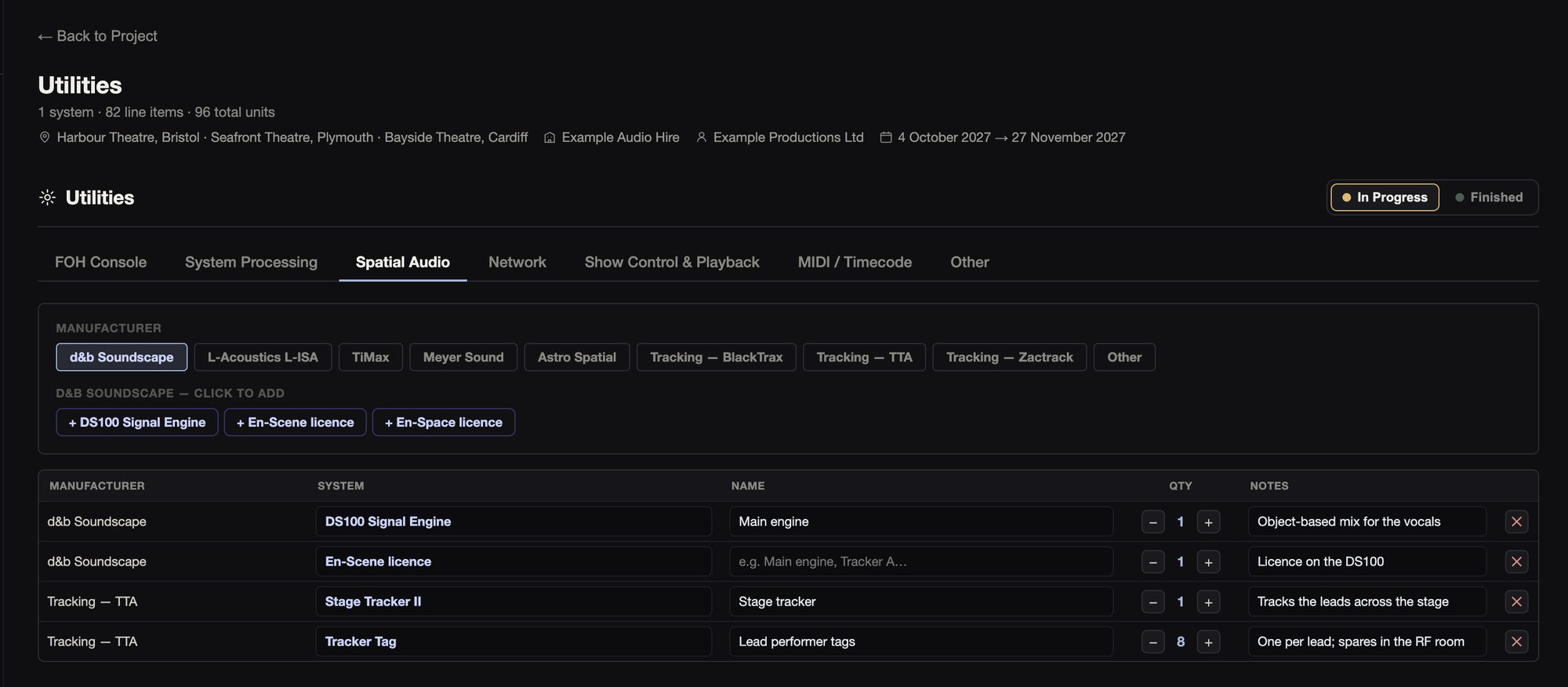
There are 31 processors from Lake, XTA, Q-SYS, BSS, Symetrix, Galileo, L-Acoustics, d&b and DirectOut. A PRODIGY gets its module slots, with a check on how many are used. For spatial audio there’s Soundscape, L-ISA, TiMax, Spacemap Go and Astro, with tracking from BlackTrax, TTA and Zactrack.
Network
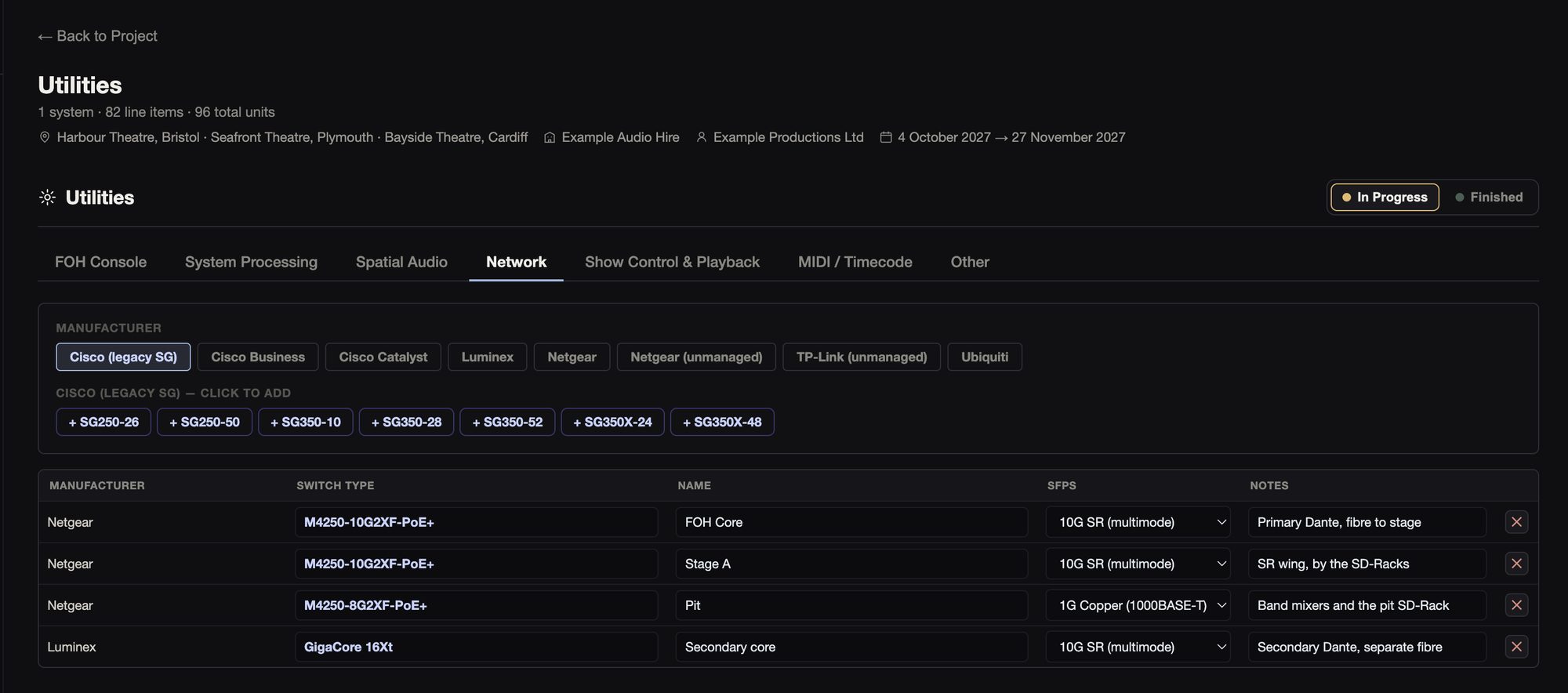
The switch catalogue has 133 models built in (Netgear, Luminex, Cisco, Ubiquiti and more) plus any your team adds. It’s the same list Stage.IO uses. Each switch gets a name and the SFP slots its model has, and Stage.IO’s switch pages start from this list.
Show control and playback
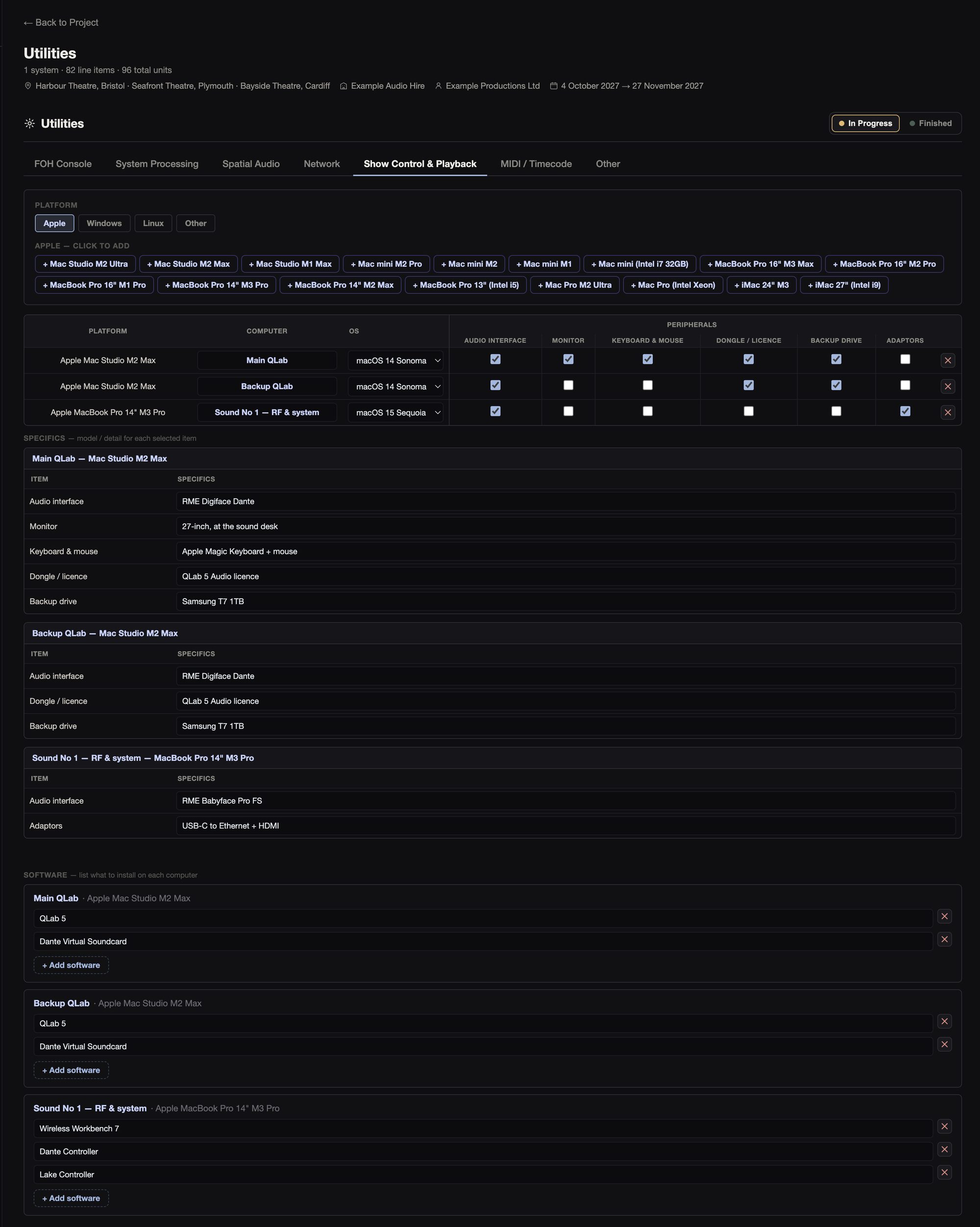
You build each computer from 25 models. Each machine gets a name (“Main QLab”), its operating system and its software, and a list of what plugs into it: audio interface, monitor, keyboard and mouse, licence dongle, backup drive and adaptors, each with the specifics (“RME UFX III”).
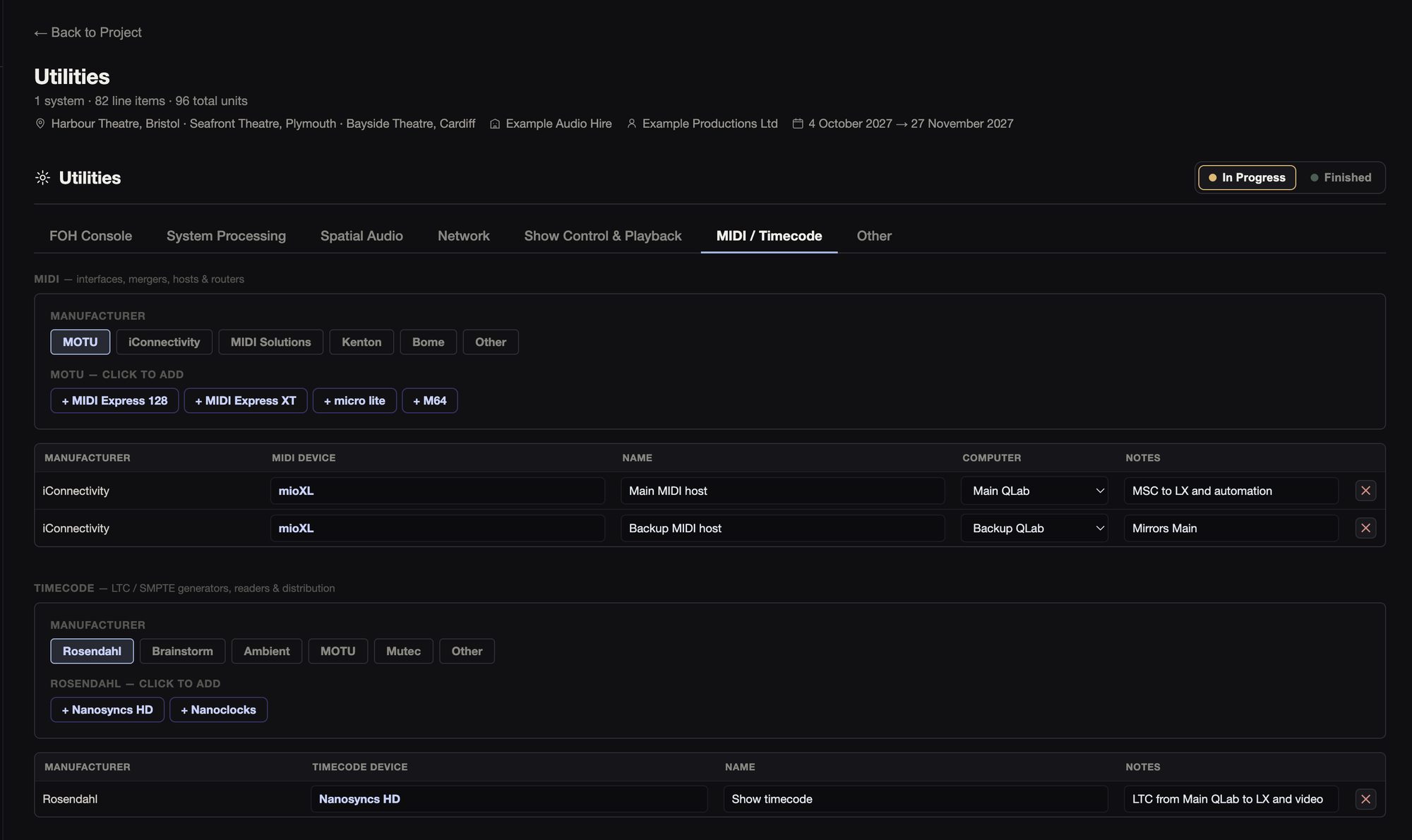
For switching between them there are 23 KVM and audio switchers, each linked to the computers it switches. There are also 16 MIDI devices, each tied to a show computer, and 12 timecode units.

05Comms System
The comms builder is a matrix, with the rings across the top, the stations down the side, and the key each station uses on each ring.
05Comms System
The comms builder is a matrix, with the rings across the top, the stations down the side, and the key each station uses on each ring.
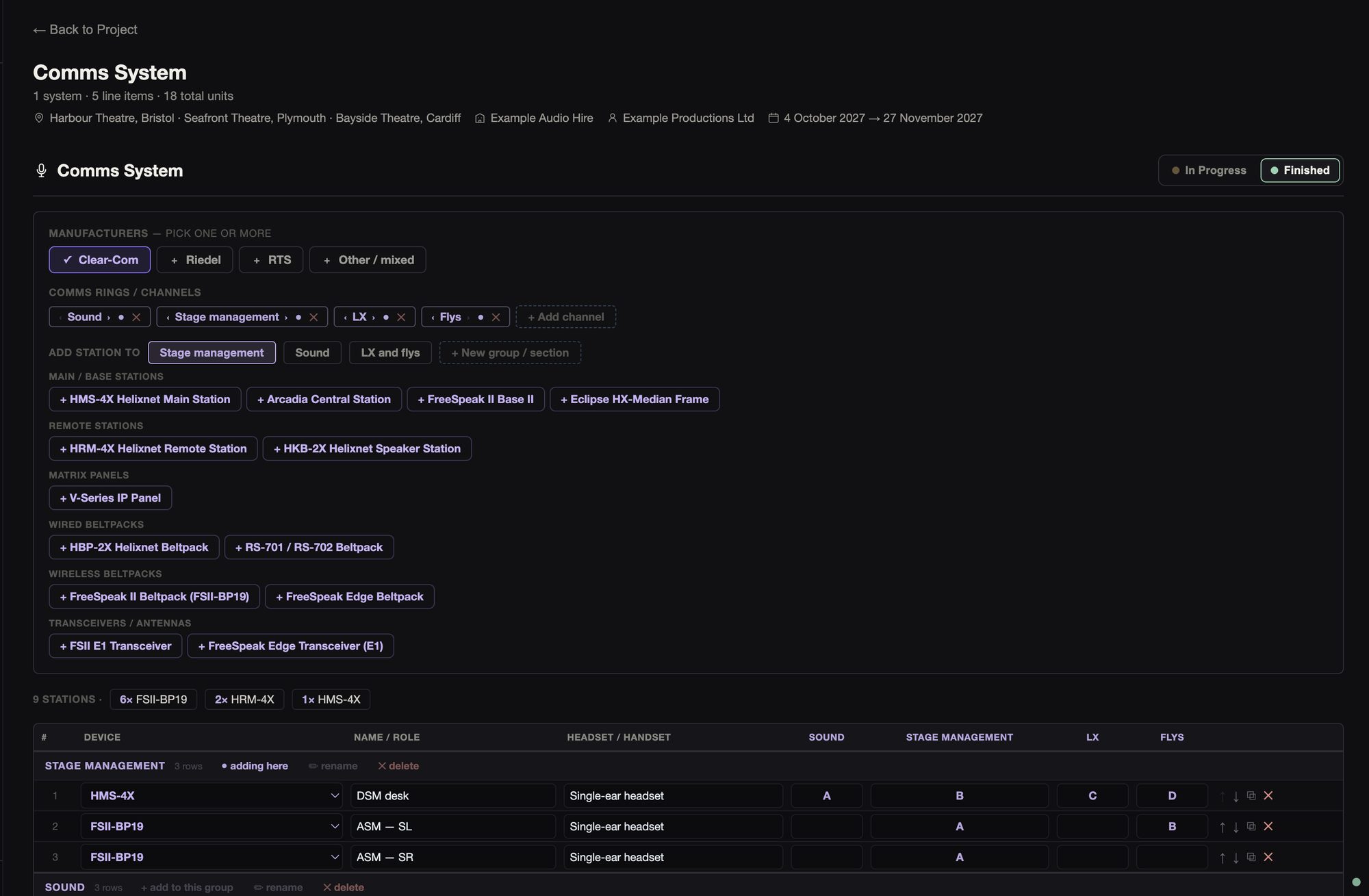
There are 28 devices from Clear-Com, Riedel and RTS: main and remote stations, panels, wired and wireless beltpacks, and transceivers. You can mix makers if the show does.
You can add, rename, reorder or switch off rings, and set the key each station uses on each. Stations sit in groups, each with its device, who it’s for and their headset, and they’re totalled by device and headset.
Other specs take the main spec’s comms maker, and the PDF prints the whole matrix.
06Cue Lights
You start from the list of outstations, and the builder works out the master, its power and the spares.
Stage management can fill the list in. Send them the Excel template and import the filled-in sheet straight back. It asks before replacing your list.
06Cue Lights
You start from the list of outstations, and the builder works out the master, its power and the spares.
Stage management can fill the list in. Send them the Excel template and import the filled-in sheet straight back. It asks before replacing your list.
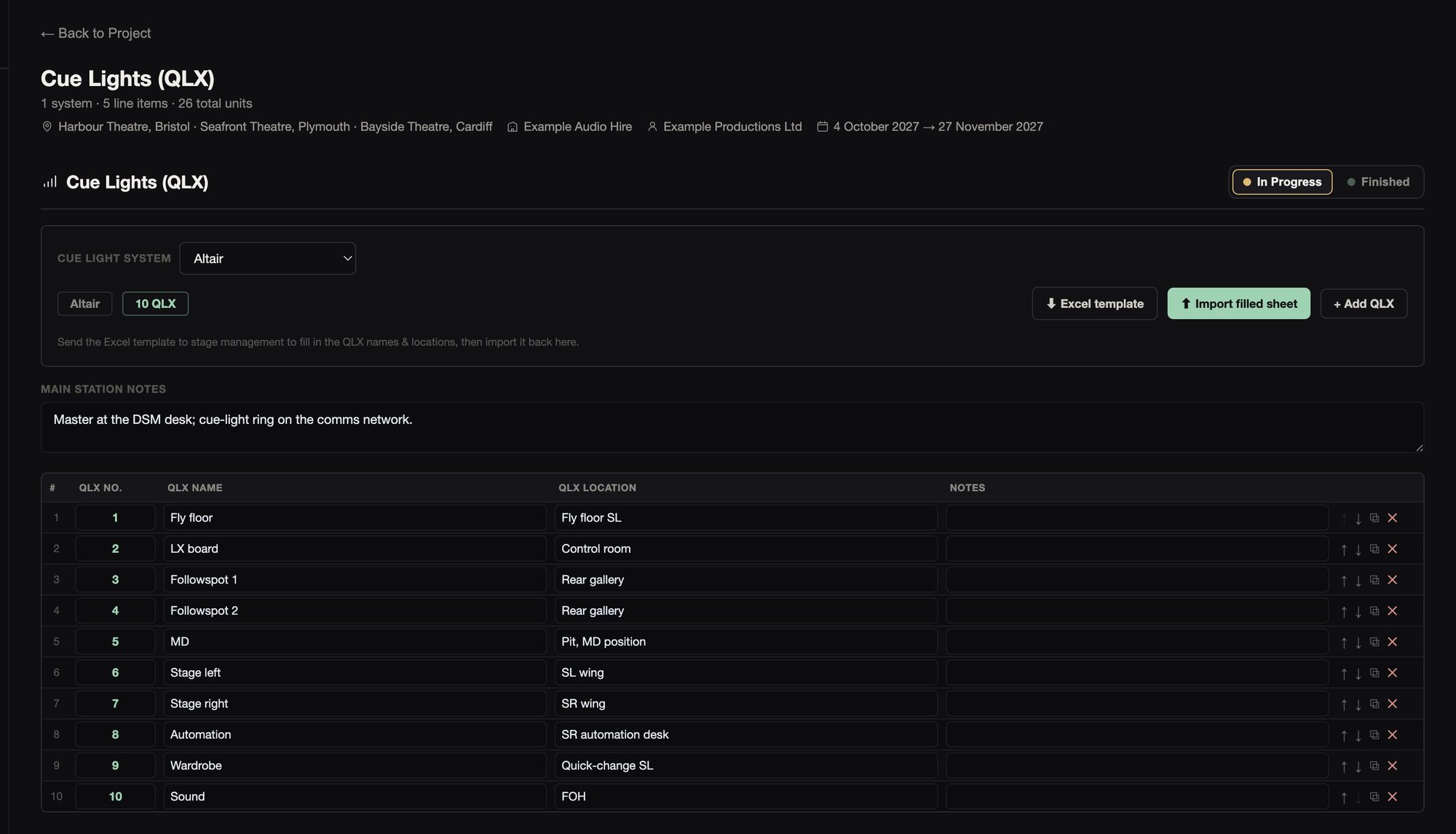
It works with Altair, Stage Research, SQ Engineering, White Light, a generic system, or one you name. From the list it adds a master station and its power supply, the outstations plus two spares.
07Video / CCTV
The video builder covers show relay and cameras, over Analog, SDI or NDI.
07Video / CCTV
The video builder covers show relay and cameras, over Analog, SDI or NDI.
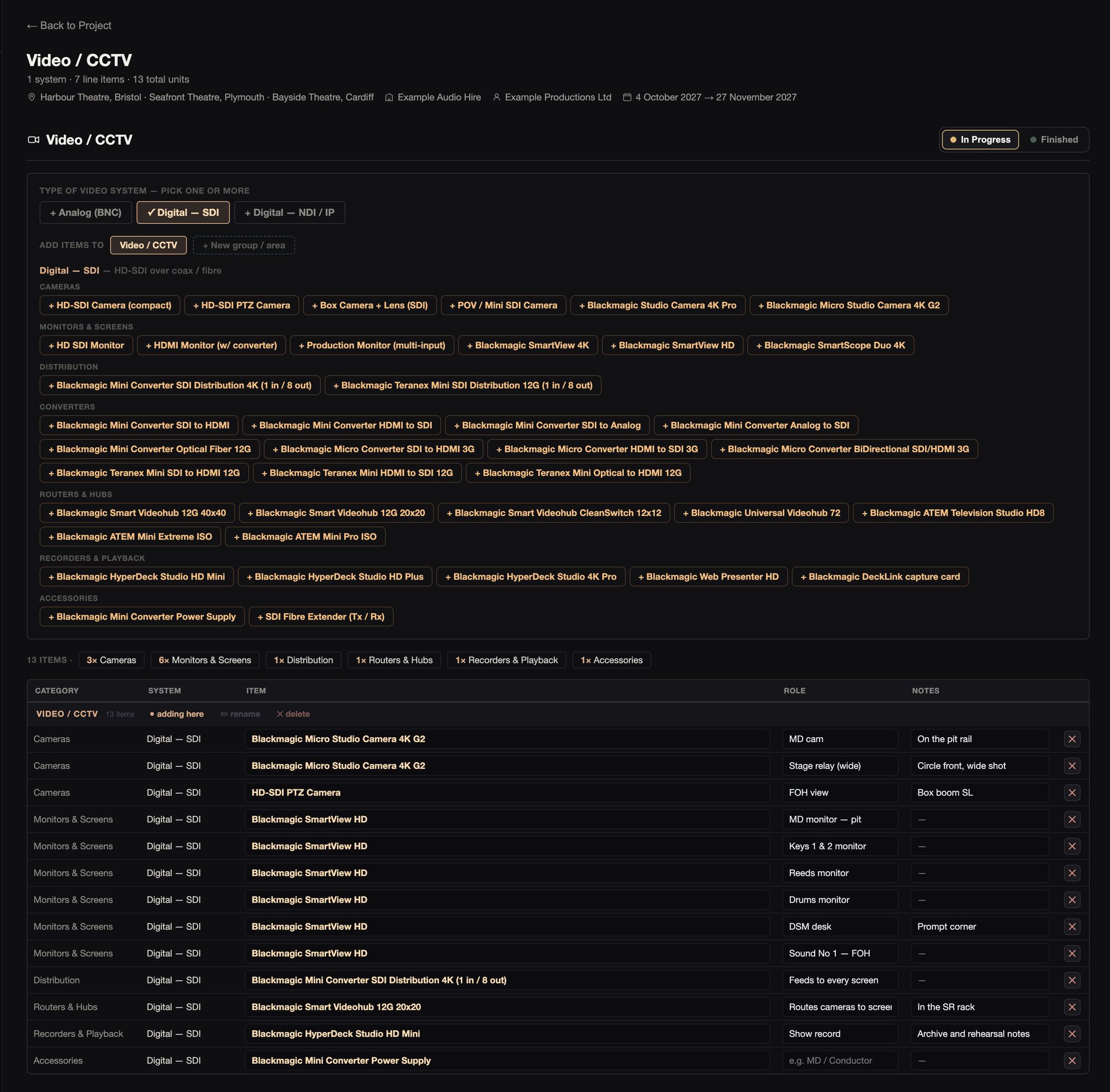
There are 81 items across analogue, SDI (mostly Blackmagic) and NDI (BirdDog): cameras, monitors, distribution, converters, routers and recorders. Each item is its own row with its job (“MD cam”) and notes, in named groups. The cameras and converters pages in Stage.IO start from this.
08Infrastructure
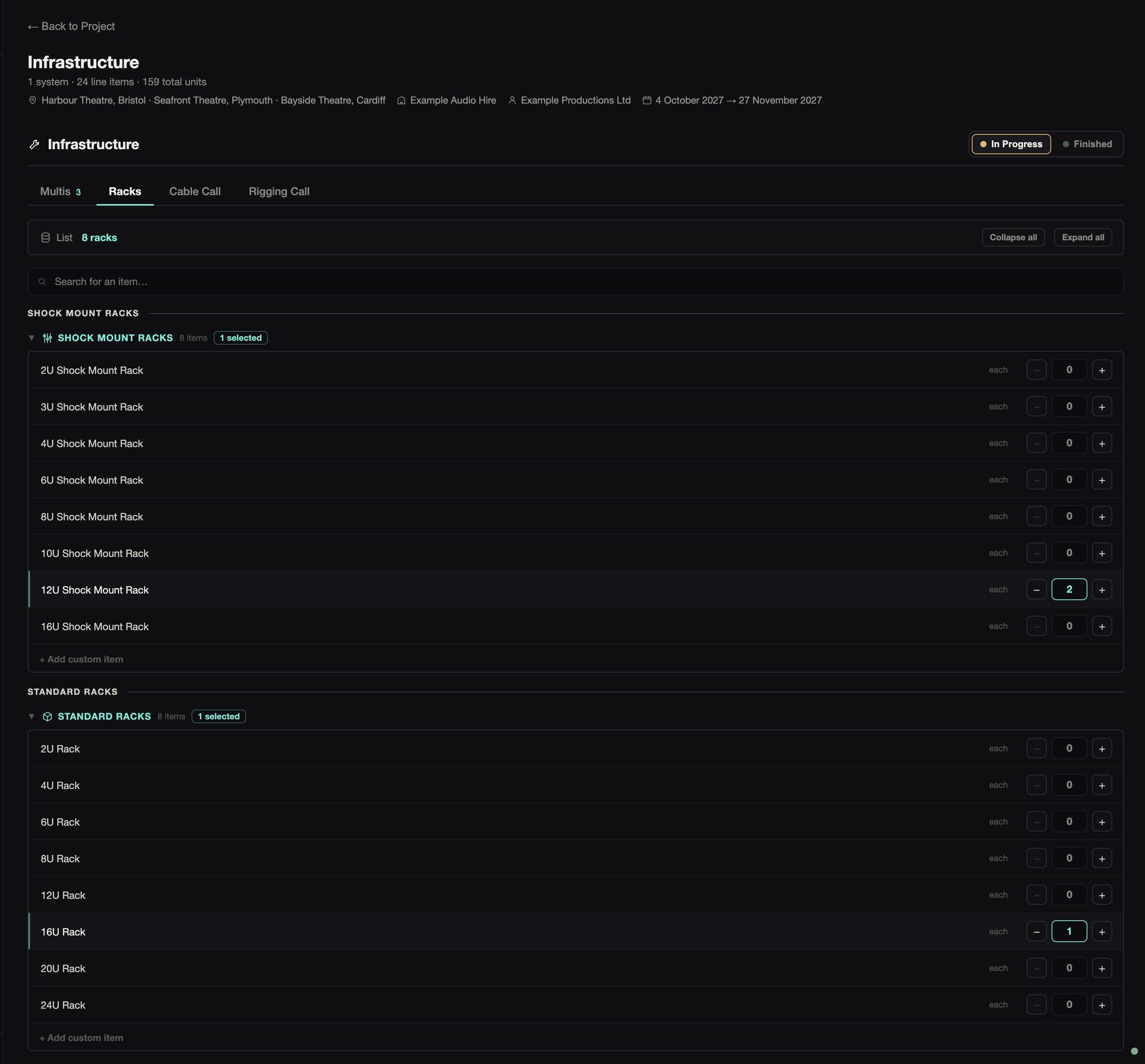
Infrastructure covers the multis, the racks, and the cable and rigging calls.
08Infrastructure
Infrastructure covers the multis, the racks, and the cable and rigging calls.
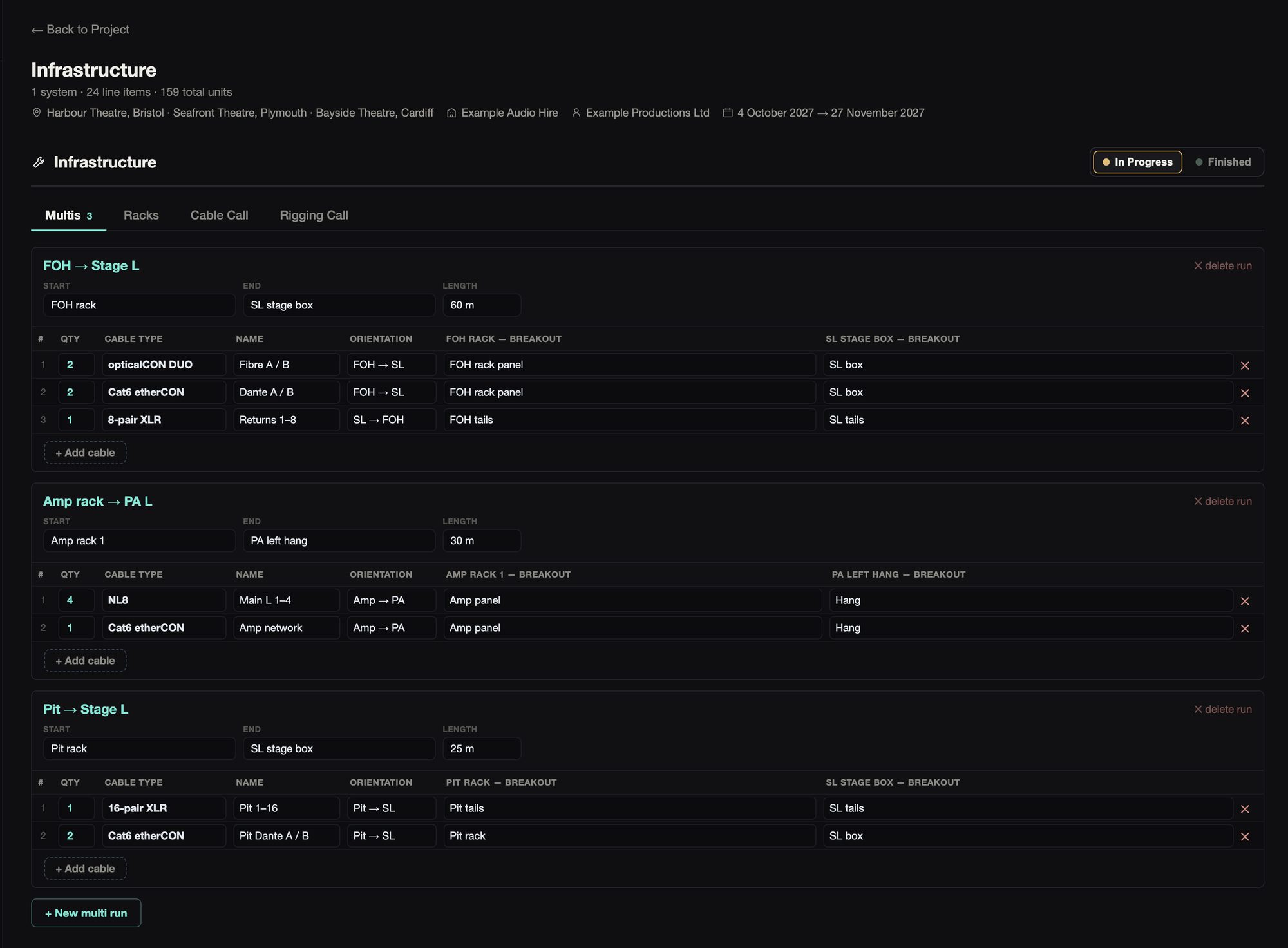
Each multi runs from a start to an end with its length, and lists every cable in it with its type, name and the breakout at each end. They’re the same runs Stage.IO works with.
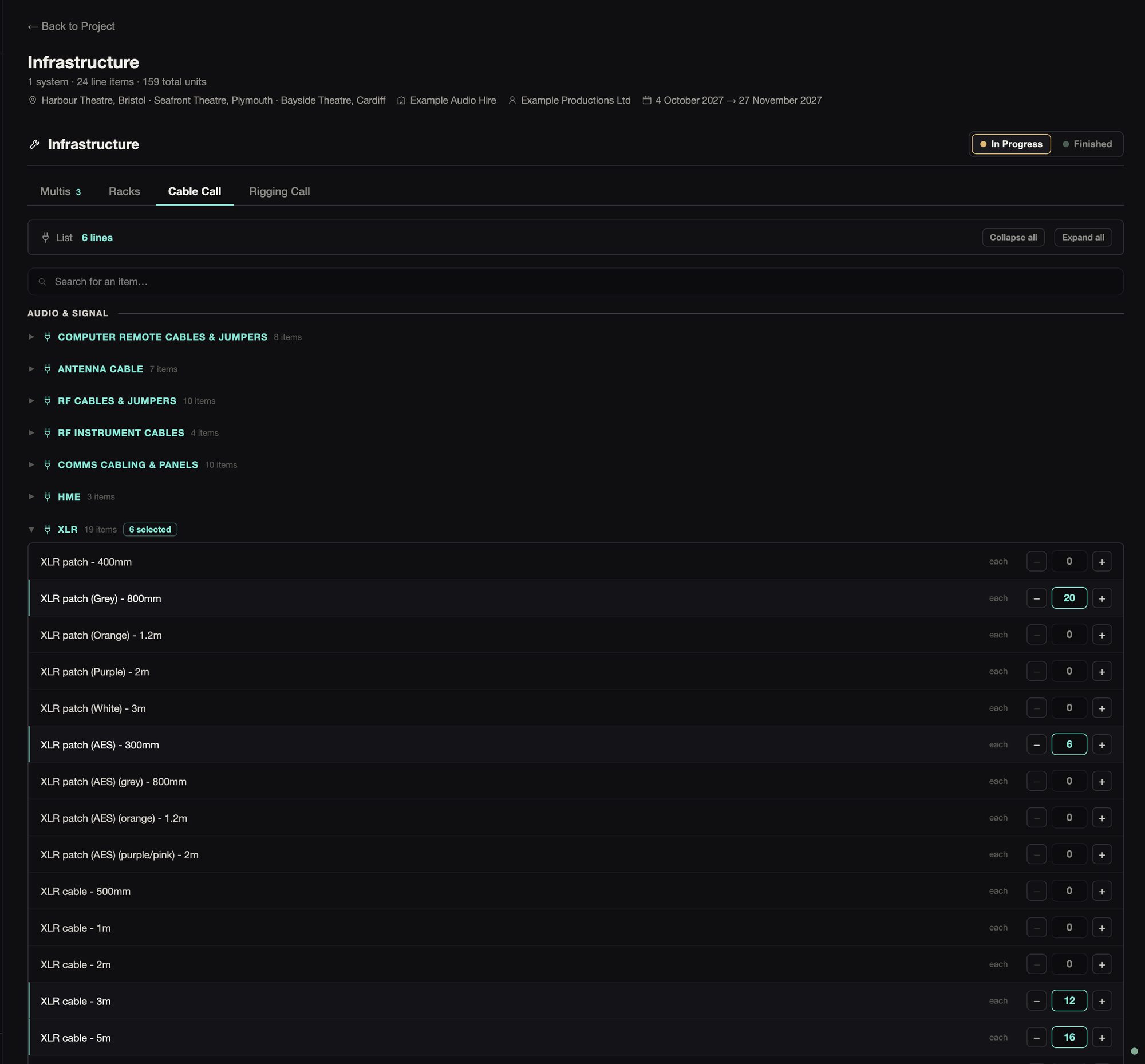
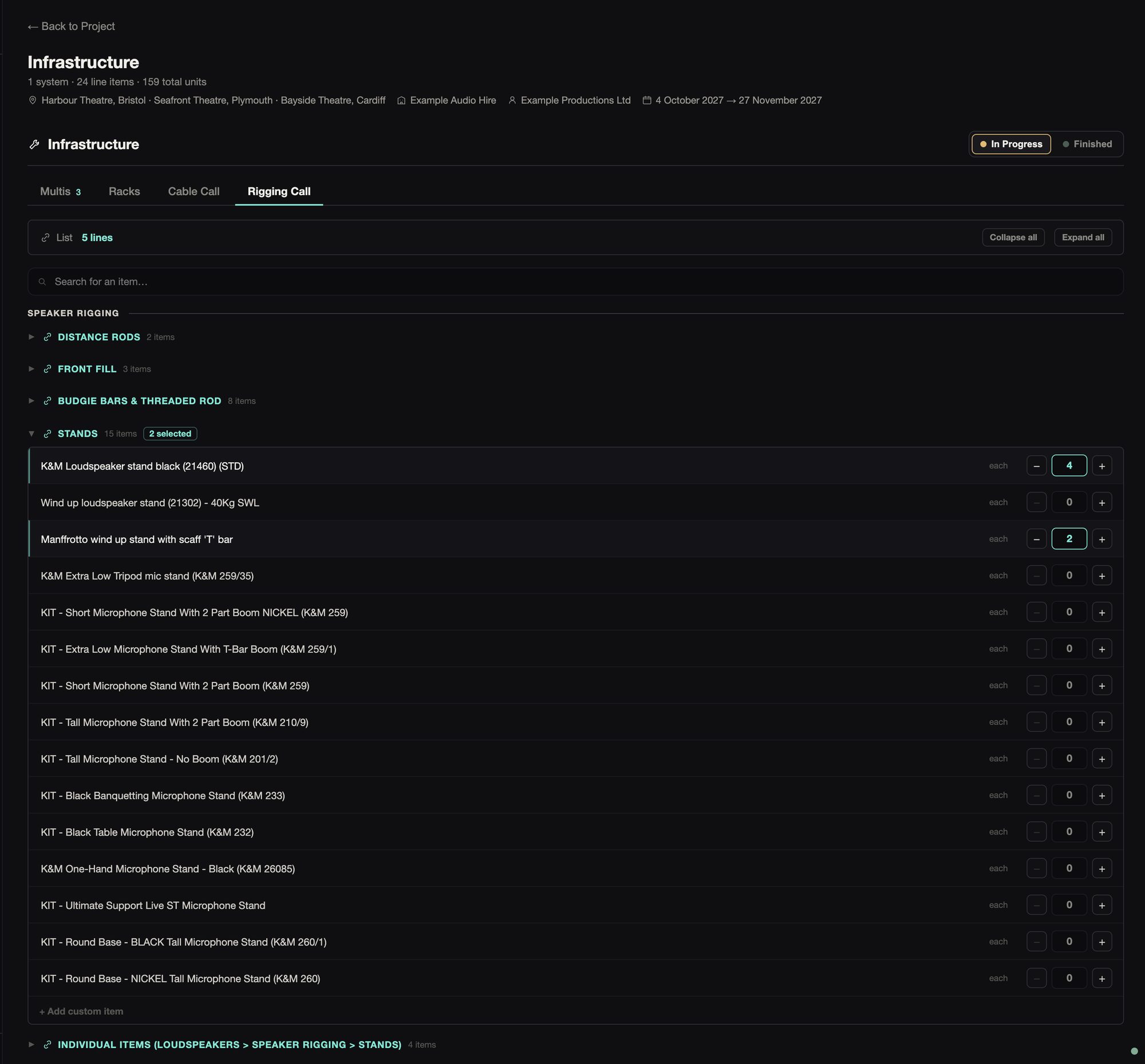
The cable call has 603 items in 82 categories: audio, speaker, network and fibre, video, and power from 13 A to 125 A three-phase. The rigging call has 154 items in 22 categories, and there are 36 rack items. You can search each catalogue, open the groups you need, and add anything it hasn’t got as your own item.
09Sales & Consumables
Create a list that can be exported and sent onto production management or equivalent for purchasing.
09Sales & Consumables
Create a list that can be exported and sent onto production management or equivalent for purchasing.
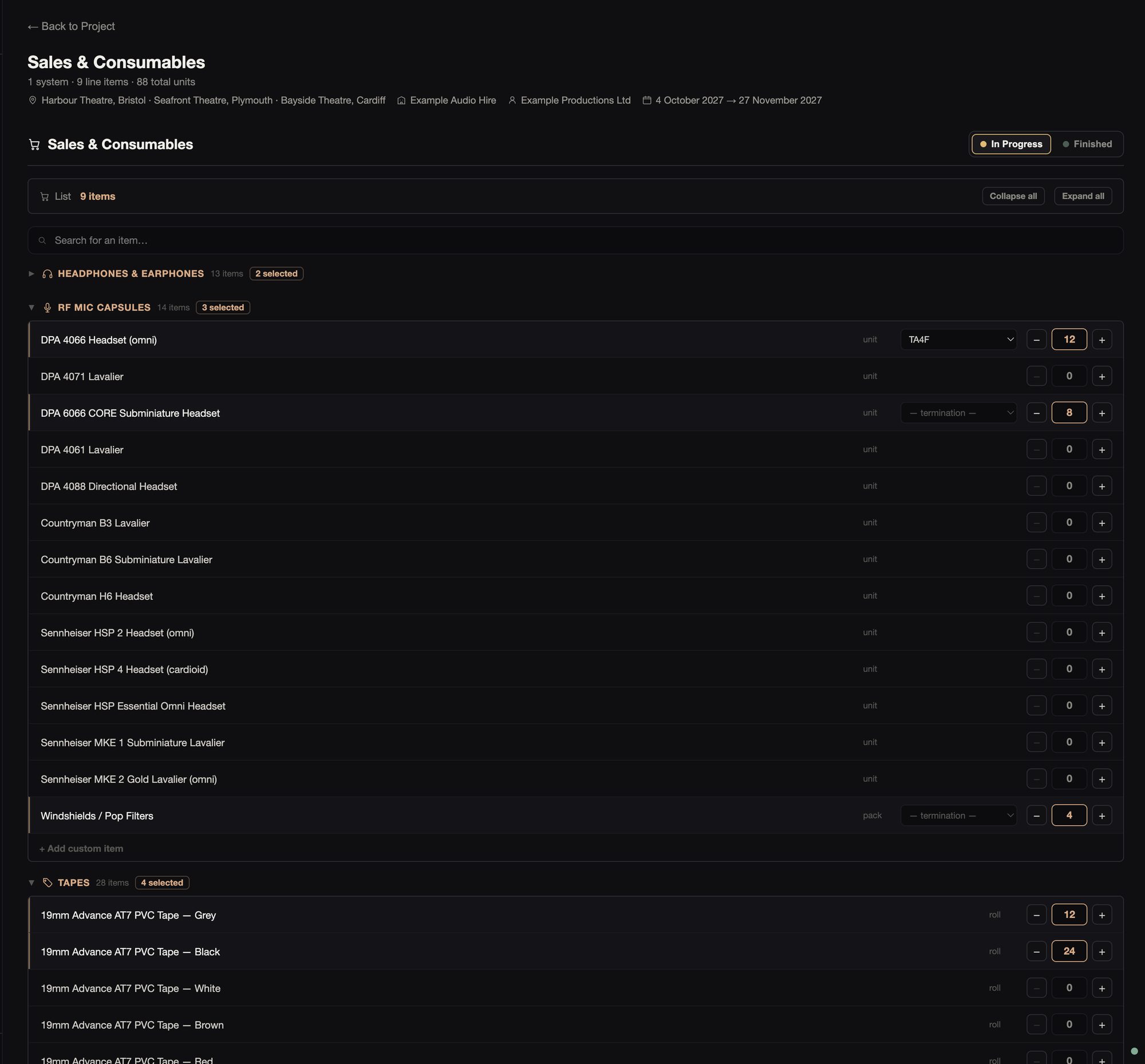
There are 87 items: headphones and IEM buds, mic capsules, tapes, cable management, P-touch tape, sprays, stationery and batteries. For each capsule you pick the connector it’s terminated with, and that goes on the line.
Paperwork
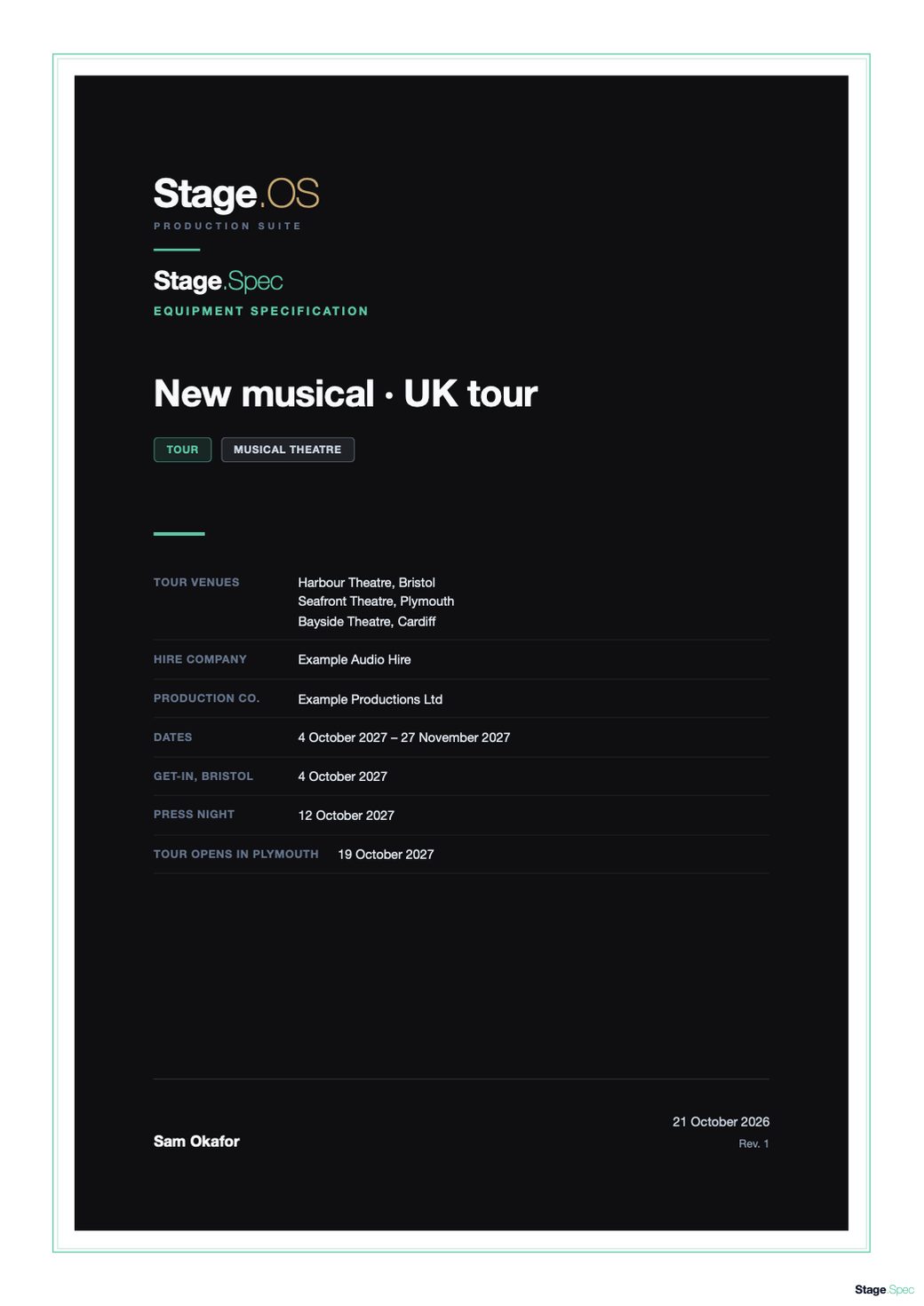
The example tour’s spec, exported for the hire company.
 Equipment specification
The cover, with the venues, hire company, dates and key dates.
PDF, 17 pages
 Every system’s list
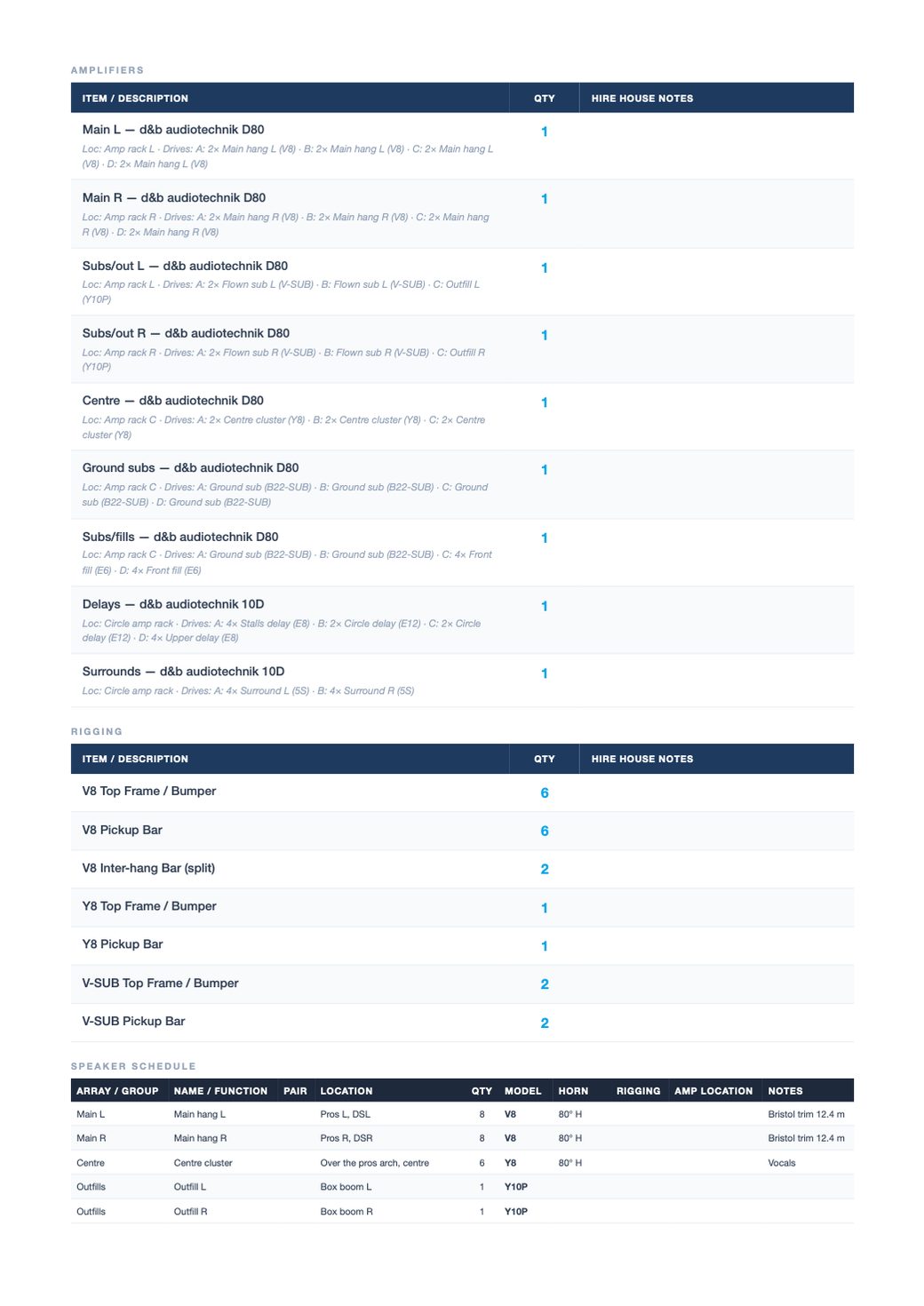
Each list with its quantities and a notes column, the amps with what each output drives, and the speaker schedule.
PDF, 17 pages
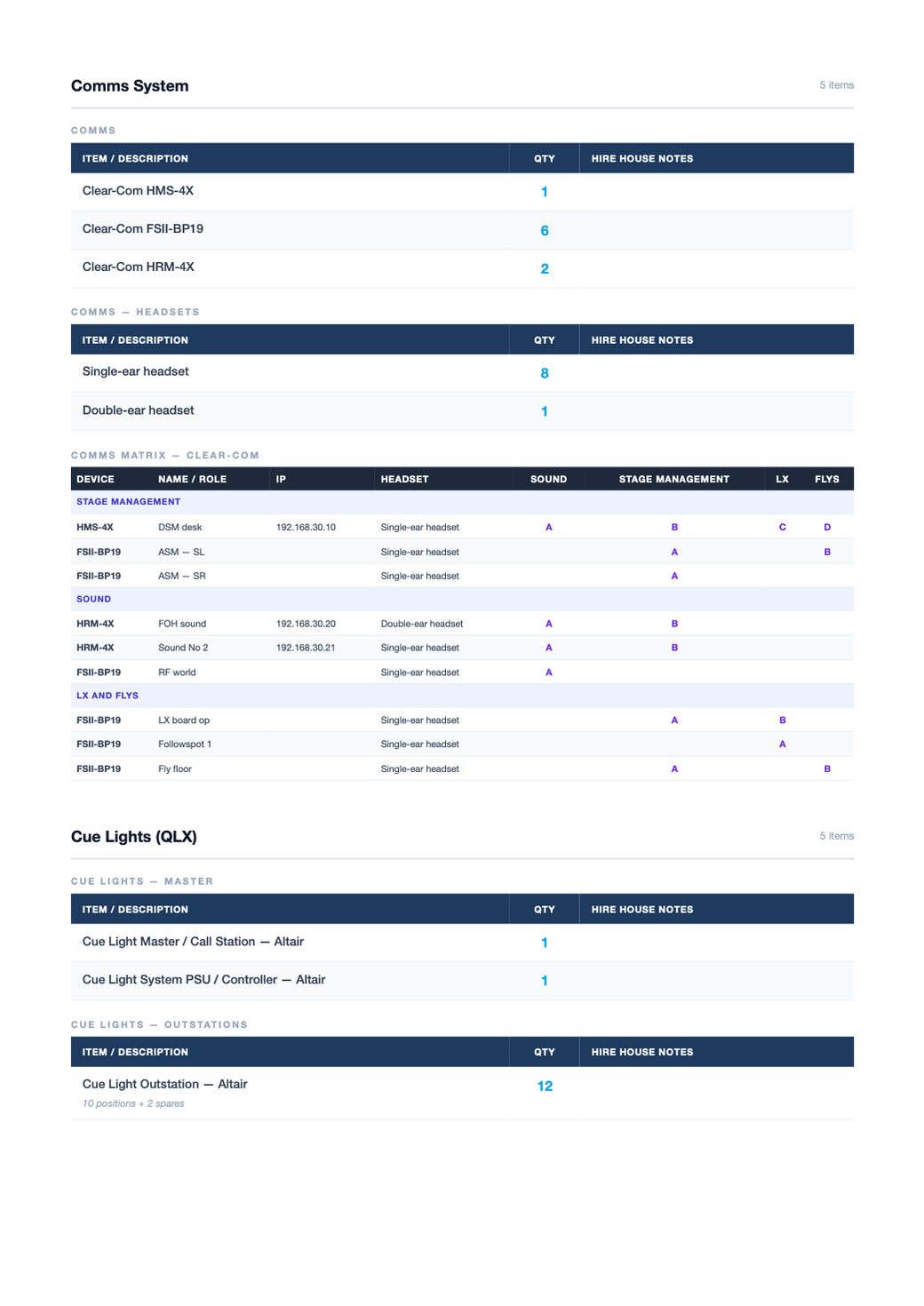 The schedules
The cue light schedule and the comms matrix, with the multi runs.
PDF, 17 pages
PDF export is in the Mac app.
Prep, history and co-editing
You can assign a spec, or part of one, to your crew, and they tick it off during prep in the Stage.OS Mac app. Everyone sees the same ticks. Prep Share also puts the spec on any phone over the venue’s network, but ticks made there stay on each phone.
Stage.IO pulls in what the spec already holds with one click, and Stage.Label makes multicore and band labels from it.
Each spec keeps a history of changes, with who made them and when. Repeated edits are grouped, and the latest 200 are kept.
With the Cloud Production add-on, you can invite editors and viewers to co-edit a spec live. Edits to different parts are merged.