Stage.Transport
Coming soon, for every account.Plan how the show moves. The same cases are used to pack the trucks, to work out what air freight will charge, and to get the carnet’s General List ready.
The screenshots and PDFs on this page come from the real app, filled with a made-up tour’s transport plan and made-up companies and kit.
Overview
How a move goes from an empty plan to a packed truck and its paperwork. Watch it in just over a minute.
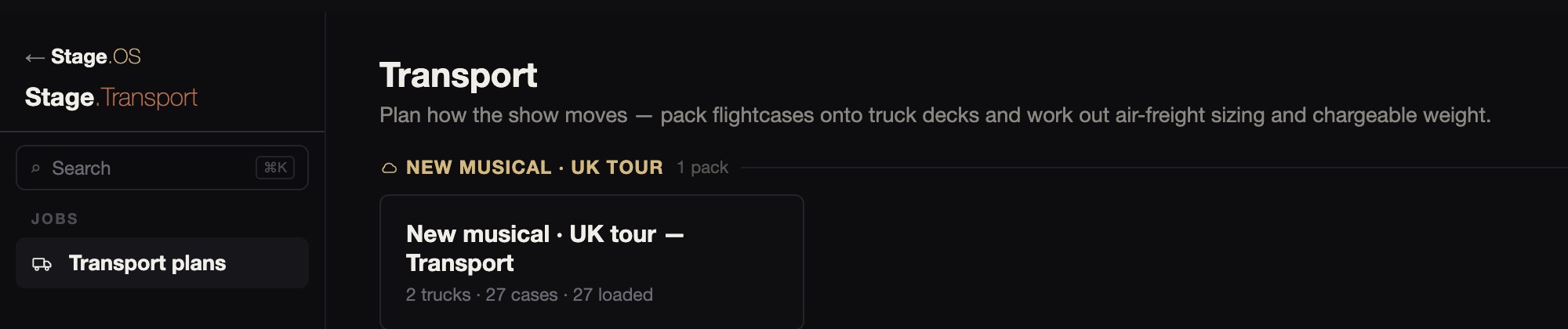
Transport plans
Each move has its own plan, and the plans are grouped by production. Every plan has three modules down the side: Trucking, Air Freight and Carnets.
01Trucking
The 3D view shows the load as it will go on, with every case at its real size on the deck. Along the top it shows how much of the length, floor, weight and height is used.
01Trucking
The 3D view shows the load as it will go on, with every case at its real size on the deck. Along the top it shows how much of the length, floor, weight and height is used.
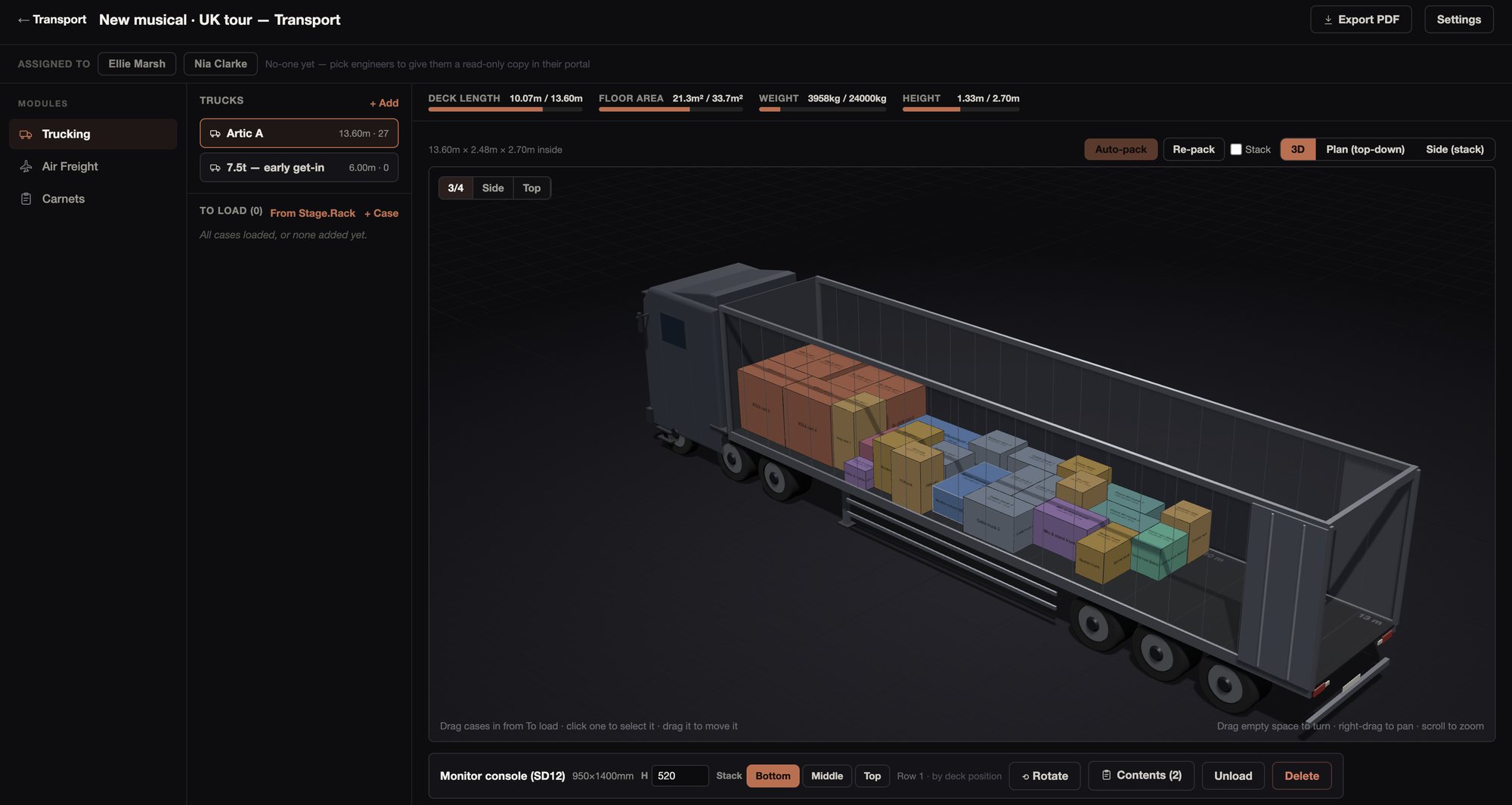
The truck is drawn as an artic, a rigid or a van to match its deck, on a metre grid. You can turn it round, or look from the side or the top. Select a case to change its height, stack it, rotate it, or see what’s in it.
Deck length, floor area, weight against the truck’s maximum, and height are updated with every case. The weight turns red if it goes over the maximum.
Plan and stack
The plan view shows the same deck from above, from the cab to the doors. The side view shows the load row by row and level by level.
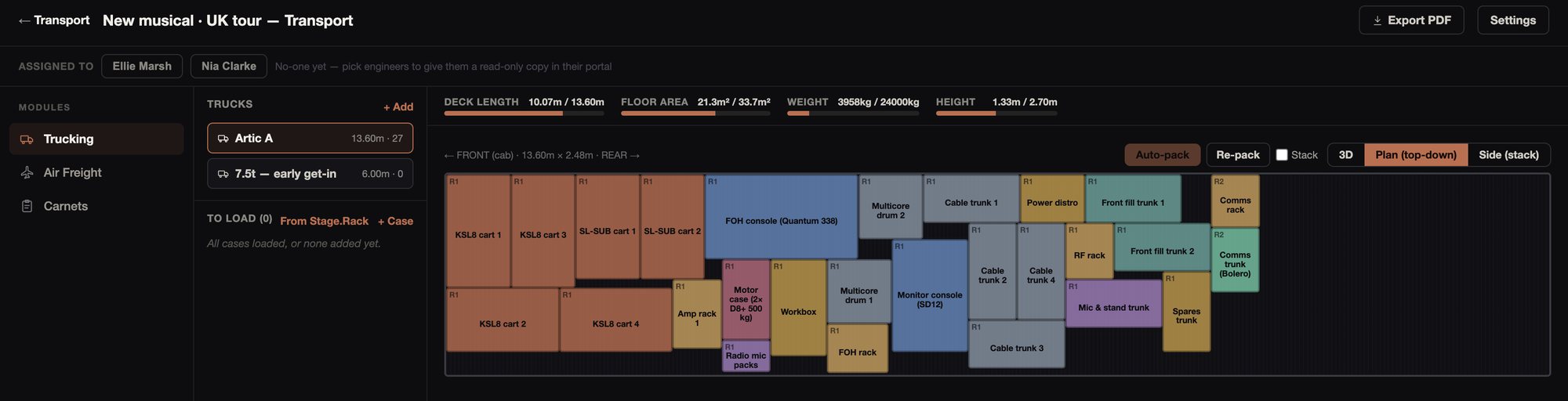
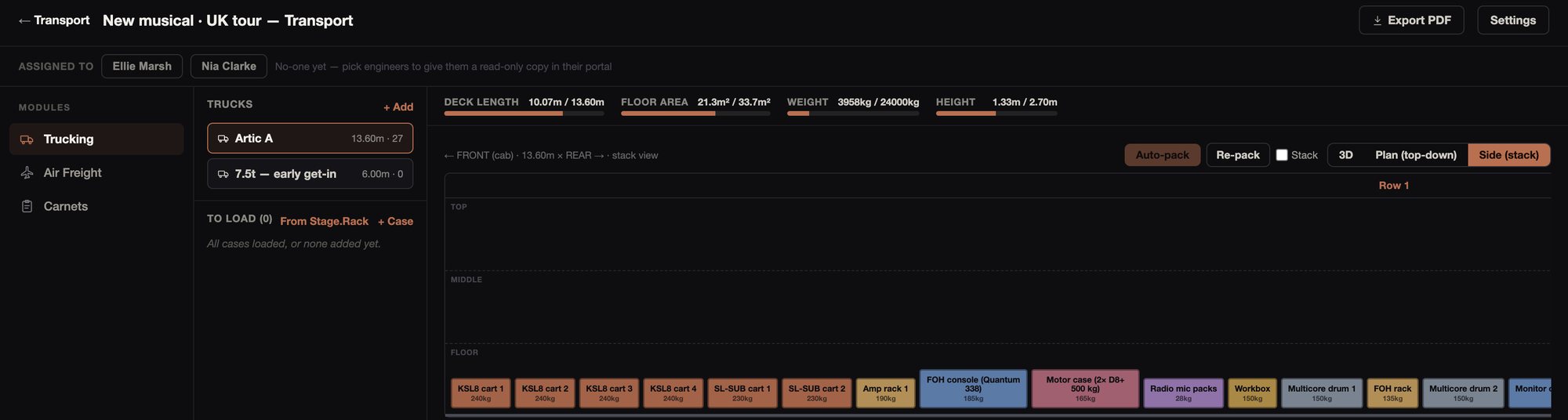
Drag cases from the To load list onto the deck, either from above or in 3D, or send a case to the next free space. Cases stack up to three high, on the bottom, middle or top level.
Dragging, rotating, restacking and dropping won’t put one case inside another, and any cases that do overlap are flagged in red. A case that would stand taller than the inside height is flagged, with the height it reaches.
Auto-pack
Auto-pack loads all the cases in one click, heaviest first, from the front. It gives you a starting point to adjust by hand.
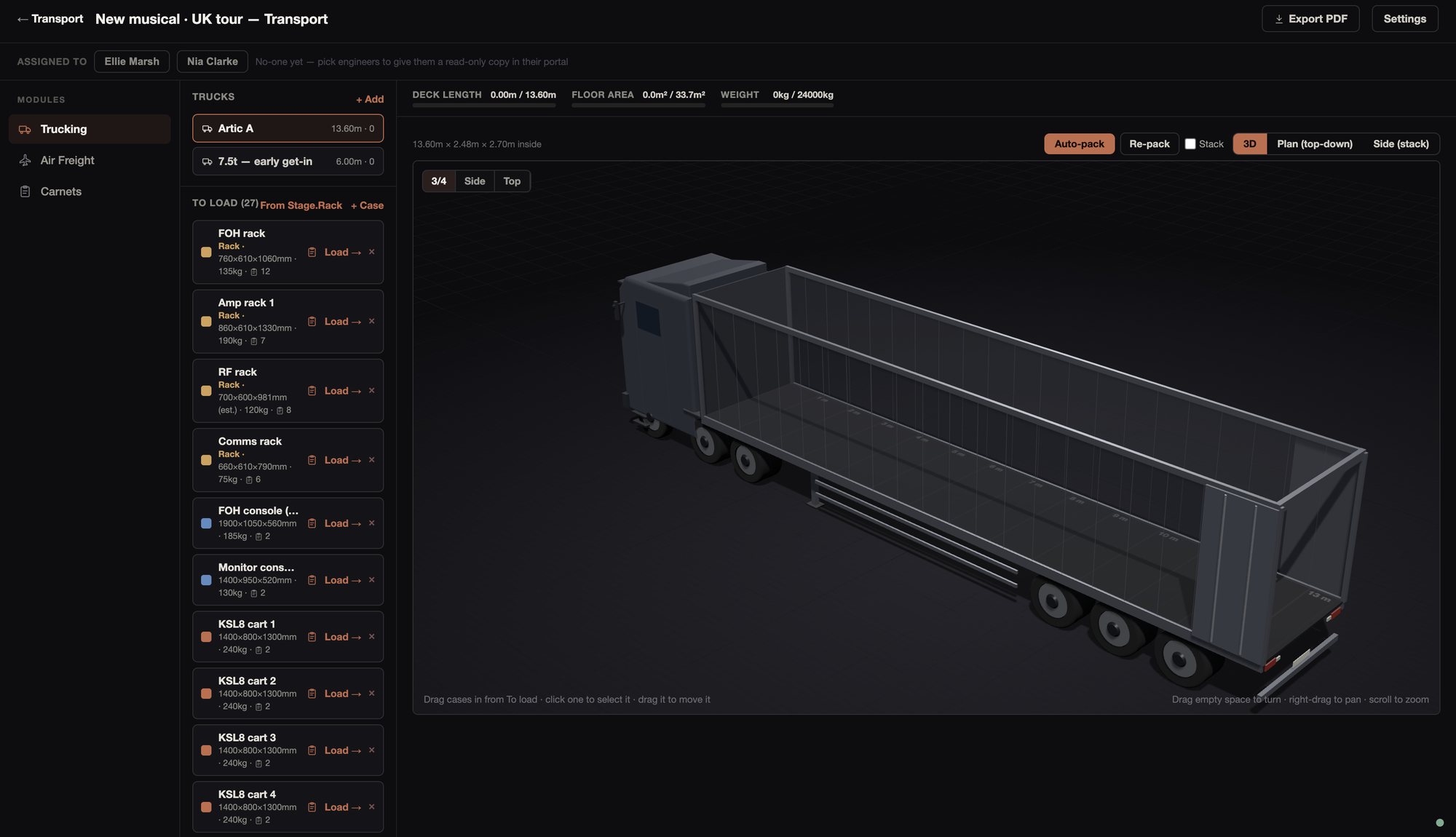
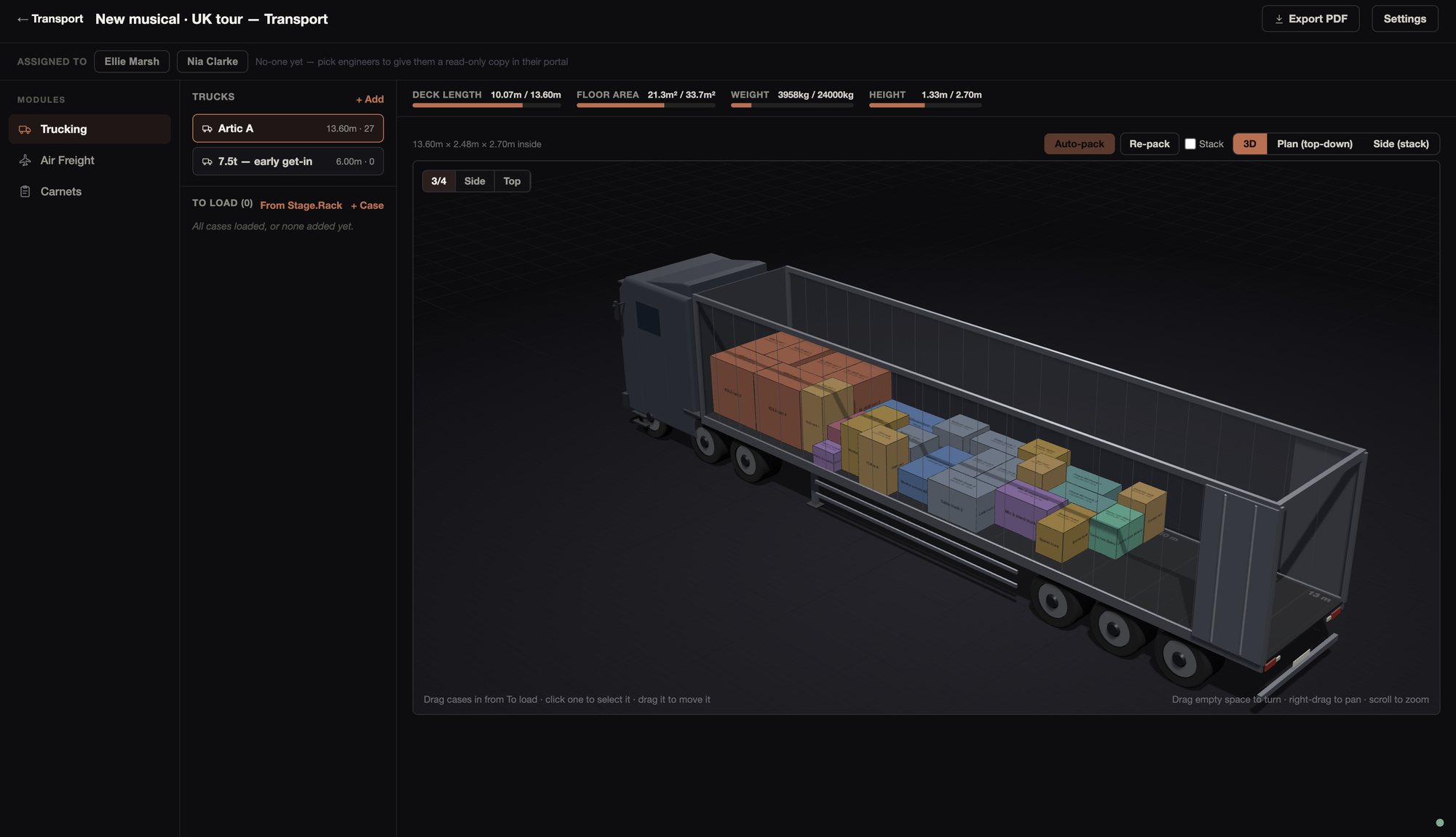
Cases go on from front to back, heaviest first, and are turned across where that saves length. Auto-pack works by space, and warns you when the load is heavier than the truck takes.
If you tick Stack, it will put a case on top of one that is at least as big and no lighter, up to three high and under the roof. Otherwise everything stays on the floor. It can’t tell which cases will take weight on top, so check what it has stacked.
Anything that doesn’t fit stays in To load, and you’re told which cases they are. Re-pack starts the packing again.
Cases
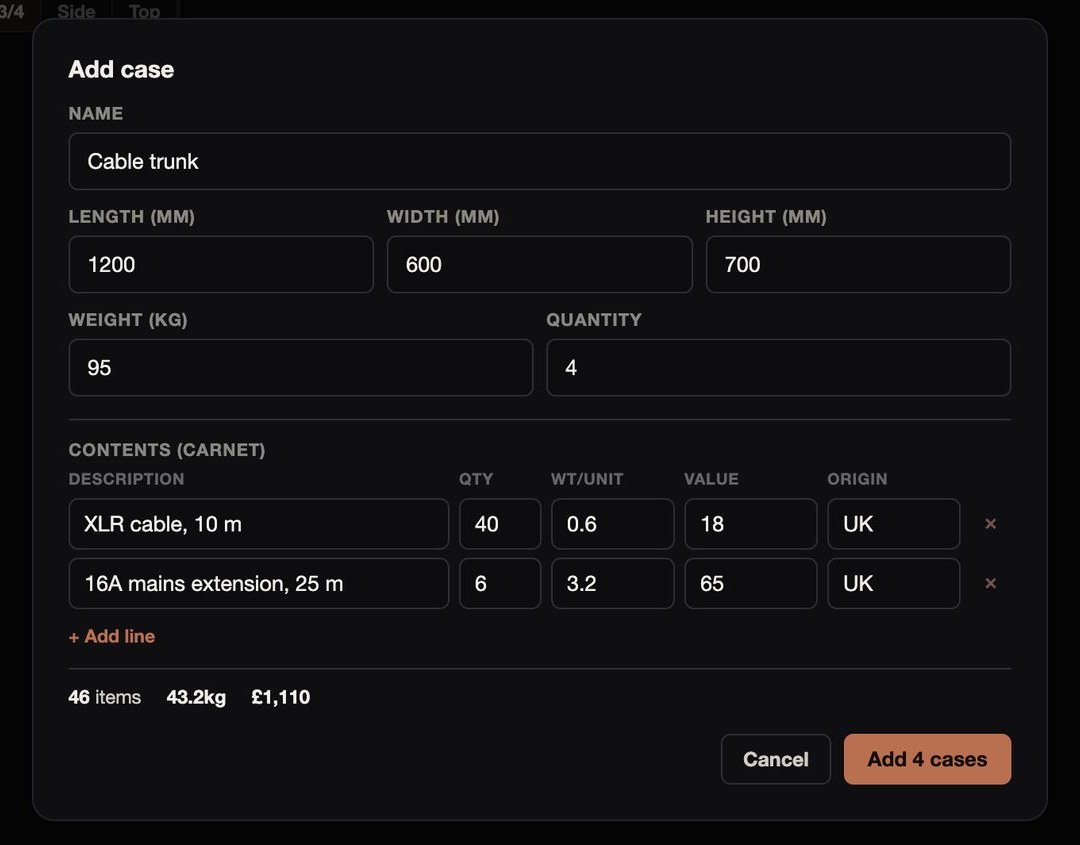
You type in a case’s name, size and weight once, with how many there are. Ten the same come in as #1 to #10. Each case can also carry a list of its contents, which become its lines on the carnet.
Trucks
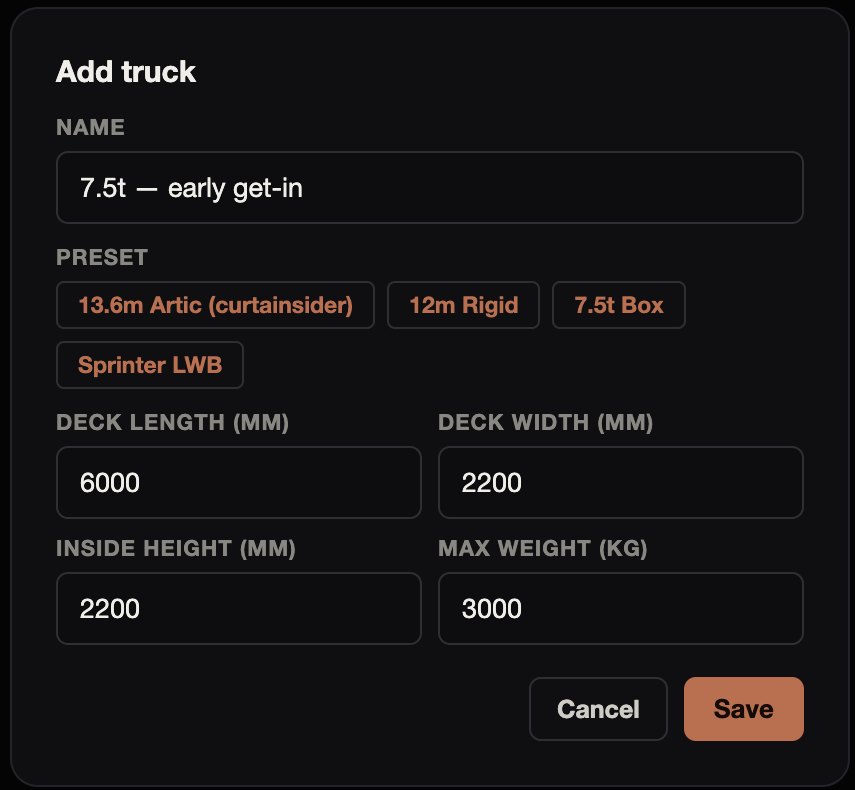
There are presets for a 13.6 m artic, a 12 m rigid, a 7.5 t box and a Sprinter LWB, with typical sizes that you should check against the vehicle you get. You can also type in any deck length, width, inside height and payload, and add as many trucks as the move needs.
Racks from Stage.Rack
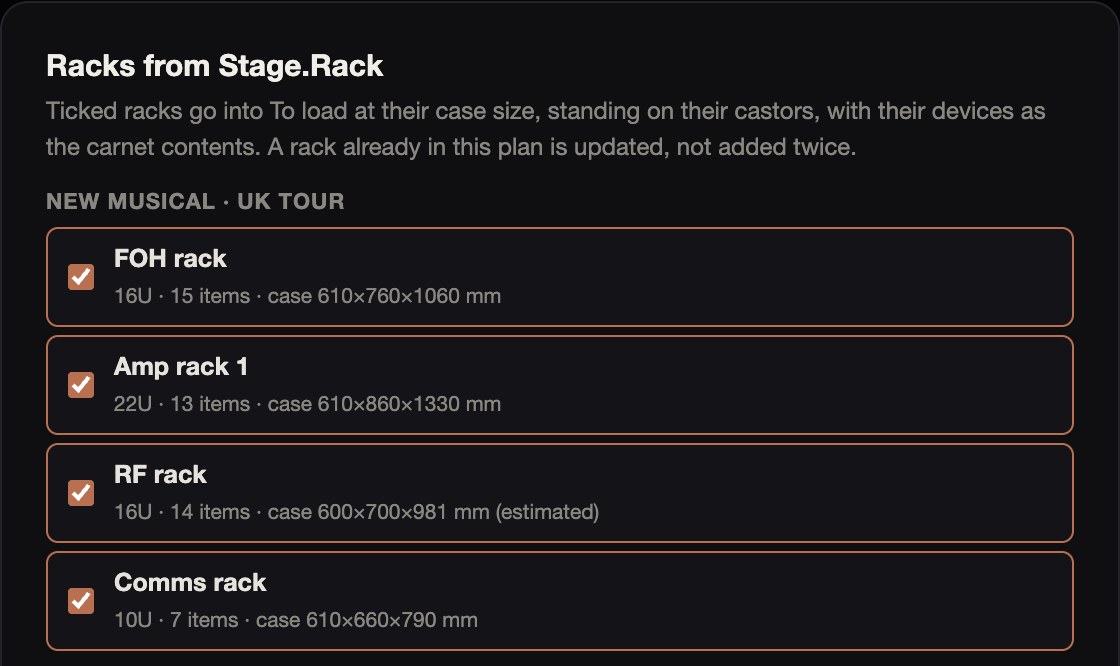
When Stage.Rack arrives, you can bring a production’s racks in as cases, at the outside size of their flight cases. Where that size isn’t set, it’s estimated and marked. You add the racks’ weight here.
The devices in each rack become its contents for the carnet, counted by make and model. Blanks and panels are left out. If you bring a rack in again, it’s updated rather than added a second time.
02Air Freight
Air Freight works out the weight a shipment will be charged on, and what it will cost.
02Air Freight
Air Freight works out the weight a shipment will be charged on, and what it will cost.
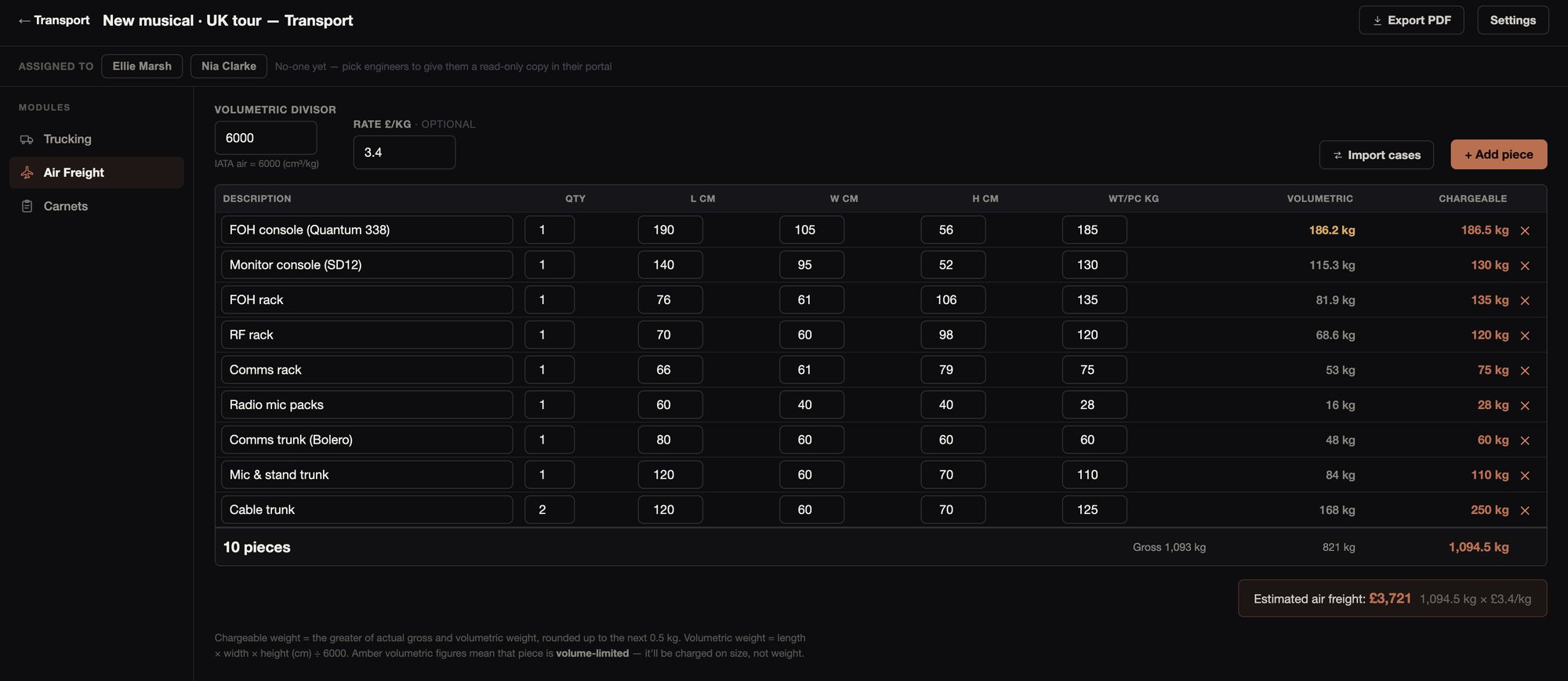
The chargeable weight is the greater of the shipment’s actual and volumetric weight, rounded up to the next half kilo. It’s worked out for the whole shipment, the same way as on the air waybill. You set the divisor, which starts at 6000. Lines whose volumetric weight is more than their actual weight are picked out.
Add a rate per kilo to get an estimate for the whole shipment. You can bring the cases in from the truck plan rather than typing them.
03Carnets
Carnets builds the General List from the cases you’ve already packed, and works out how many vouchers the journey needs.
03Carnets
Carnets builds the General List from the cases you’ve already packed, and works out how many vouchers the journey needs.
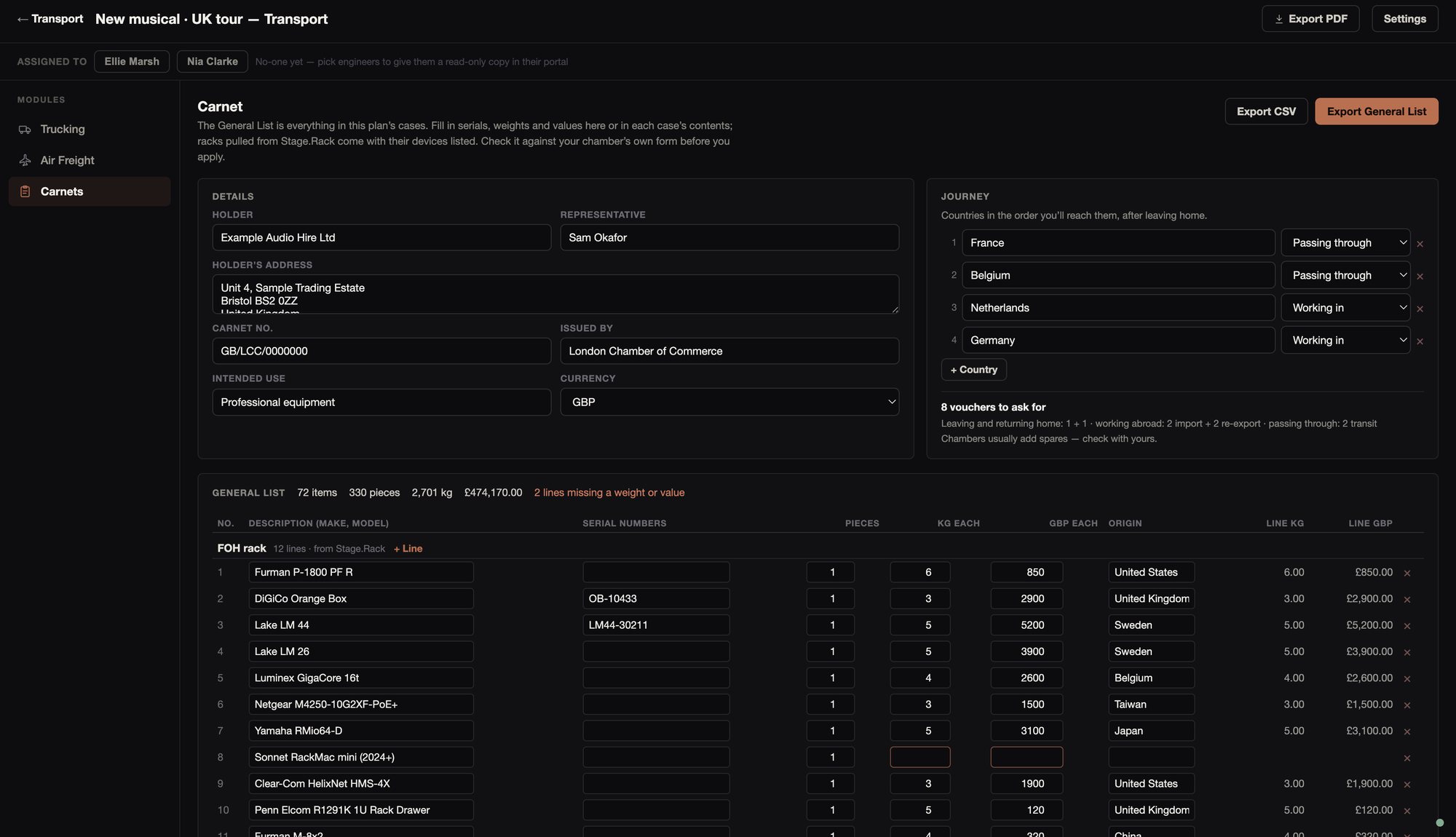
The General List has every item in every case, numbered, with its serial numbers, pieces, weight, value and country of origin, and the totals. Lines without a weight or a value are flagged before you send it off.
For the vouchers, list the countries in order and mark whether you’re working in each one or passing through. Stage.Transport counts the vouchers to ask for, and your chamber will add spares.
You can export the General List as a PDF, with the holder’s details on every page and totals carried forward, or as CSV. Check it against your chamber’s own form.
Paperwork
There’s a truck pack for the crew loading the trucks, and the General List for the carnet.
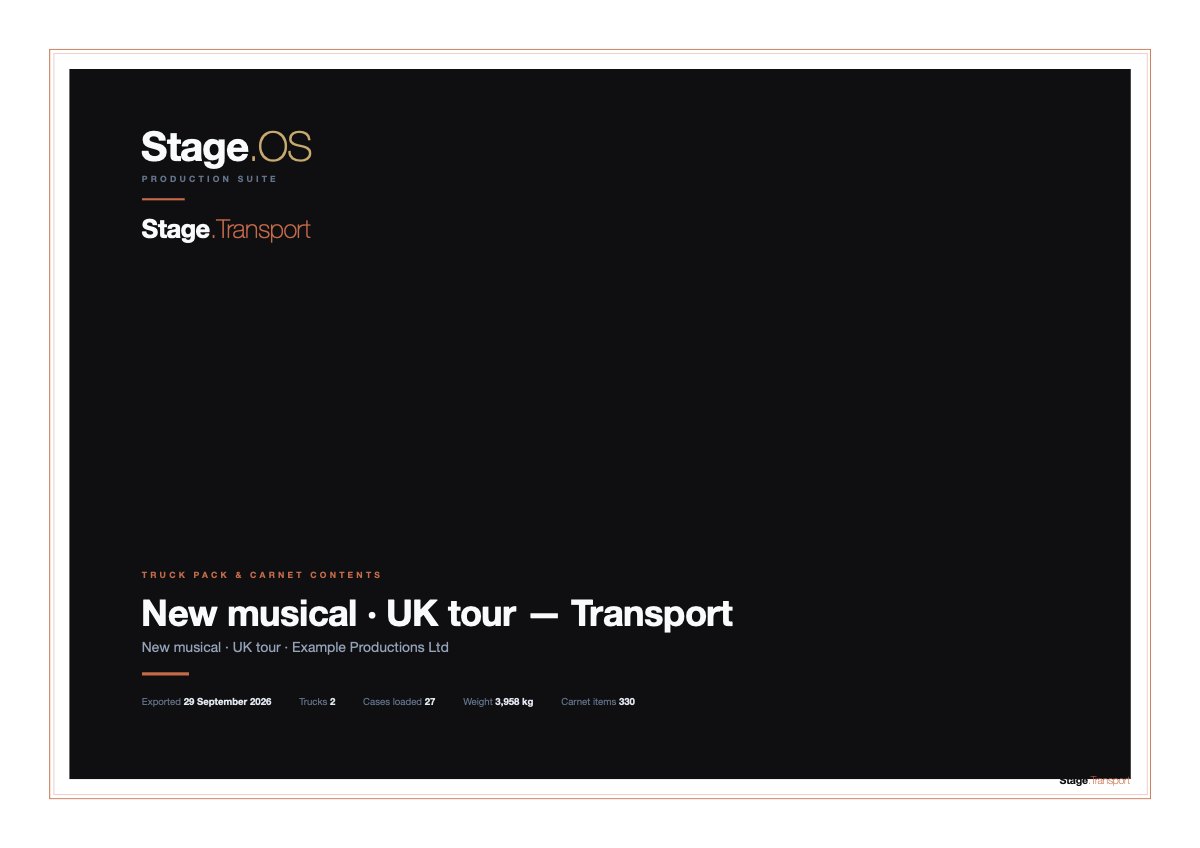 Truck pack
A cover with the plan’s trucks, cases and weight, then each truck’s deck from above, cab to doors, and its load list by row.
PDF, 10 pages
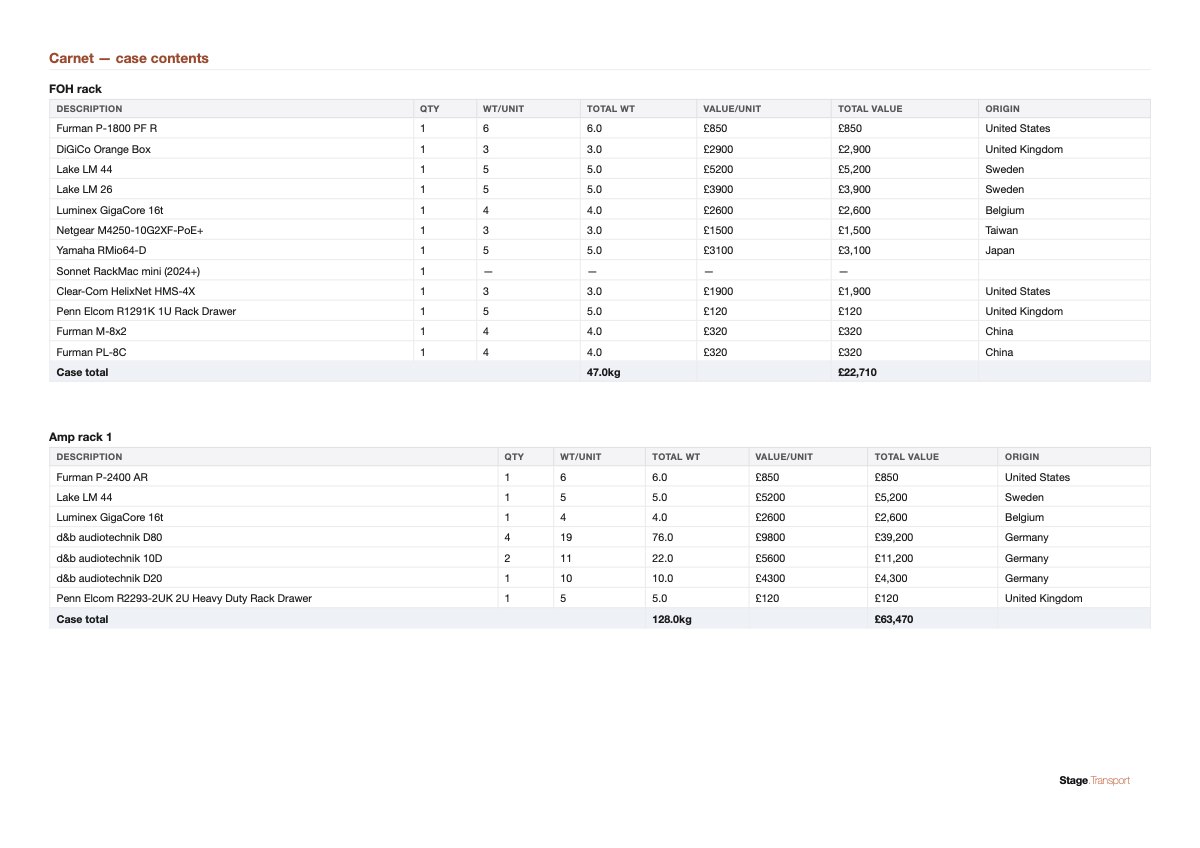 Case contents
What’s in every case, with weights, values and origin, and the totals.
PDF, 10 pages
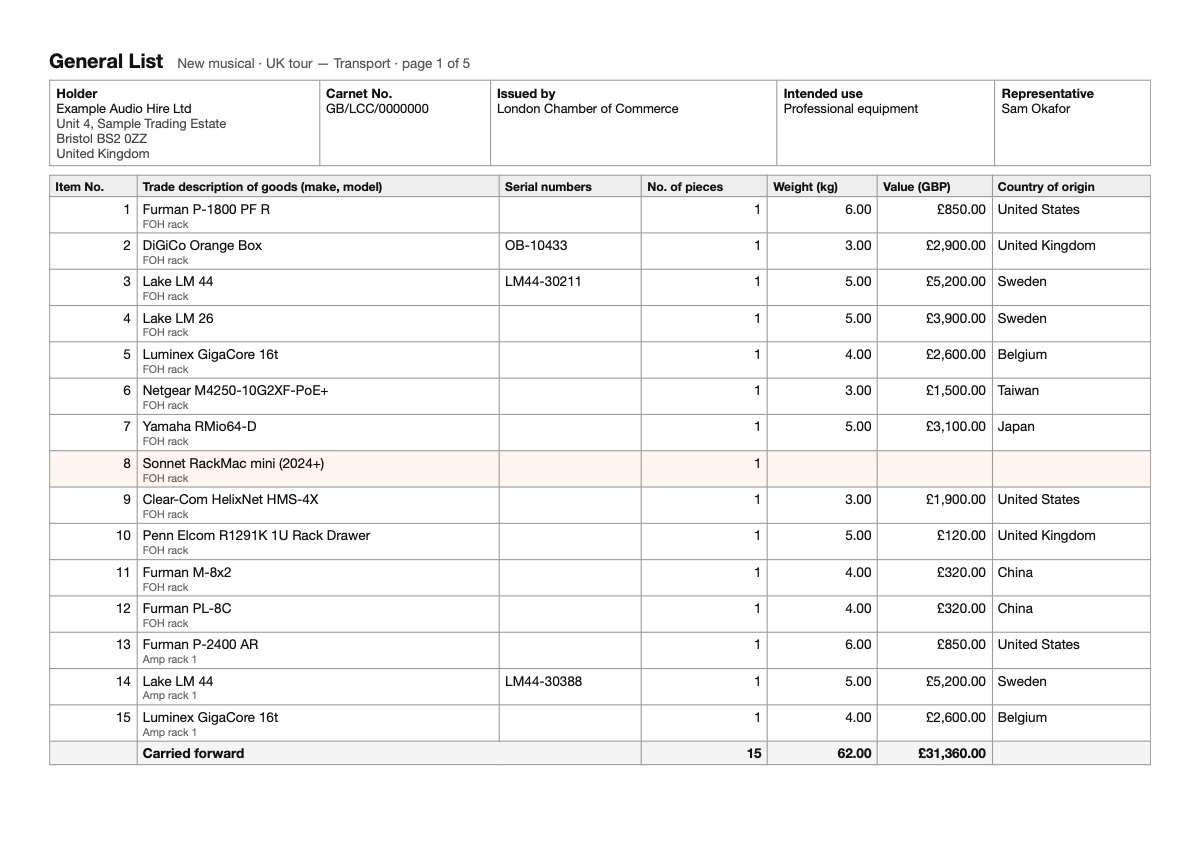 General List
Every item numbered, with the holder’s details on each page and the totals carried forward.
PDF, 5 pages
These are exports of the example tour’s plan. The General List can also be exported as CSV. The exports are made in the Mac app.
If you assign a plan to crew who have Stage.OS accounts, they get a read-only copy in their own side of the app.