Stage.CrewBeta
For organisations and freelancers. The Mac app, which also works offline, is on its way.Plan the crew for a production, cost it, and book the relevant crew. It works the same for a three-day get-in as for a year long tour, and productions that overlap can share one roster.
Overview
See how a production goes from nothing to a fully crewed show, using the example tour, in under two minutes. For the step-by-step, see the Guides.
The planner
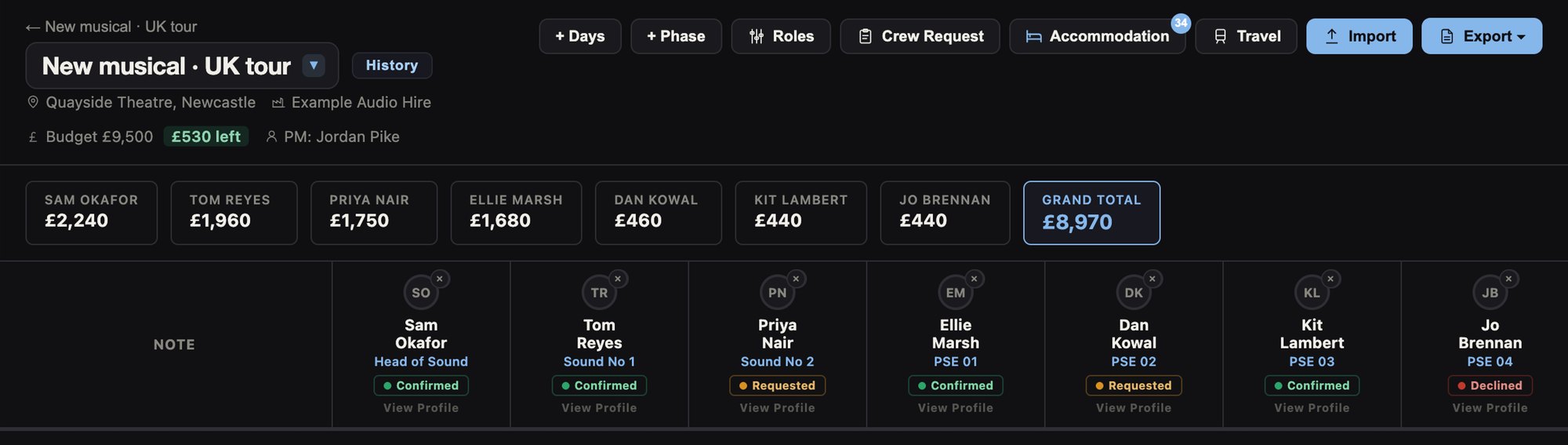
Each venue or move gets its own planner inside the production. Roles run across the top, one per person, and the days run down the side, grouped by phase. A day can be anything from half a day up to three.
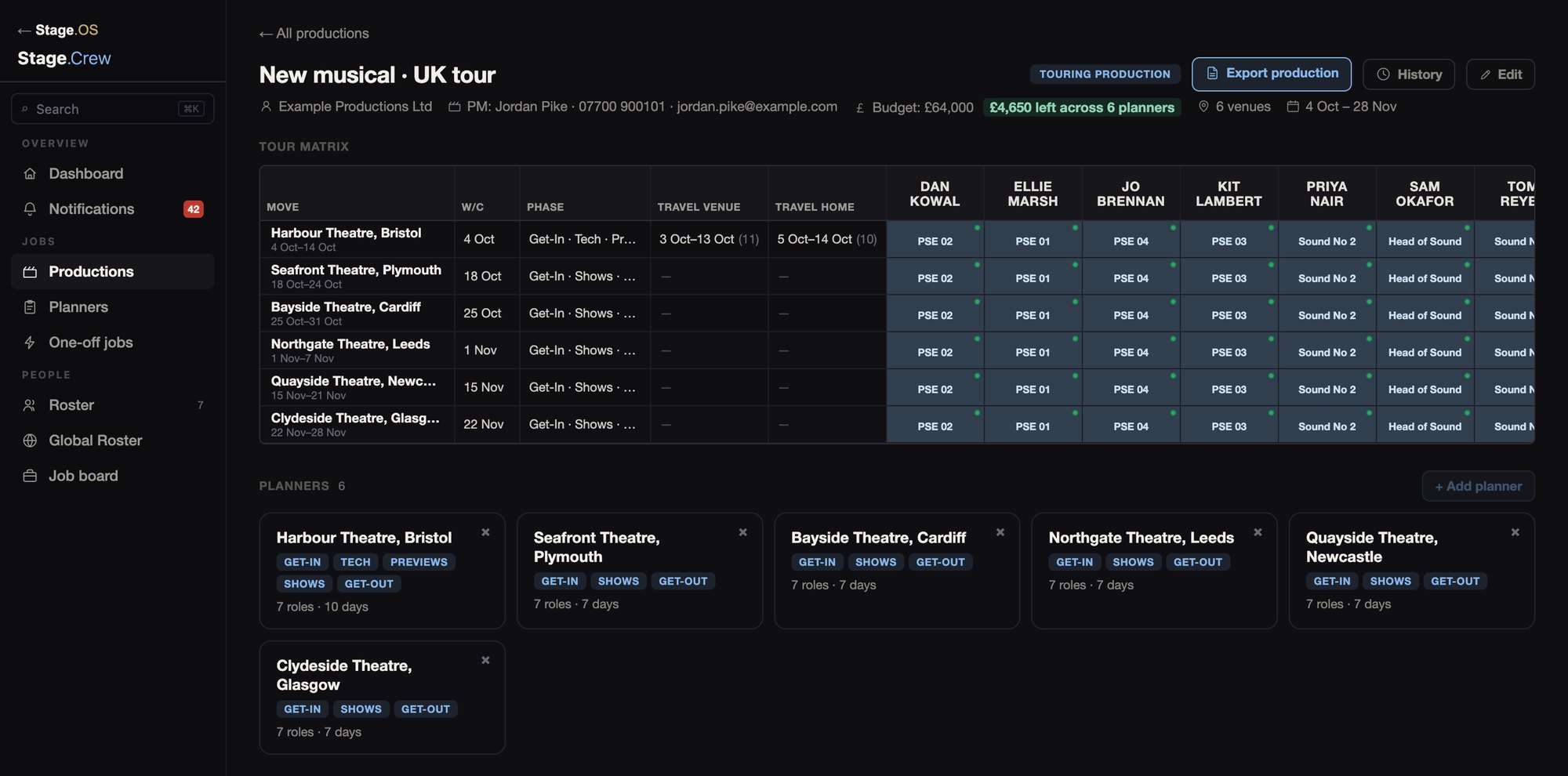
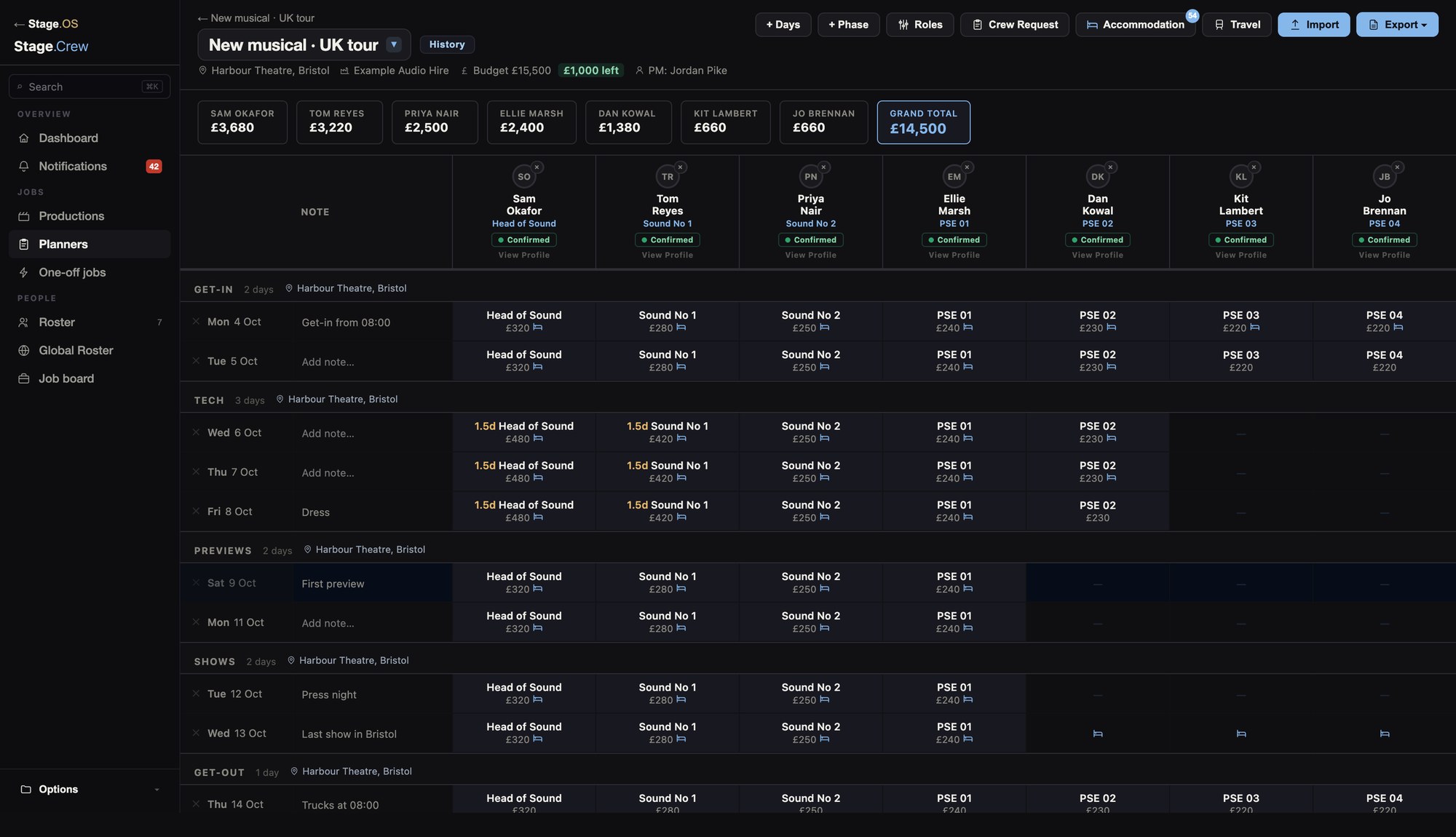
Costs add up as you book, against the budget, and you get a notification if a planner goes over. How-tos: Guides › Planners.
The crew matrix
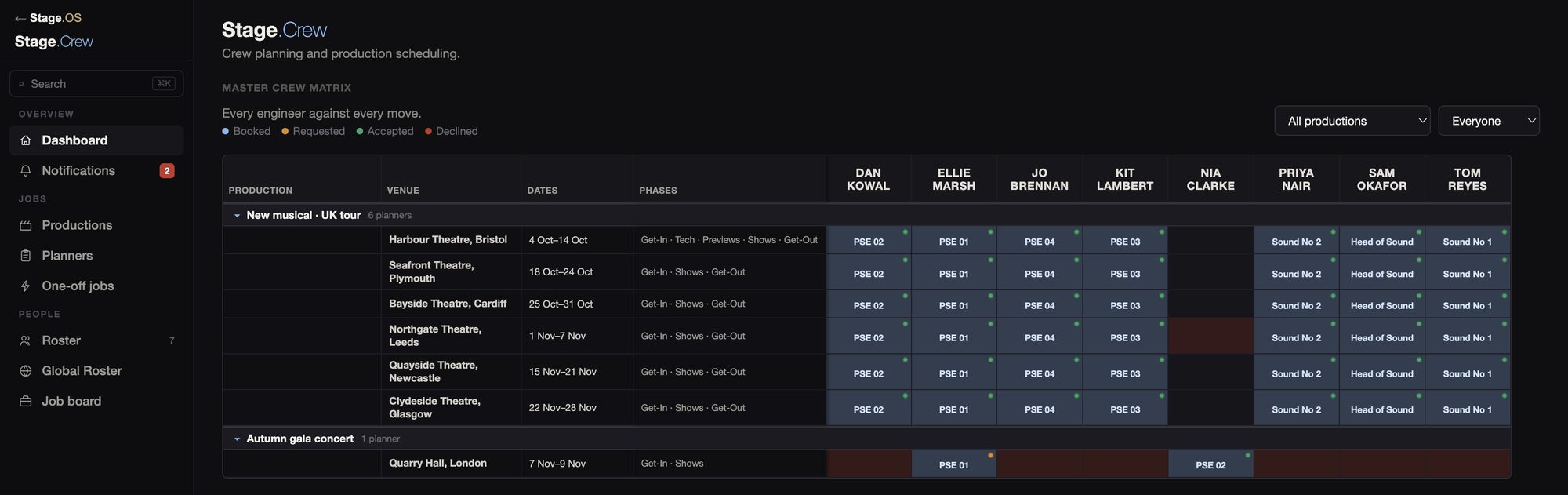
The crew matrix on the dashboard lists every production and its planners down the side, with your whole roster across the top. It shows who is on which show and in what role, how each booking stands, and who is booked elsewhere or unavailable. Use the filter options to only show specific crew members or productions.
Booking
Booking crew couldn't be simpler, once your planner days have been assigned, simply send the booking request. We prefer a firm offer, but will always give you the option.
See the "For Freelancers" section to understand how a freelancer receives and handles job requests.
Amber means requested, green confirmed and red declined, on the planner, the crew matrix and in notifications.
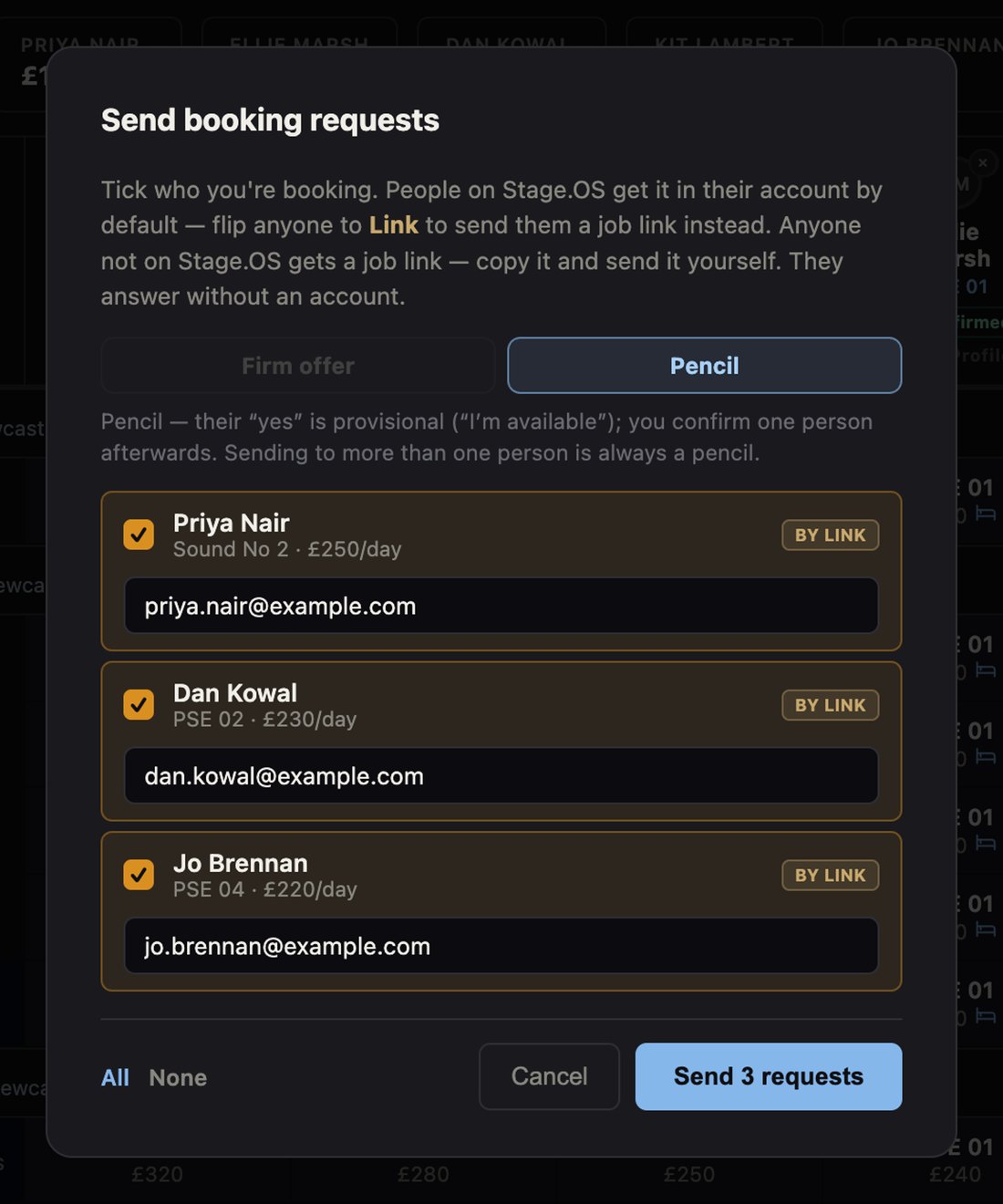
Someone who isn’t on Stage.OS answers from the job link you send them, without signing up. How-tos: Guides › Booking crew.
Roster and profiles
Your regular crew, ready to drop into any planner. Once someone joins your roster, their contact details, skills and availability come from their own account, so you don’t have to keep asking for them or typing them in.
Should you need sensitive details such as Right to Work, Payment information, this can be requested job to job within the planner and the record is deleted once the job has finished.
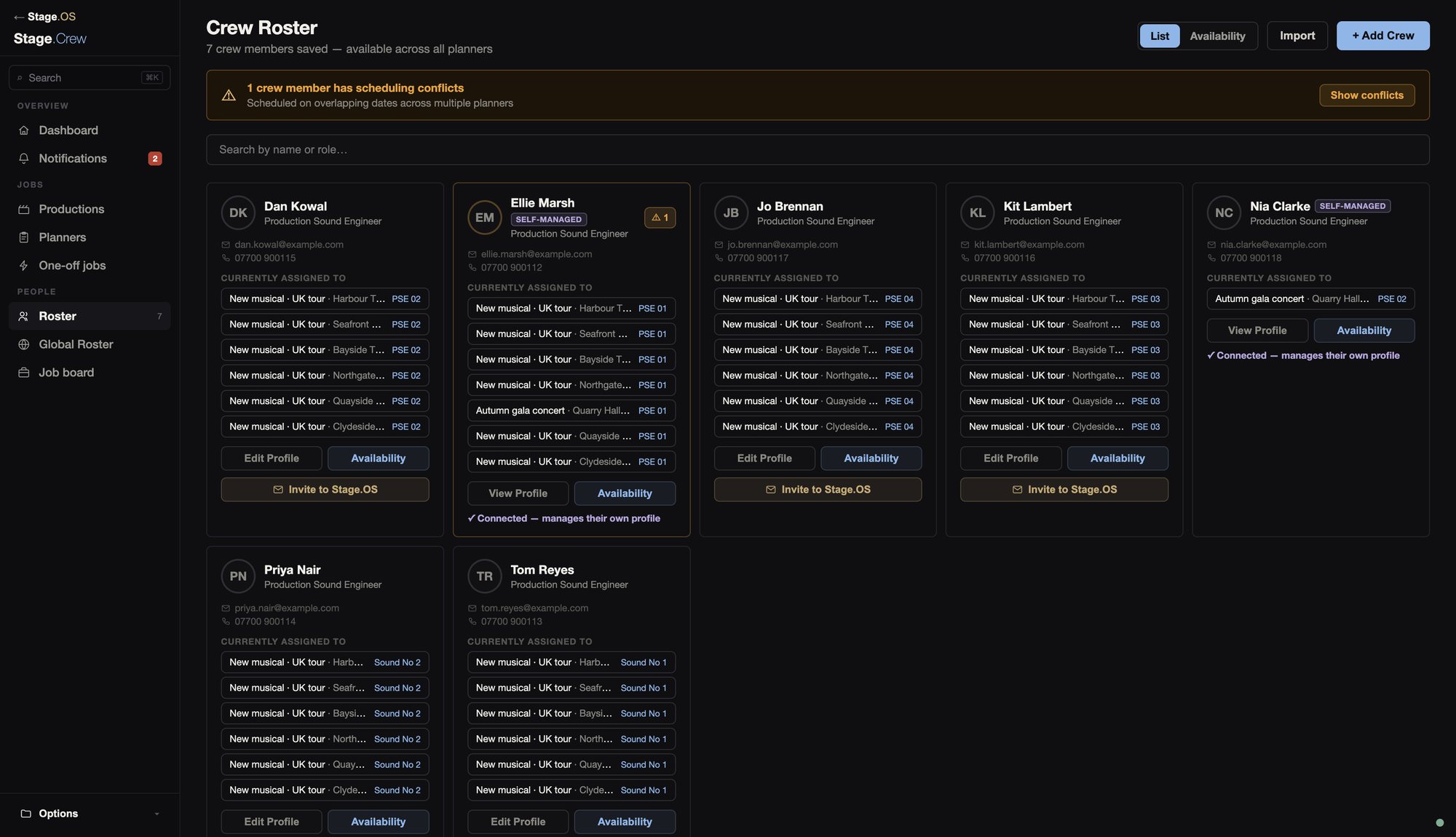
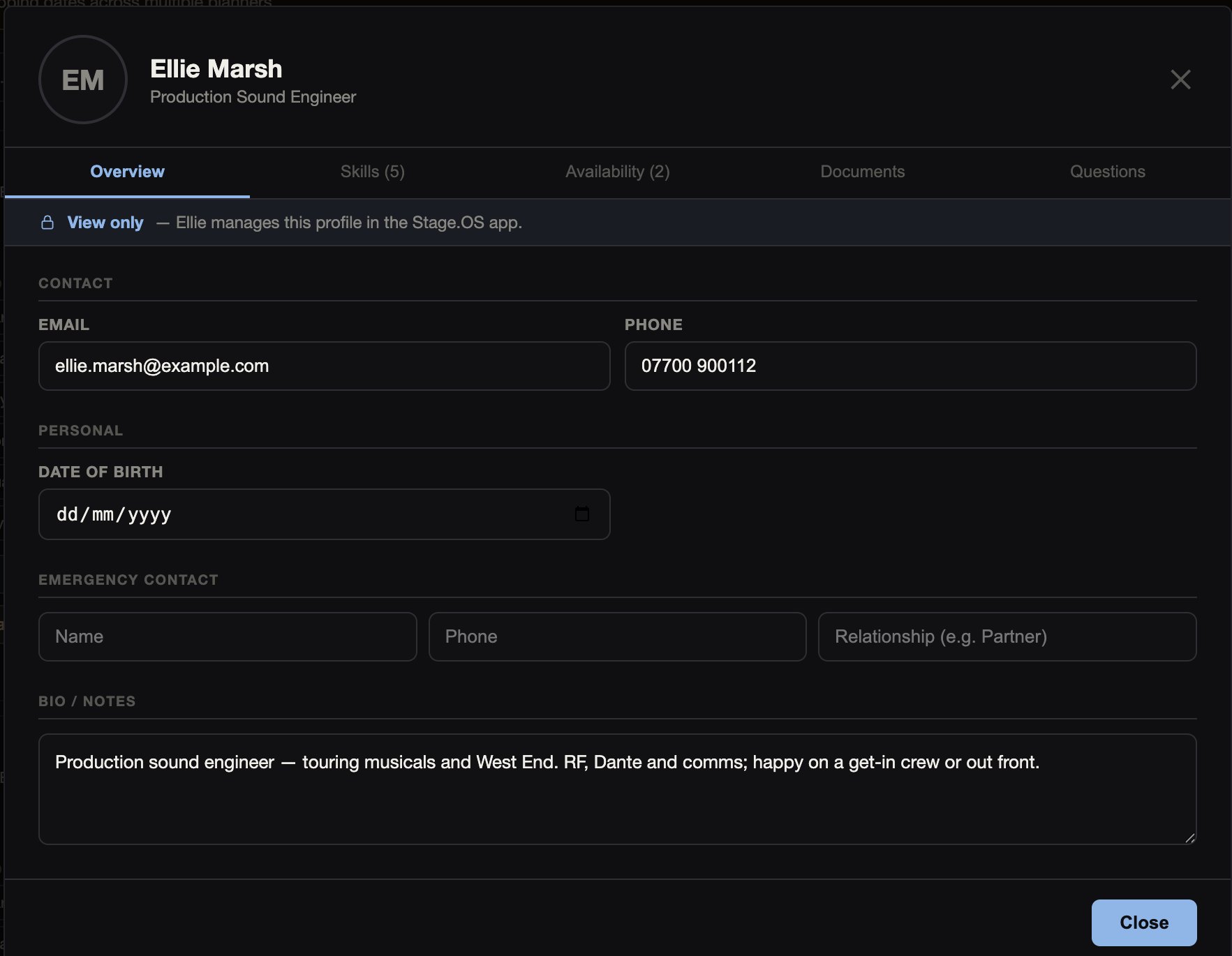
Add people who already have an account with an invite code, and write your own roster questions. How-tos: Guides › Roster.
Notifications
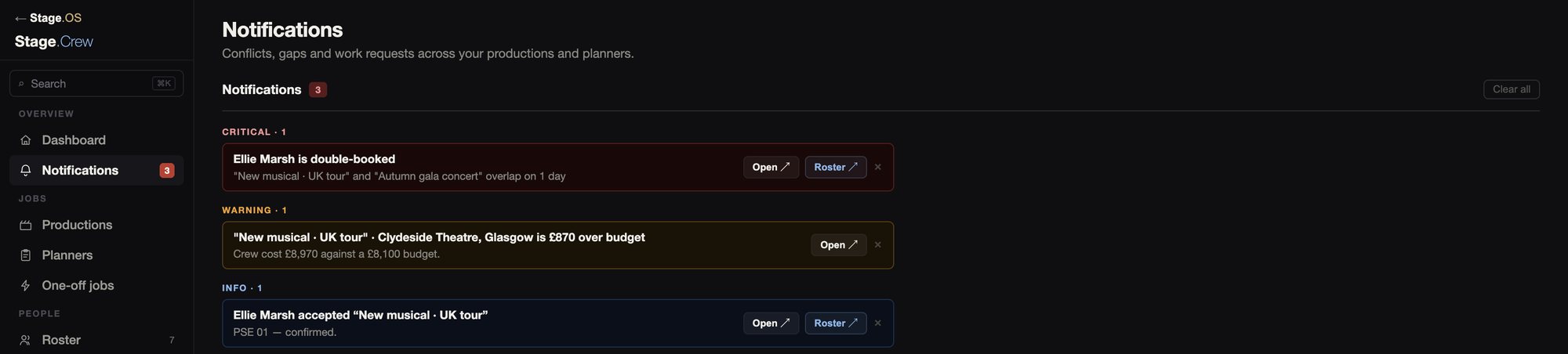
Problems are flagged as they come up, rather than on the day.
Double bookings, clashes, unanswered requests, declines and planners over budget, each of which you can turn off in Settings and customise how your notifications work for you.
Accommodation
Add a hotel, self-catering or anywhere else for each phase, then give out the nights in blocks, one at a time, or straight from the schedule. Nights and costs are totalled for each person.
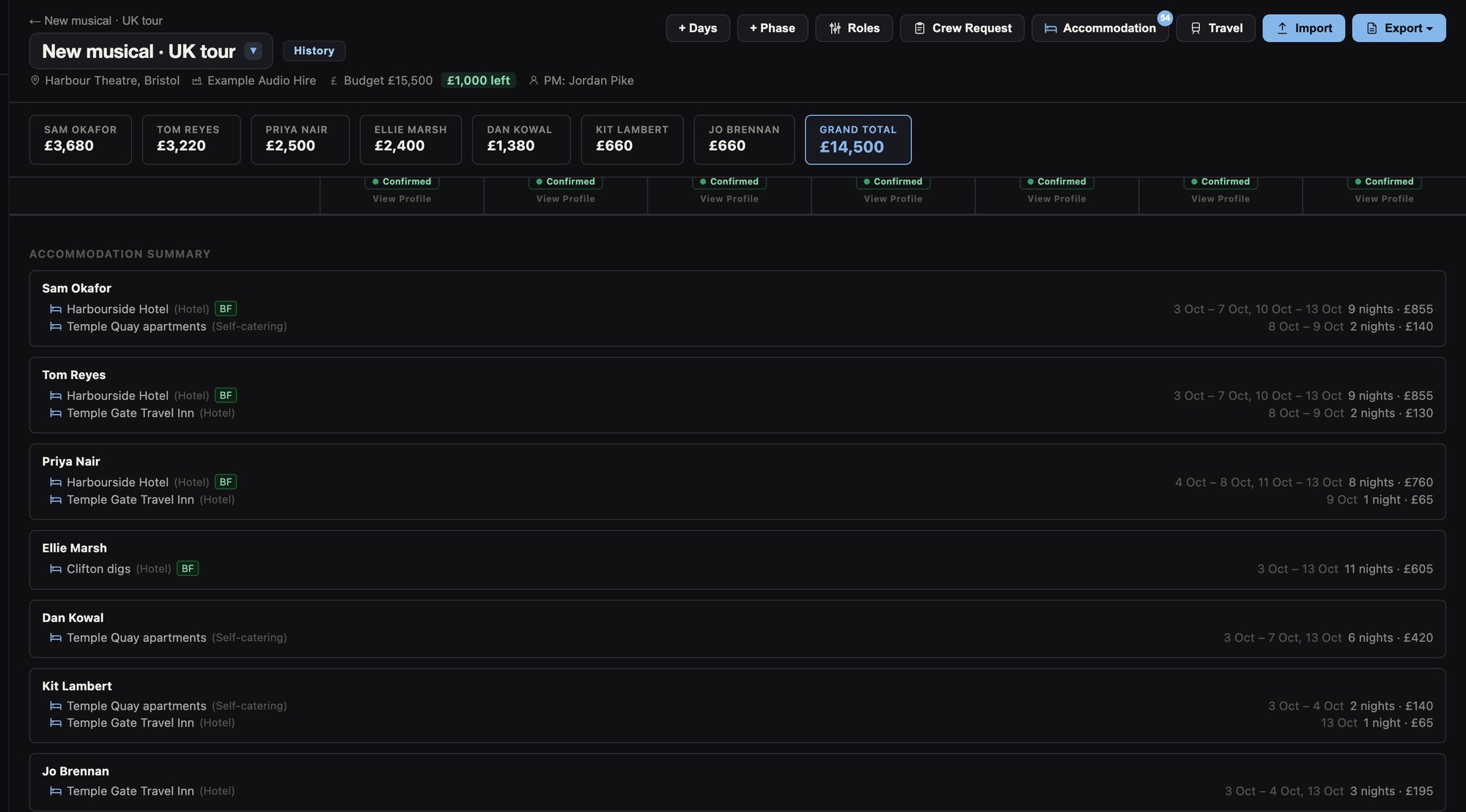
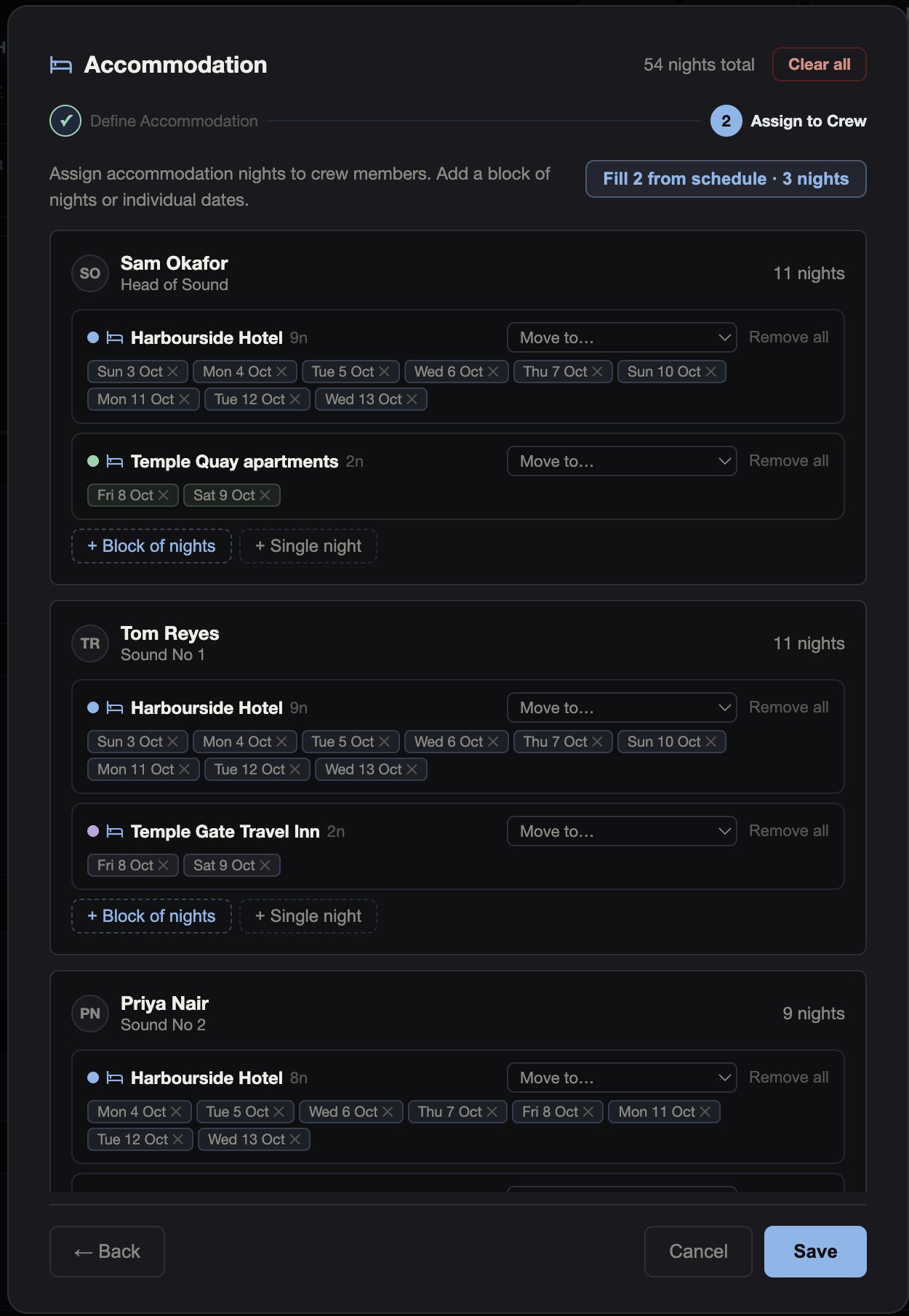
How-tos: Guides › Book the accommodation.
Call sheets and exports
From the planner you can export a call sheet for each person, a costed plan for the production manager, a rooming list and a travel board. They all come from the same planner, so if you change a day, the next export shows it.
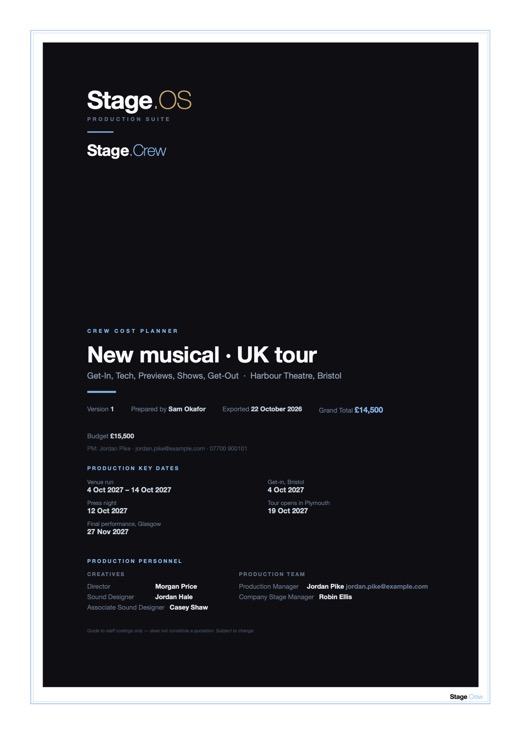 Crew cost plan
The Bristol planner for the production manager: key dates, the team, every day costed by phase, a crew summary, hotels and notes. £14,500 against a £15,500 budget.
PDF, 3 pages
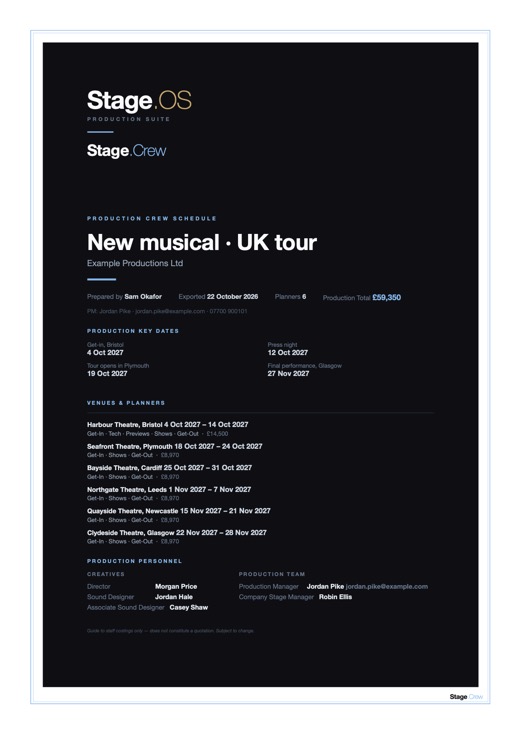 Production pack
The whole tour in one document: six venues, each one’s planner, and a summary of them all. £59,350 across the run.
PDF, 8 pages
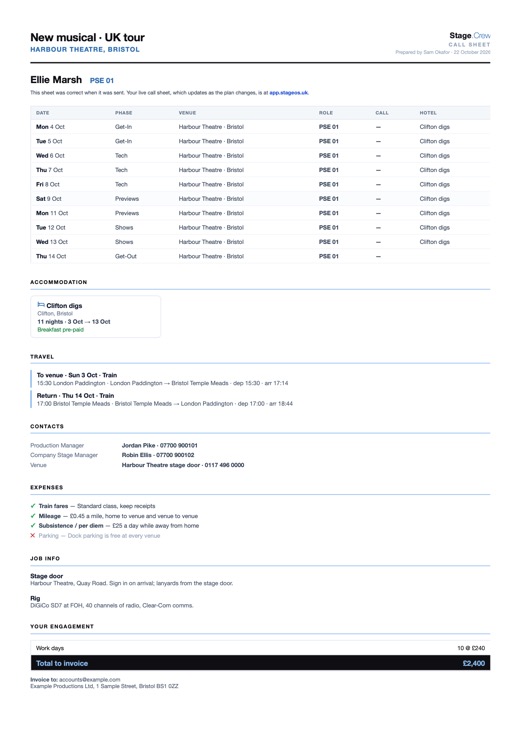 Call sheet
Ellie’s days as PSE 01, with her hotel, travel, contacts, expenses and what to invoice, and where to find her live call sheet online.
PDF, 1 page
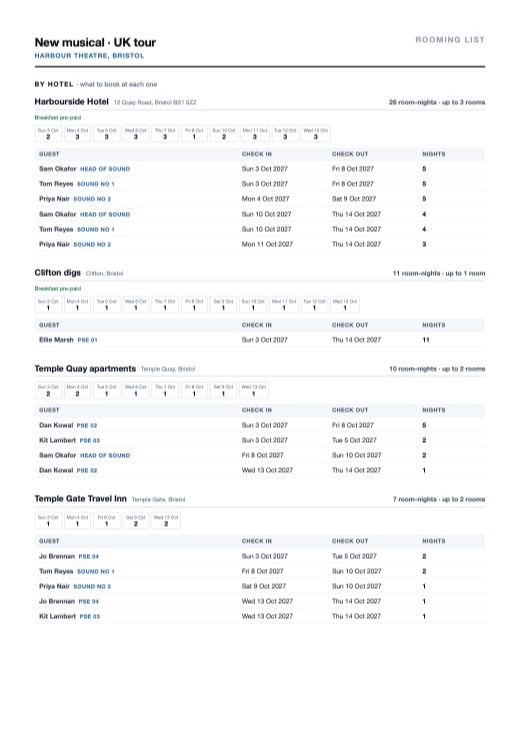 Rooming list
For whoever books the rooms. It’s grouped by hotel first, with what to book, rooms per night and guests in order of arrival, then by person.
PDF, 3 pages
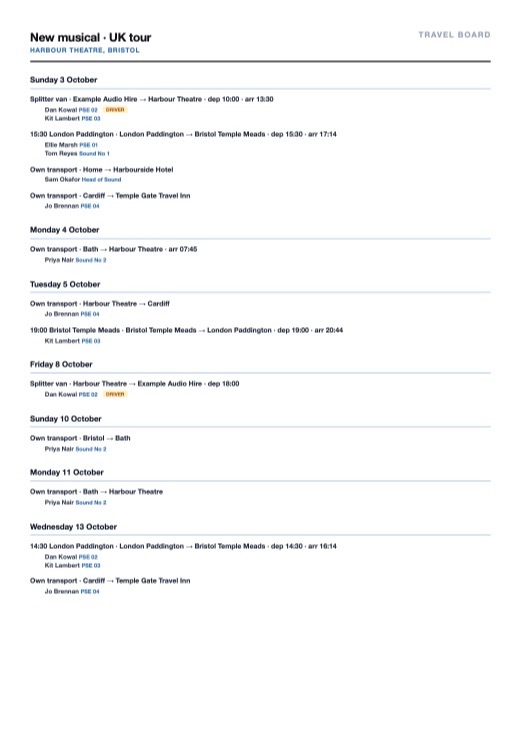 Travel board
Every journey, day by day: the splitter van and who’s driving it, who’s on which train, and who’s making their own way.
PDF, 2 pages
How-tos: Guides › Exports and imports.
Version history
Each planner keeps a history. Checkpoints are saved as you work and every time you export, and you can save named ones of your own. You can see what changed between any two, and restore an older one.
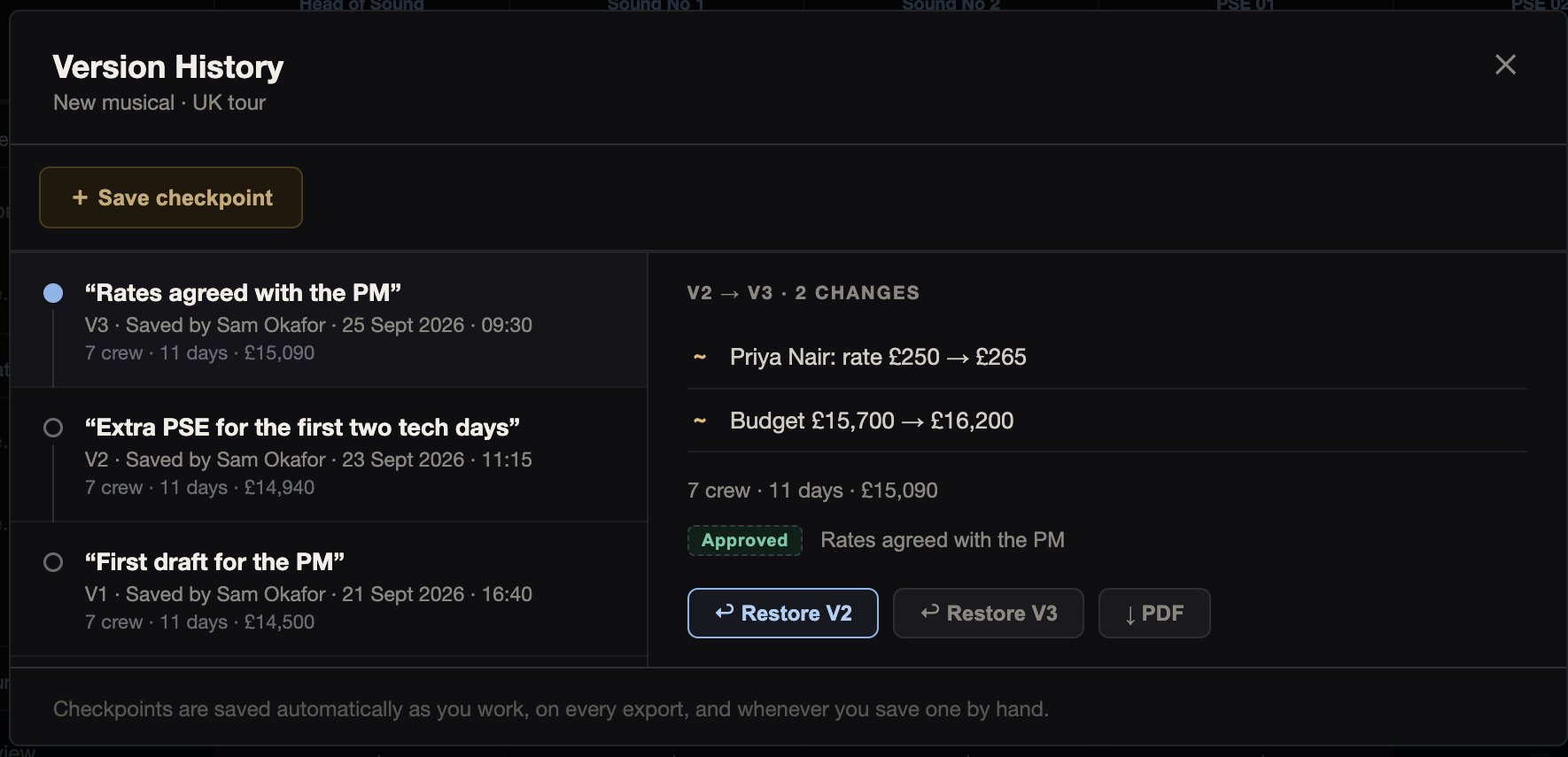
How-tos: Guides › Go back to an earlier version.
Finding crew
If your own roster can’t cover a job, there are three other ways to find people.
A one-off job books someone for a single show or day without a planner, from your roster, the Global Roster or a link.
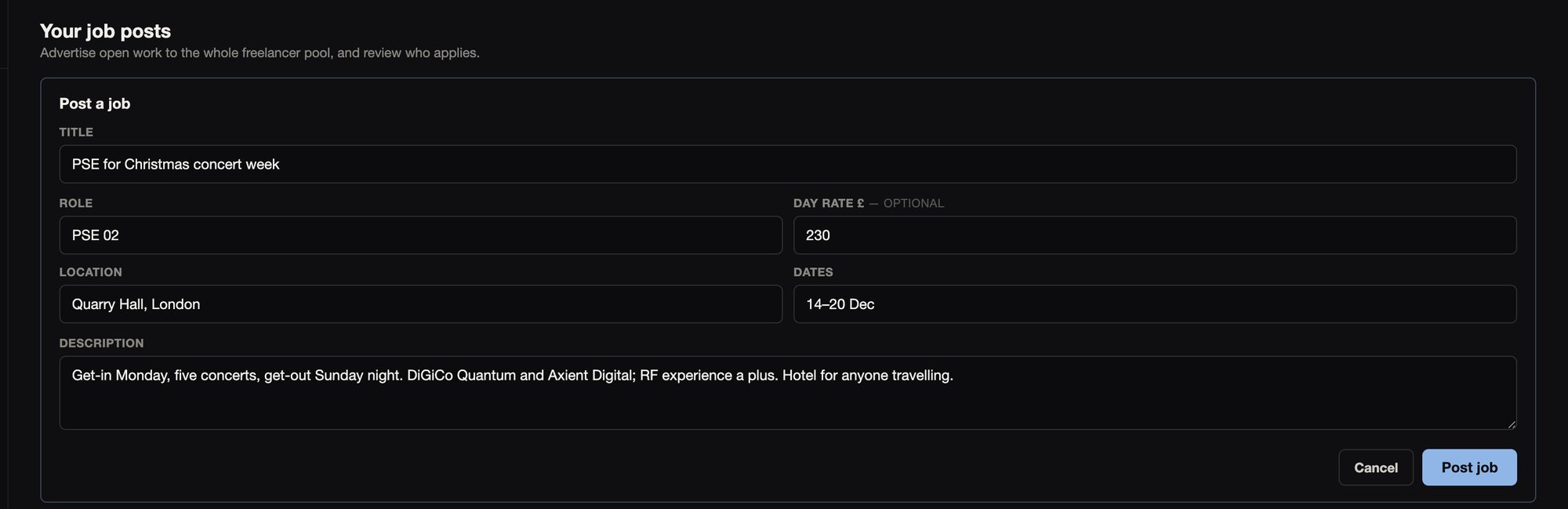
The Job Board is for open jobs. Freelancers on Stage.OS browse it and apply, and you choose who to take on.
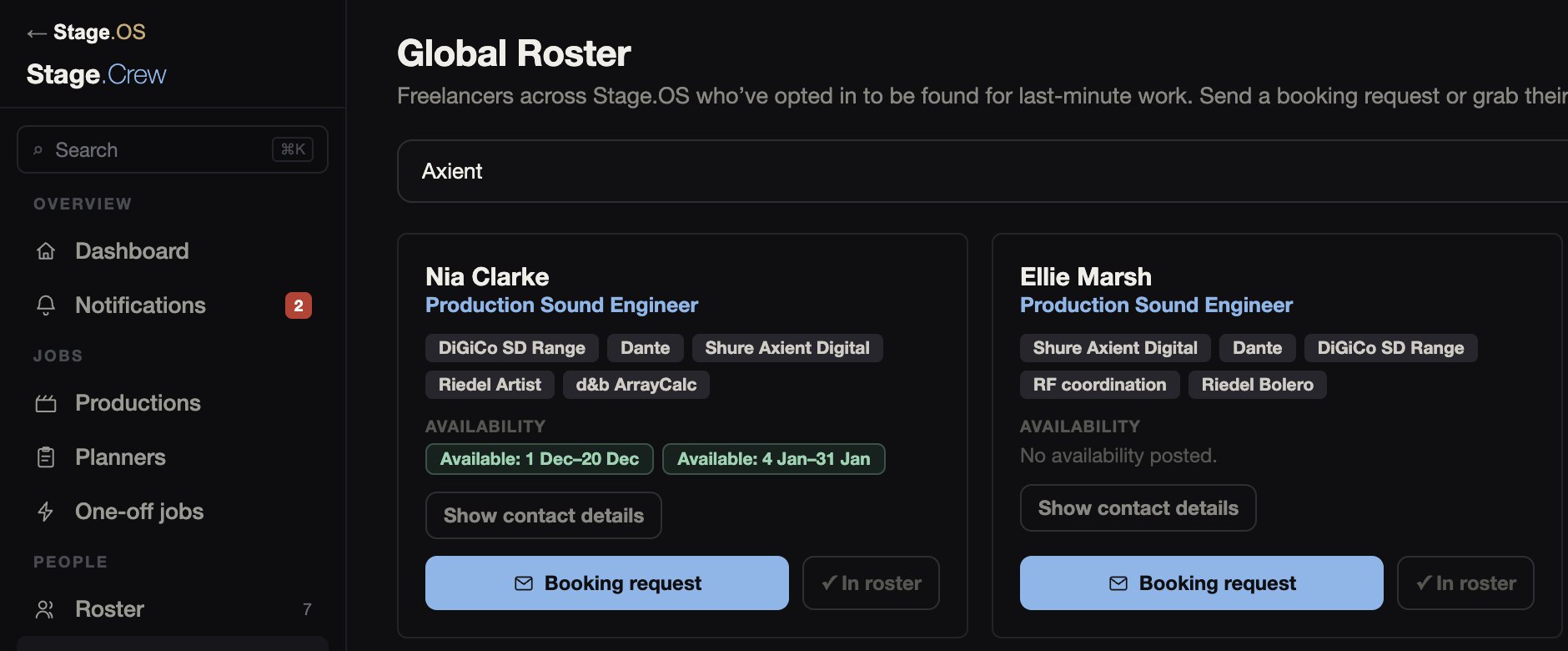
The Global Roster lists the freelancers who have chosen to join it across the entire Stage.OS suite, and not just limited to your own roster. Search by role or skill and send a request.
How-tos: Guides › Jobs and Guides › Roster.
Offline and on more than one screen
In the Mac app, changes you make without a connection are kept in an encrypted queue, survive a restart, and are sent when you’re back online. You can also put the planner on one screen and the crew matrix on another, and the windows stay in step while you’re online.