Stage.Label
Coming soon.Make labels from the show information you’ve already written down. A batch of labels for radio mic packs, input strips or switch ports comes straight from your Stage.IO and Stage.Spec, and prints to a Brother P-touch without any other software.
The screenshots and PDFs on this page come from the real app, filled with a made-up tour and the labels made from its Stage.IO and Stage.Spec.
Overview
How labels go from the show’s Stage.IO and Stage.Spec to the P-touch, the flight cases and the office printer. Watch it in just over a minute.
Three kinds of label
Each production has three kinds of label: P-touch tape labels, an A5 card for every flight case, and A4 label sheets for the office printer. Open one below to see it.

01P-touch Labels
You can design a label yourself, make a whole batch from your show’s data, or start from one in the library, and then print it on a P-touch.
01P-touch Labels
You can design a label yourself, make a whole batch from your show’s data, or start from one in the library, and then print it on a P-touch.
Label Designer
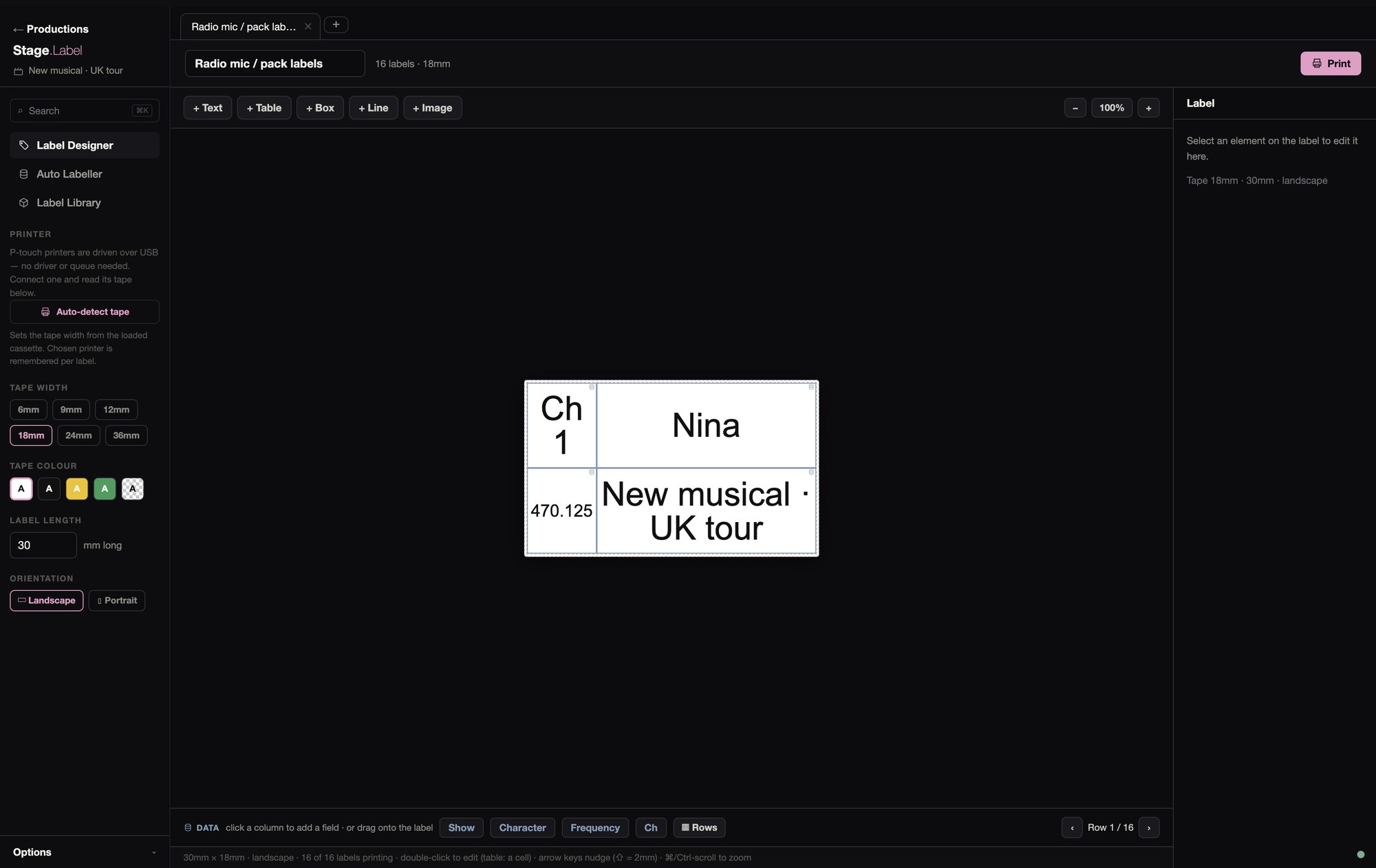
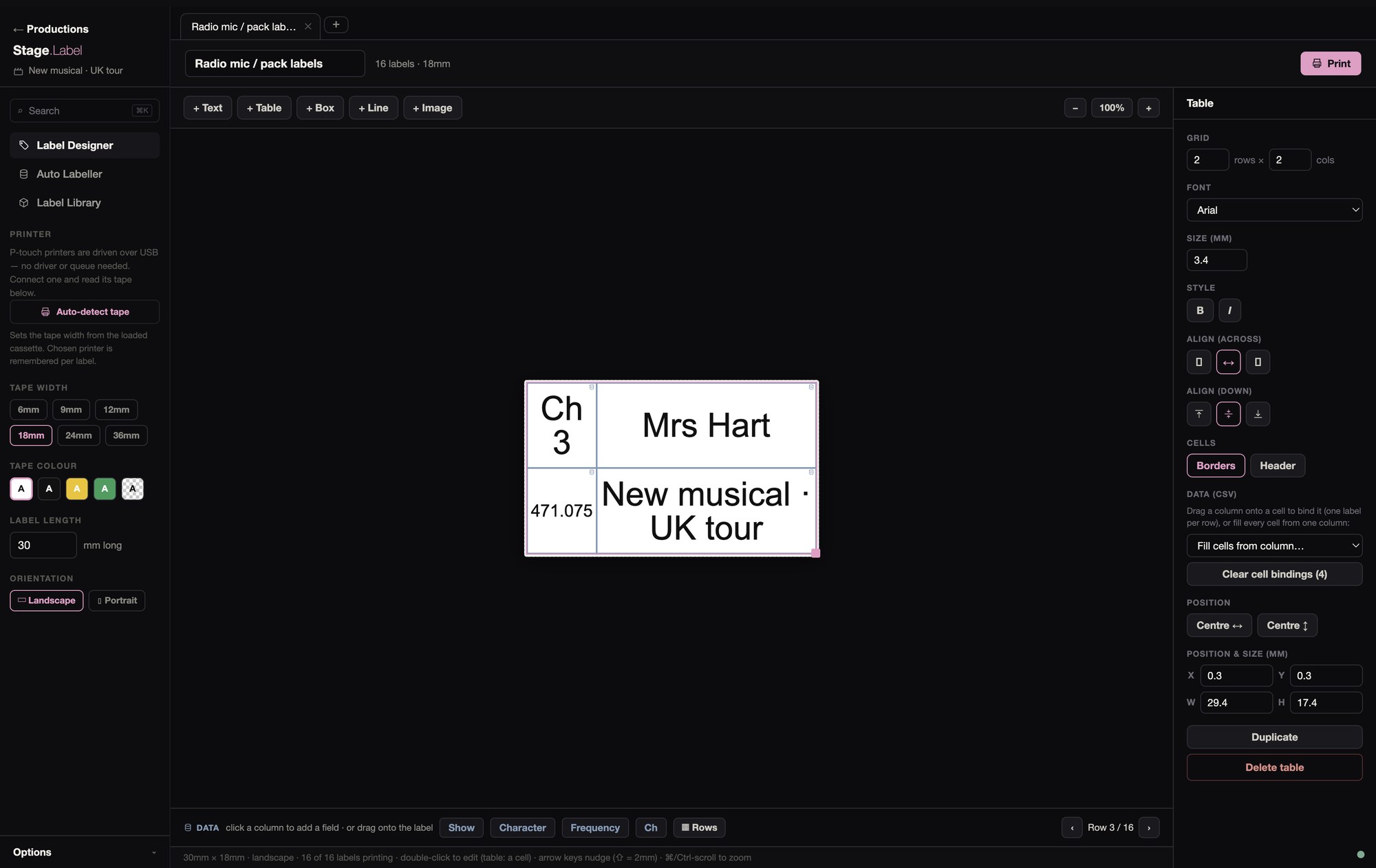
A label can hold text, tables, boxes, lines and images. It works on tape from 6 to 36 mm, landscape or portrait, at whatever length you set. Text can shrink to fit its box, the way it does on a P-touch.
To fill labels from your data, bring in an Excel or CSV file, or start from an auto label. Drag a column onto the label and each row gets its own copy, then tick the rows you want.
You can keep several labels open in tabs, and save the ones you’ll want again.
Auto Labeller
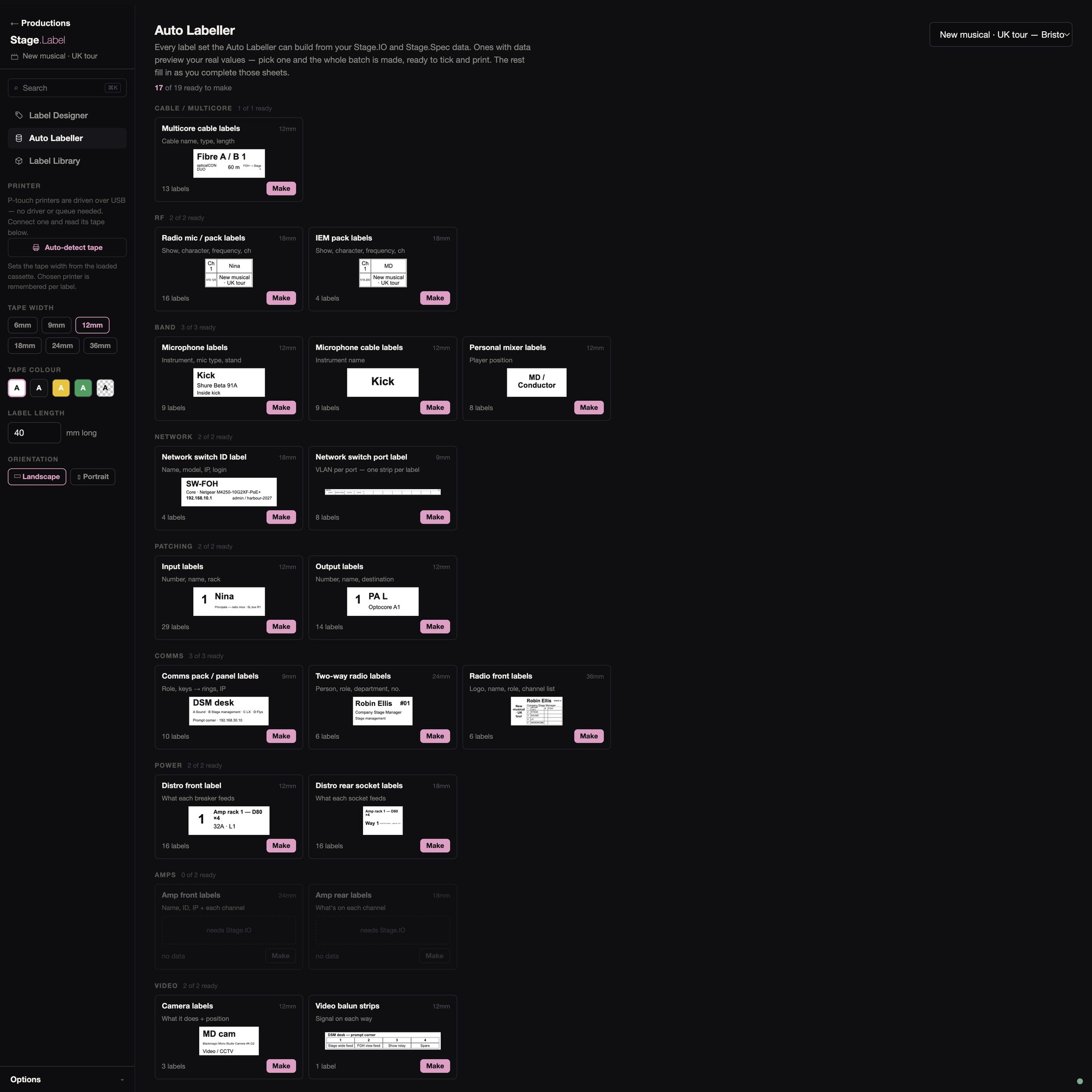
The Auto Labeller makes nineteen kinds of label, seventeen from Stage.IO and two from Stage.Spec. They cover multicores, radio mic and IEM packs, mics and mic cables, personal mixers, network switches and their ports, inputs and outputs, comms packs and radios, power, amps, cameras and baluns.
Each kind shows a preview label with your own values before you make it. The batch then opens in the designer, one label per row, so you can edit it before it prints.
Label Library

The library has 649 ready-made labels, in folders and searchable, with a filter for the ones that take data. Open any of them and you can change it.
You can also open the .lbx files you already have, a folder at a time or one by one. Text, tables, images, lines and merge fields are brought across. Barcodes aren’t yet, and you’re told what was left out.
Printing
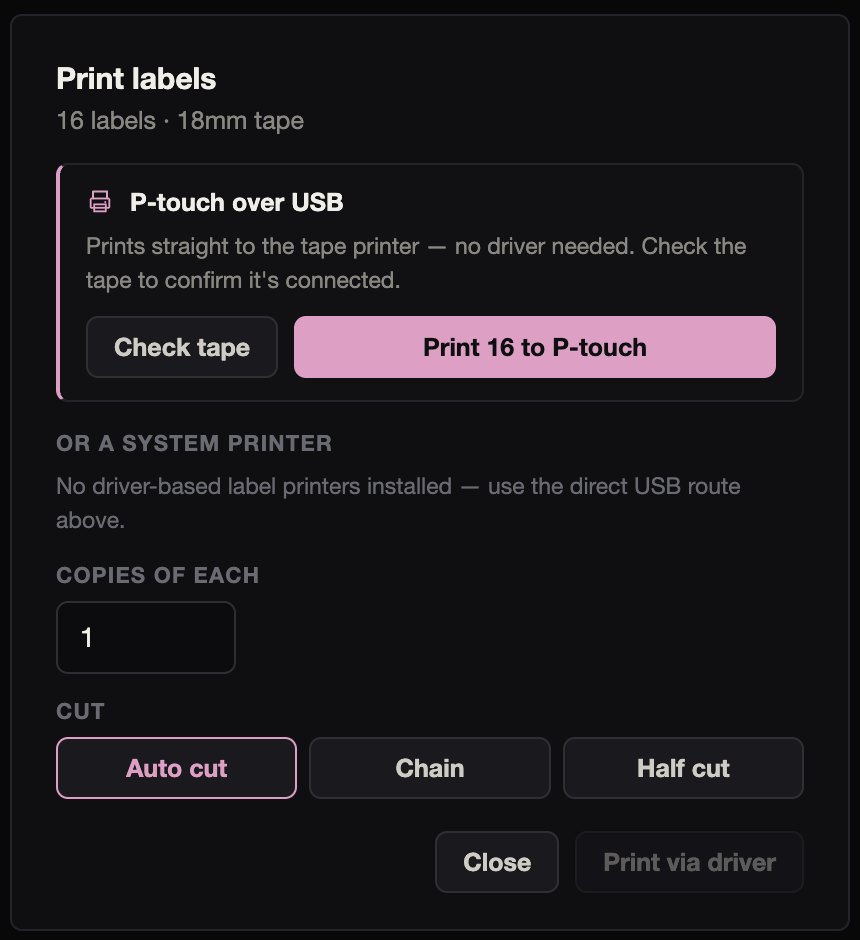
Labels print over USB, with no driver, to nine P-touch models: the PT-H500, E500, P700, P750W, P710BT, P900, P900W, P950NW and P910BT. 36 mm tape is for the P900 family, and the others take tape up to 24 mm.
You can check the tape that’s loaded, and the label is set up for its width. Print as many copies of each label as you need, cut one by one, chained, or half cut.
The printer is checked before printing starts, so the wrong tape is caught first (“12mm loaded, not 18mm”). Afterwards you’re told the labels are done, or exactly why they aren’t.
A P-touch that’s installed on the Mac can also print through its driver, with each label sent as its own job. The cut options only apply when you print straight to the P-touch.
02Flight Case Labels
An A5 card for every case, showing what’s in it, where it goes and where it sits on the truck.
02Flight Case Labels
An A5 card for every case, showing what’s in it, where it goes and where it sits on the truck.
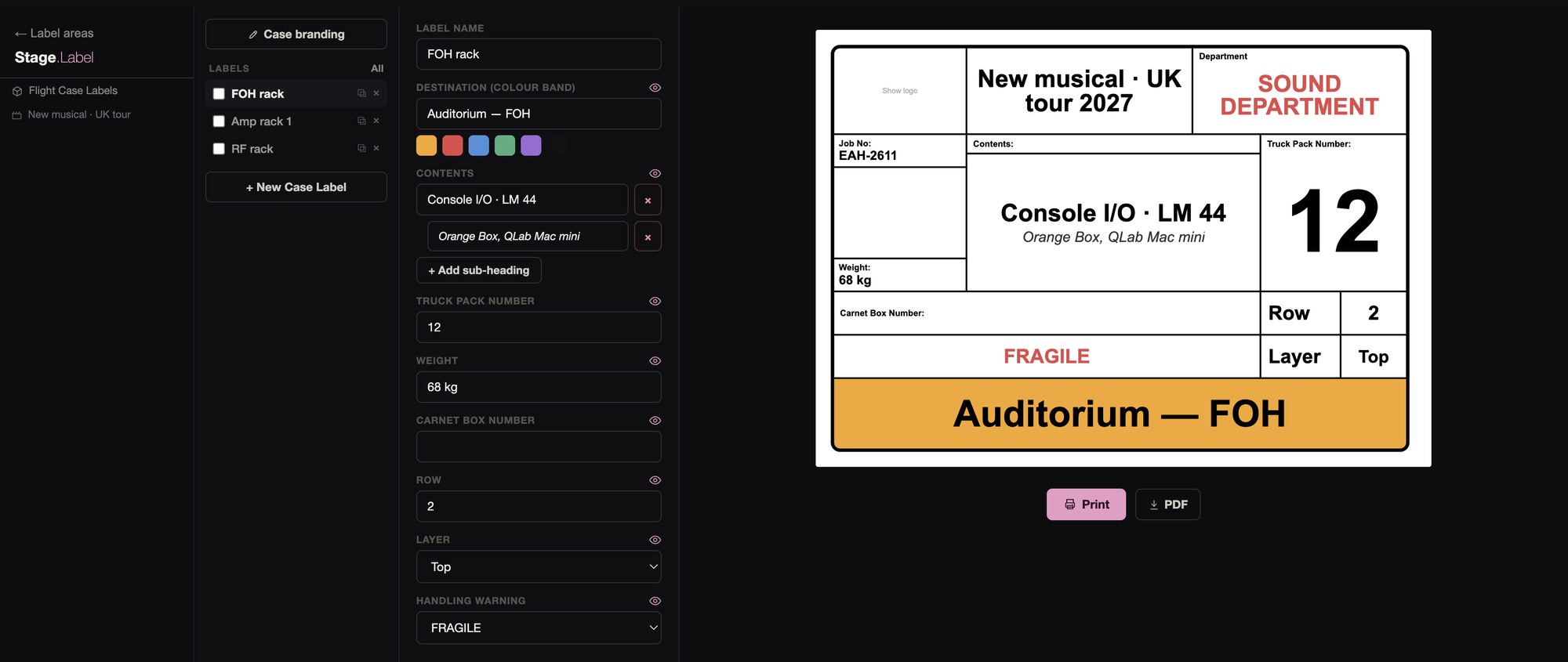
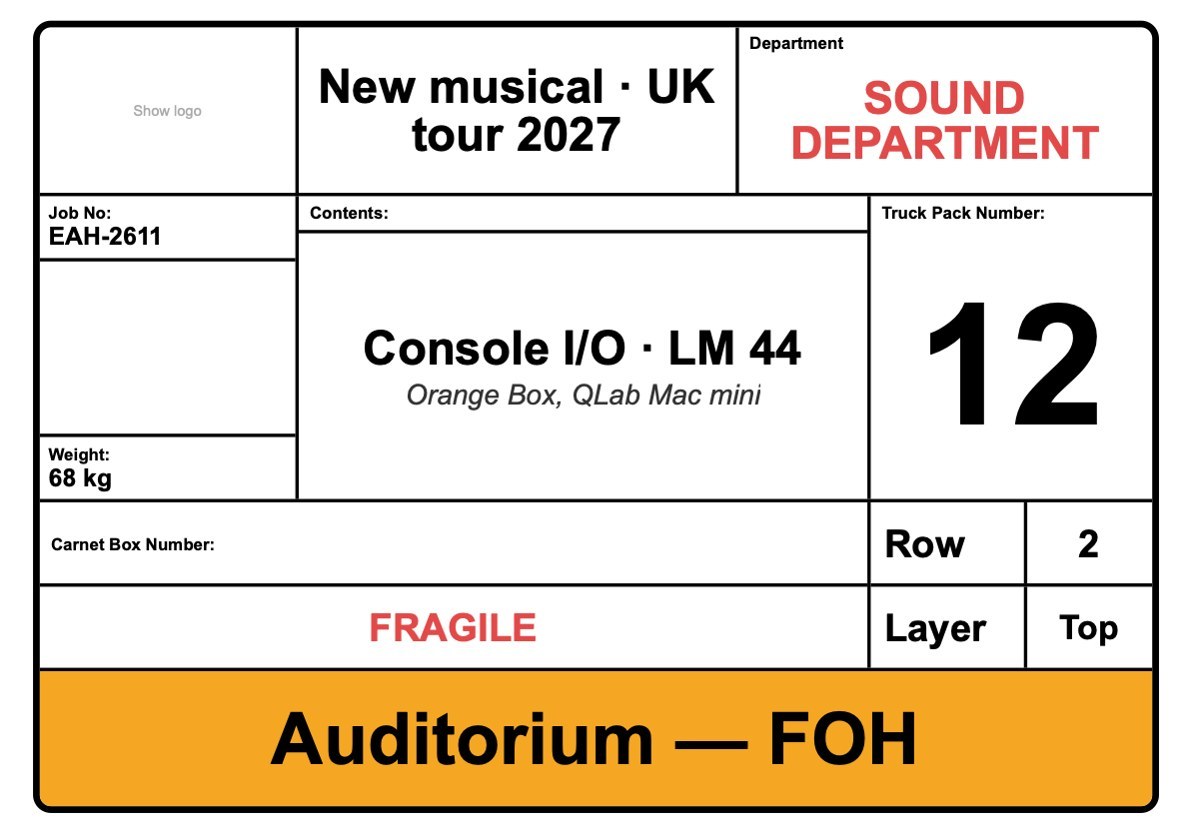 FOH rack
Truck pack 12, fragile, going to the auditorium.
PDF, 3 cards
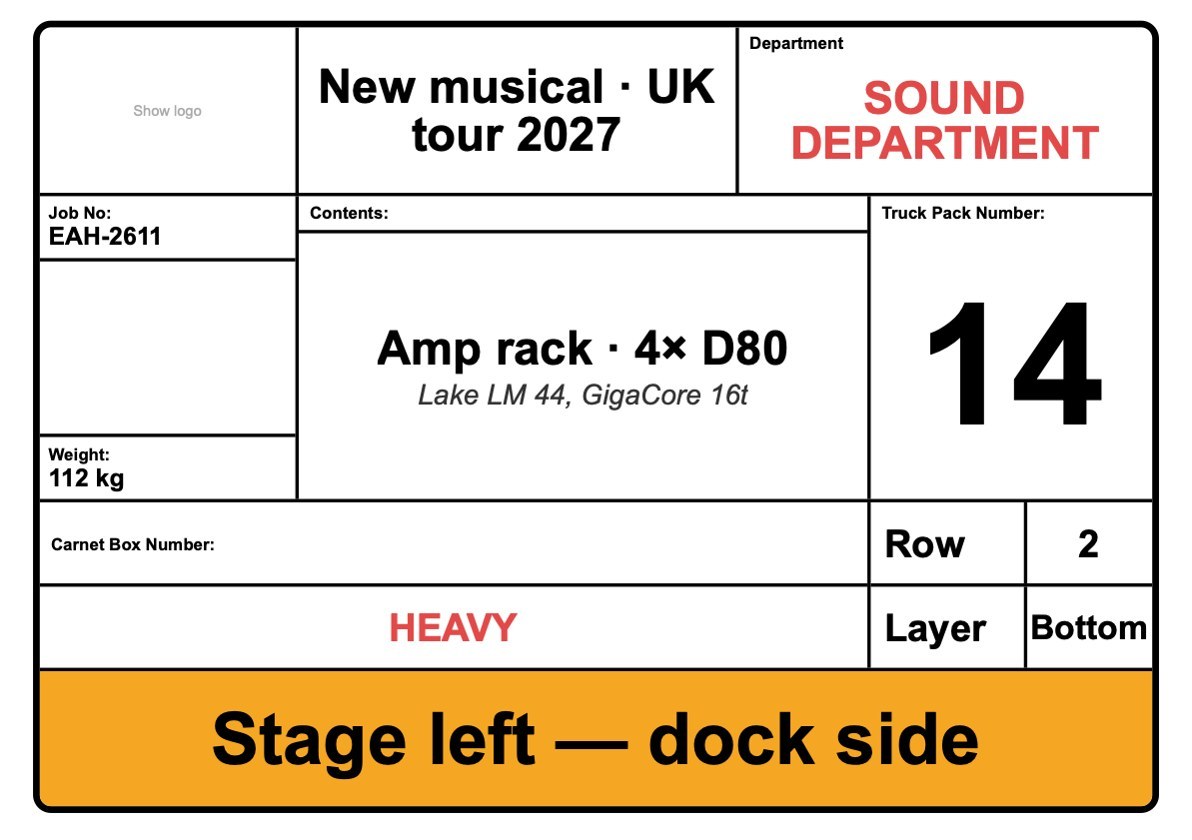 Amp rack 1
Heavy, bottom layer, going to stage left.
PDF, 3 cards
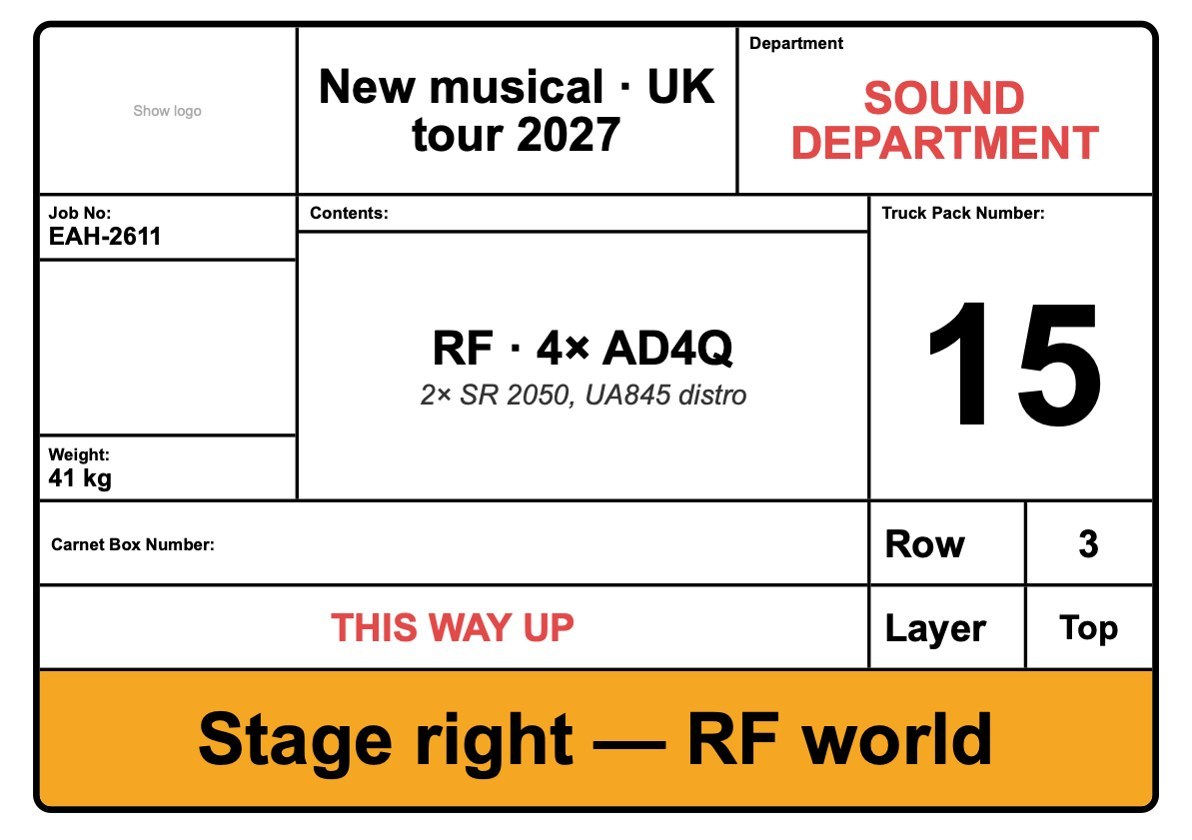 RF rack
Truck pack 15, this way up, going to stage right.
PDF, 3 cards
A card can carry the show’s branding, the department, the contents, the truck pack number, the weight, the row and layer, a handling warning, and a colour band for where the case is going. You can print the cards on an office printer or save them as a PDF.
03Sheet Labels
Avery A4 label sheets for the office printer, for cable bins, shelves and anything else that isn’t on tape.
03Sheet Labels
Avery A4 label sheets for the office printer, for cable bins, shelves and anything else that isn’t on tape.
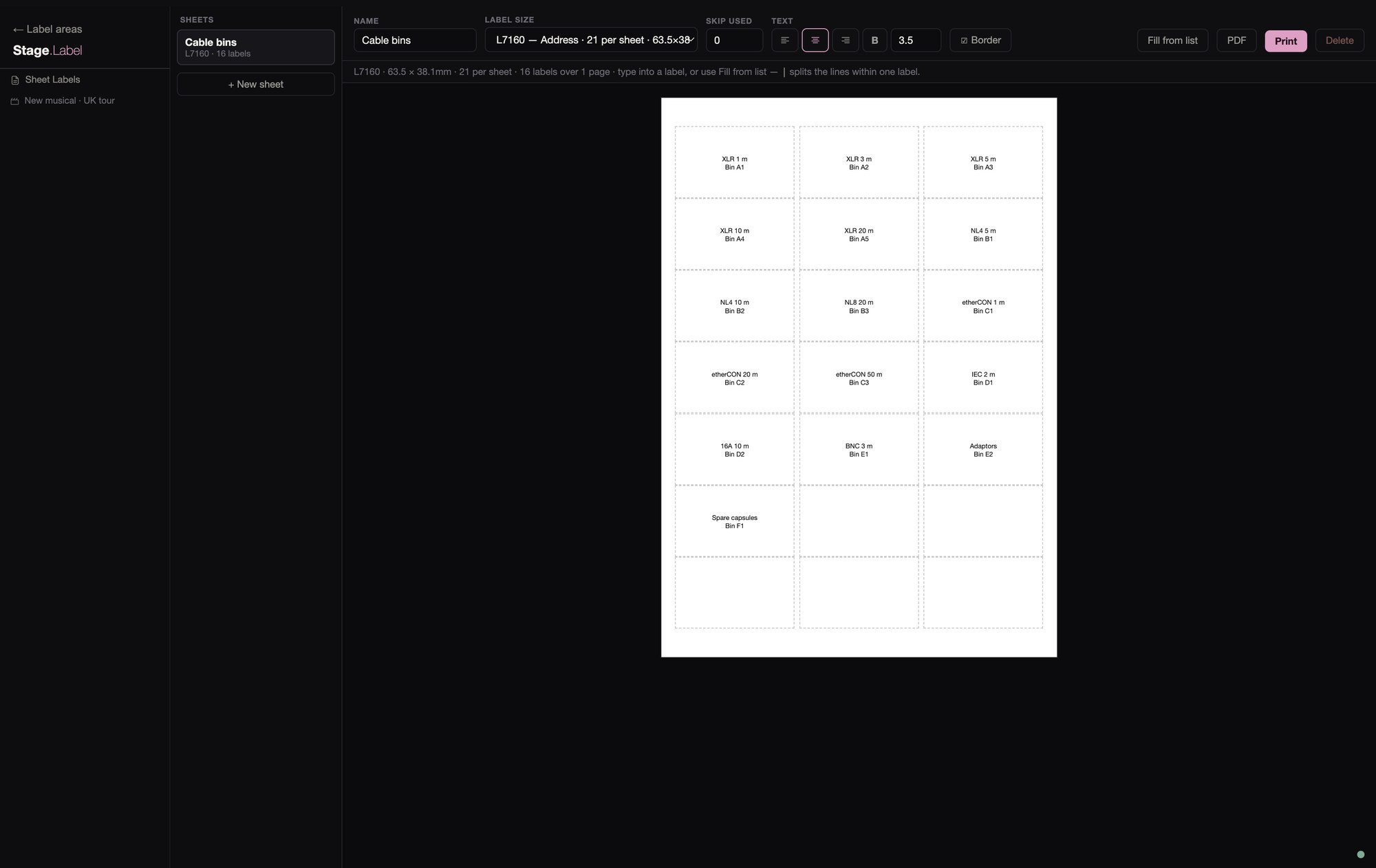
There are templates for nine Avery A4 sheets, from the L7160 with 21 to a sheet to the 84-label L7656, and three square sizes.
On a part-used sheet you can skip the labels that have already been used and fill the rest from a list. Print the sheet on an office printer, or save it as a PDF.